A little guidance
How to create a color palette from a HEX color
Start with one color, choose a harmony and preview the result in a document, spreadsheet or website. Follow a real six-color example.
Real example: a six-color green palette
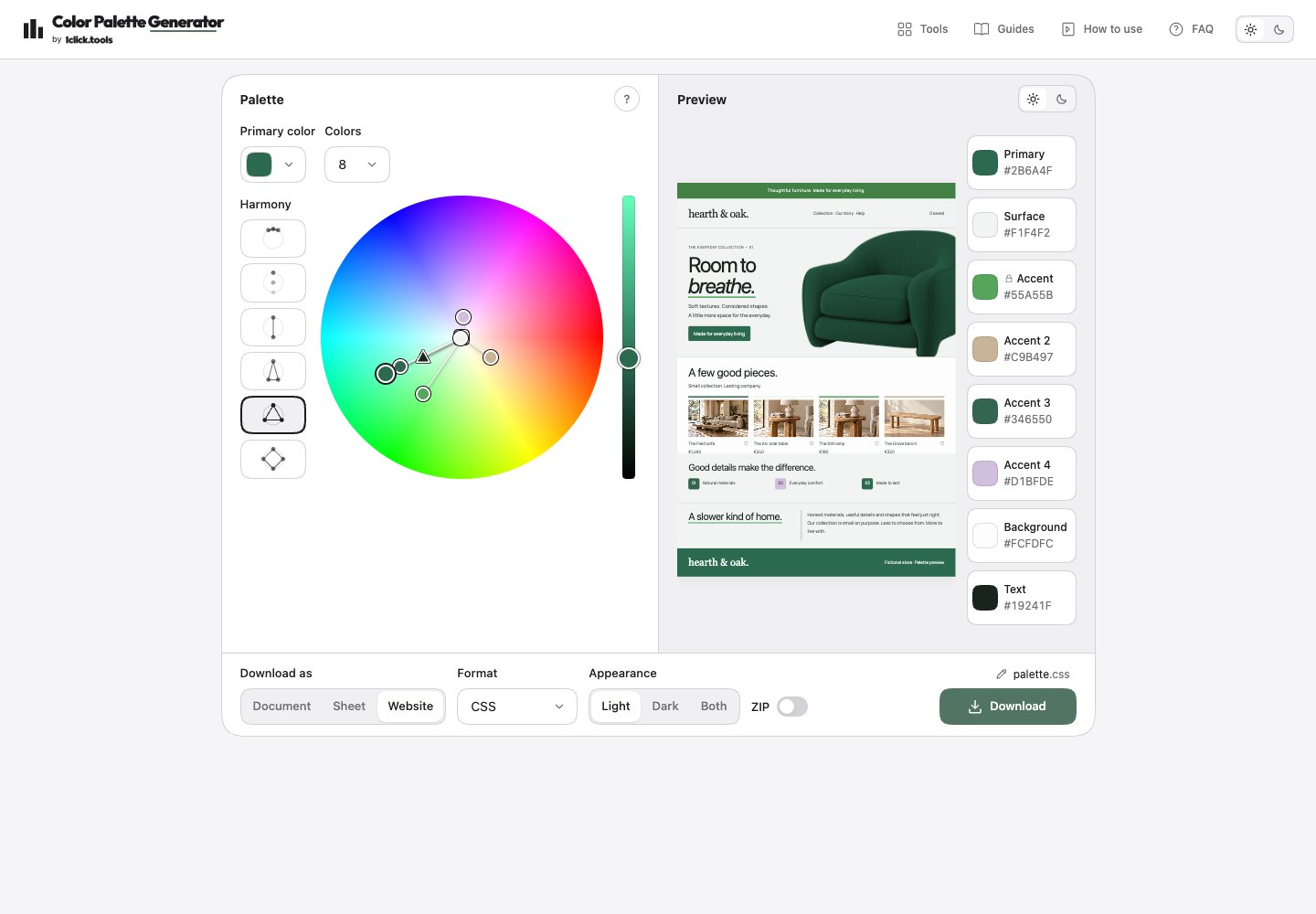
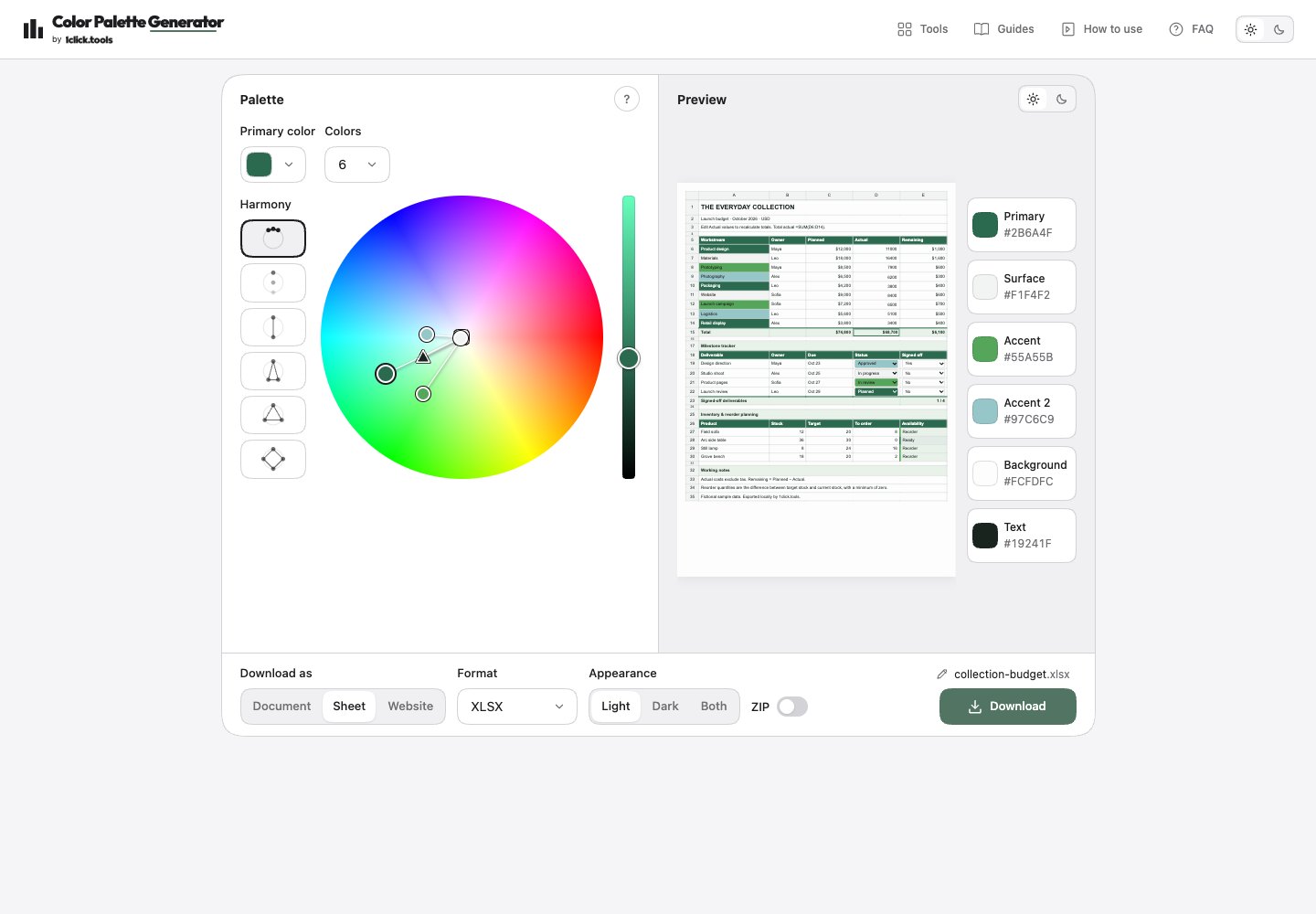
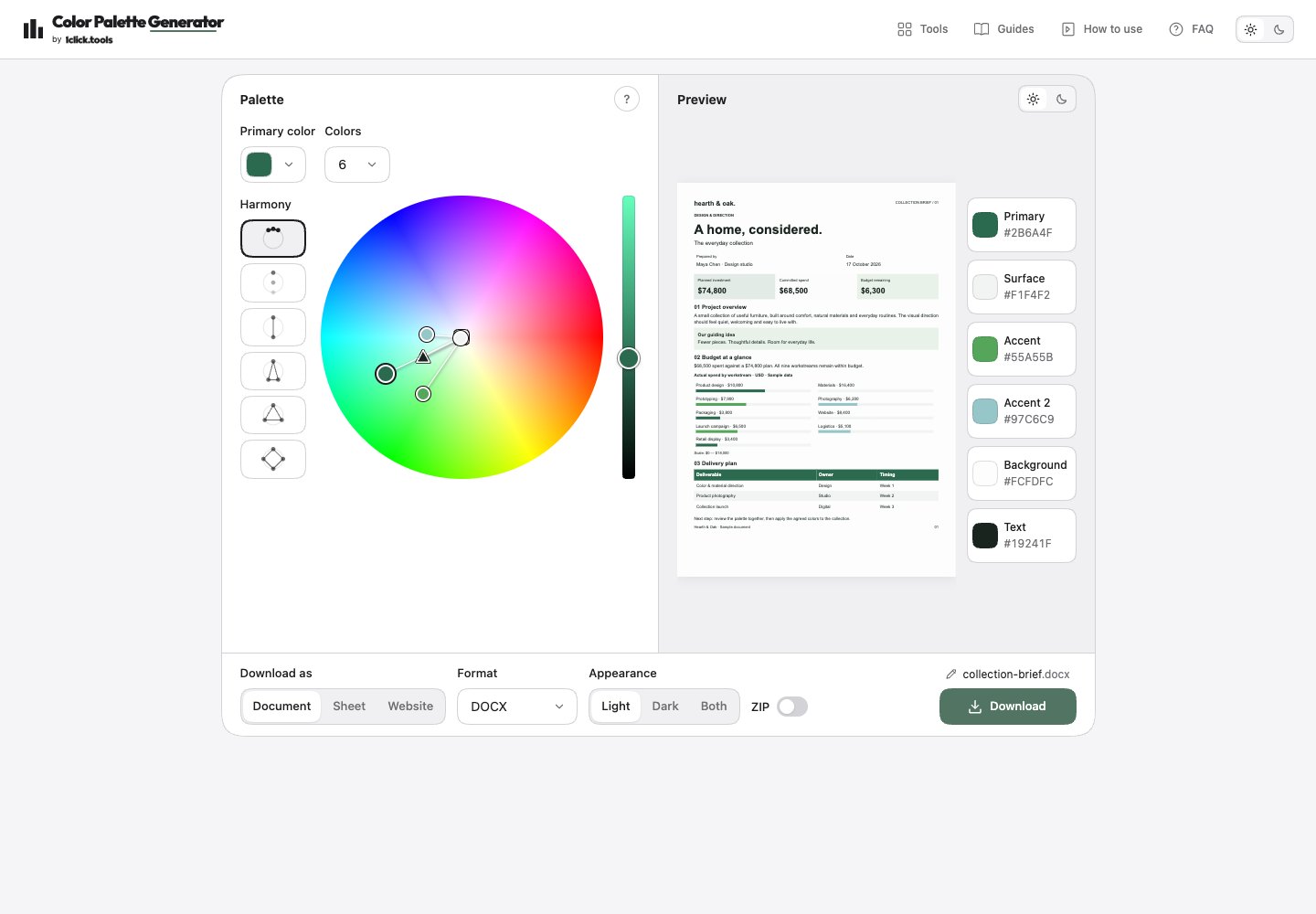
We entered Primary #2B6A4F, selected Analogous and set six total colors. The Document preview uses the resulting palette; the downloadable CSS records all six actual HEX values.
Compare the actual downloads
- Download the actual six-color CSS542 bytes
| Role | Observed HEX | Where to find it |
|---|---|---|
| Primary | #2B6A4F | Main editable swatch |
| Surface | #F1F4F2 | Swatch strip |
| Accent | #55A55B | Swatch strip |
| Accent 2 | #97C6C9 | Swatch strip |
| Background | #FCFDFC | Swatch strip · neutral |
| Text | #19241F | Swatch strip · neutral |
The total includes the Background and Text neutrals, which end the list of colors beside the preview. Six colors therefore show as six swatches: four generated colors and the two neutrals.
Repeat this example
- Select Primary and enter #2B6A4F. Choose Analogous and choose 6 colors under Colors.
- Compare Document, Sheet and Website without changing the palette.
- Choose Website under Download as, then Download. Open the file and compare its six palette tokens with the observed values above.
Check your download
The CSS contains --primary: #2B6A4F and the five other palette values in the table, plus two helper foreground values and starter rules.
A common mistake
The six-color count includes the two generated neutrals, Background and Text, at the end of the color list.
Create this palette in the toolSources and credits
Actual Color Palette Generator session. Fictional Hearth & Oak sample designs supplied by 1click.tools. The downloads were generated in the browser and reopened to verify their contents.
Start with your Primary color
Open Color Palette Generator. The Palette column starts on Primary, and its colors are listed beside the preview. Primary color and Colors share the row at the top of the Palette column, Harmony stands to the left of the wheel, and the ? at the column’s top right explains the wheel and every handle on it. Open the Primary color picker, type #2B6A4F in its HEX field and press Enter. You can also drag the color wheel: hue goes around it, saturation from the white center to the edge, and the bar beside it sets brightness. Changing Primary generates matching colors immediately; there is no Generate button. Selecting another handle on the wheel makes the picker and brightness bar edit that color instead.
Choose the harmony and total count
Select Analogous and choose 6 under Colors. The count includes the generated Background and Text neutrals. In this six-color example, the swatch list beside the preview shows Primary, Surface, Accent, Accent 2, Background and Text. The tool supports 4–8 total colors.
To compare the alternatives, follow the harmony and locked-accent example.
Inspect the colors in a design
Switch between Document, Sheet and Website under Download as, in the bottom bar. They apply the same palette to three fictional sample designs, so you can inspect headings, table fills, buttons and surrounding surfaces. A palette can look attractive as swatches but feel too strong or too faint in an actual layout. The complete A4-proportioned previews are scaled to fit the available space.
Refine a swatch without regenerating everything
Select Accent’s handle on the color wheel, then edit it with the color picker, or drag the handle and the brightness bar beside the wheel, to change that color alone. Background (the rounded square) and Text (the triangle) have handles on the wheel too; Primary is the largest dot. Hover or click a swatch beside the preview to see where its color is used. Lock a color before regenerating if you want its value to stay fixed: hover the swatch and select the lock; its HEX briefly reads Locked to confirm. The header theme switch changes the tool interface. The sun and moon switch at the top right of Preview changes Background, Surface and Text in the palette itself; Light, Dark and Both under Appearance in the bottom bar choose which version to download.
Keep your palette before leaving
Copy individual HEX values with the copy button on each swatch (the HEX briefly reads Copied), or choose Website under Download as, then select Download to keep the palette tokens. Document and Sheet have their own DOCX and XLSX downloads. There is no history of earlier palettes. Your palette stays in this browser through a reload and when you come back, but keep any colors and files you need. Test text and background combinations in your final design.
For actual files and workbook checks, see the Word, Excel and CSS download walkthrough.