A little guidance
Word search difficulty, grid size and answer keys
Compare Easy, Medium and Hard puzzles, fix words that exceed the grid and preview matching answer keys. Download real examples with the same ten words.
Real example: Easy, Medium and Hard with the same ten words
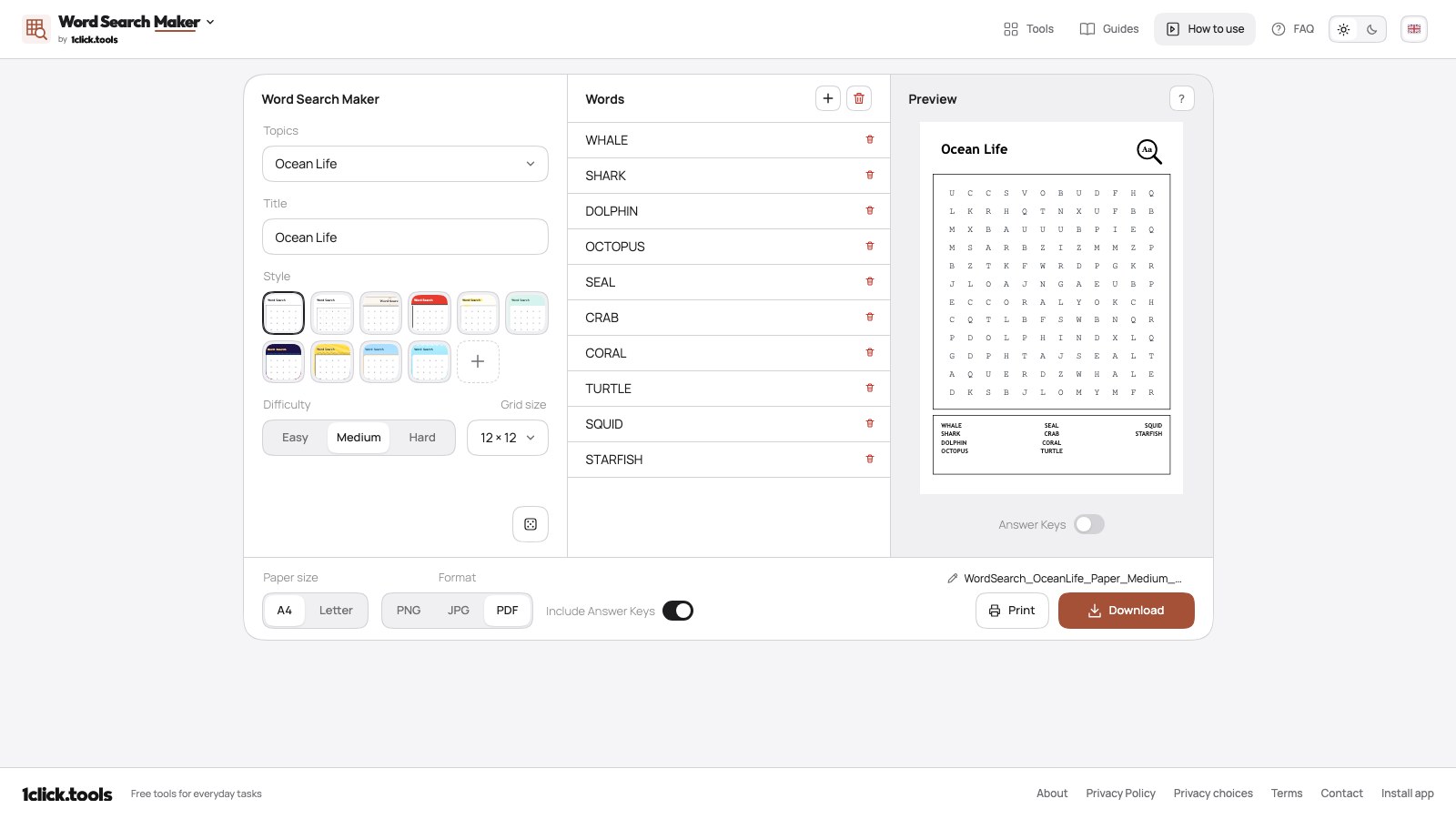
We used the same Ocean Animals list and Paper style. We downloaded Easy and Medium puzzles on 12 × 12, then Hard on 15 × 15, each with the answer key page. Finally we chose 8 × 8 to see what happens when a word is longer than the grid.
Start with these files
Compare the actual downloads
| Difficulty and grid | Directions | Measured result |
|---|---|---|
| Easy · 12 × 12 | Right and down only | 2 pages · 321,383 bytes |
| Medium · 12 × 12 | Adds downward diagonals | 2 pages · 336,135 bytes |
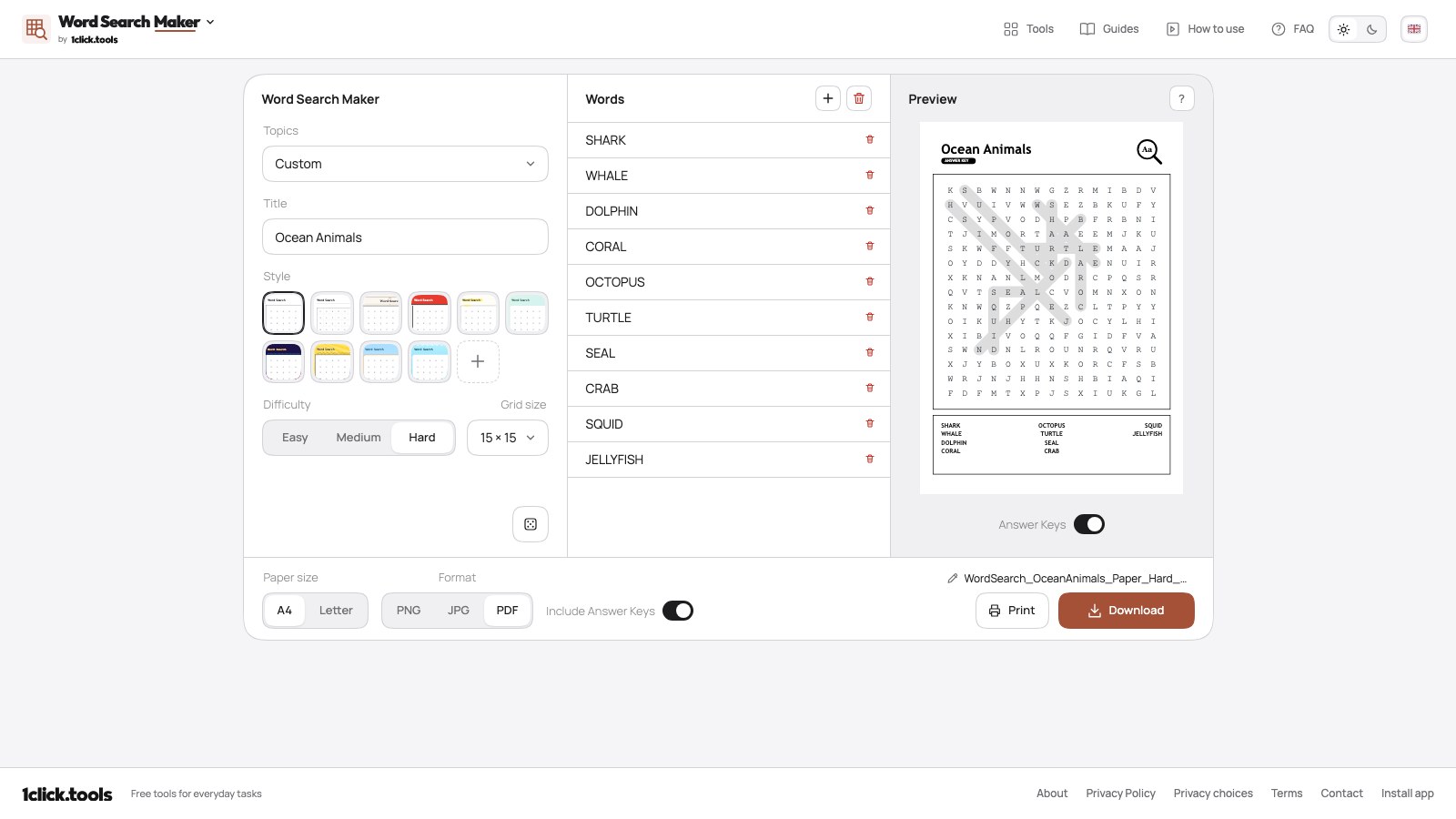
| Hard · 15 × 15 | All eight directions, including backwards | 2 pages · 420,094 bytes |
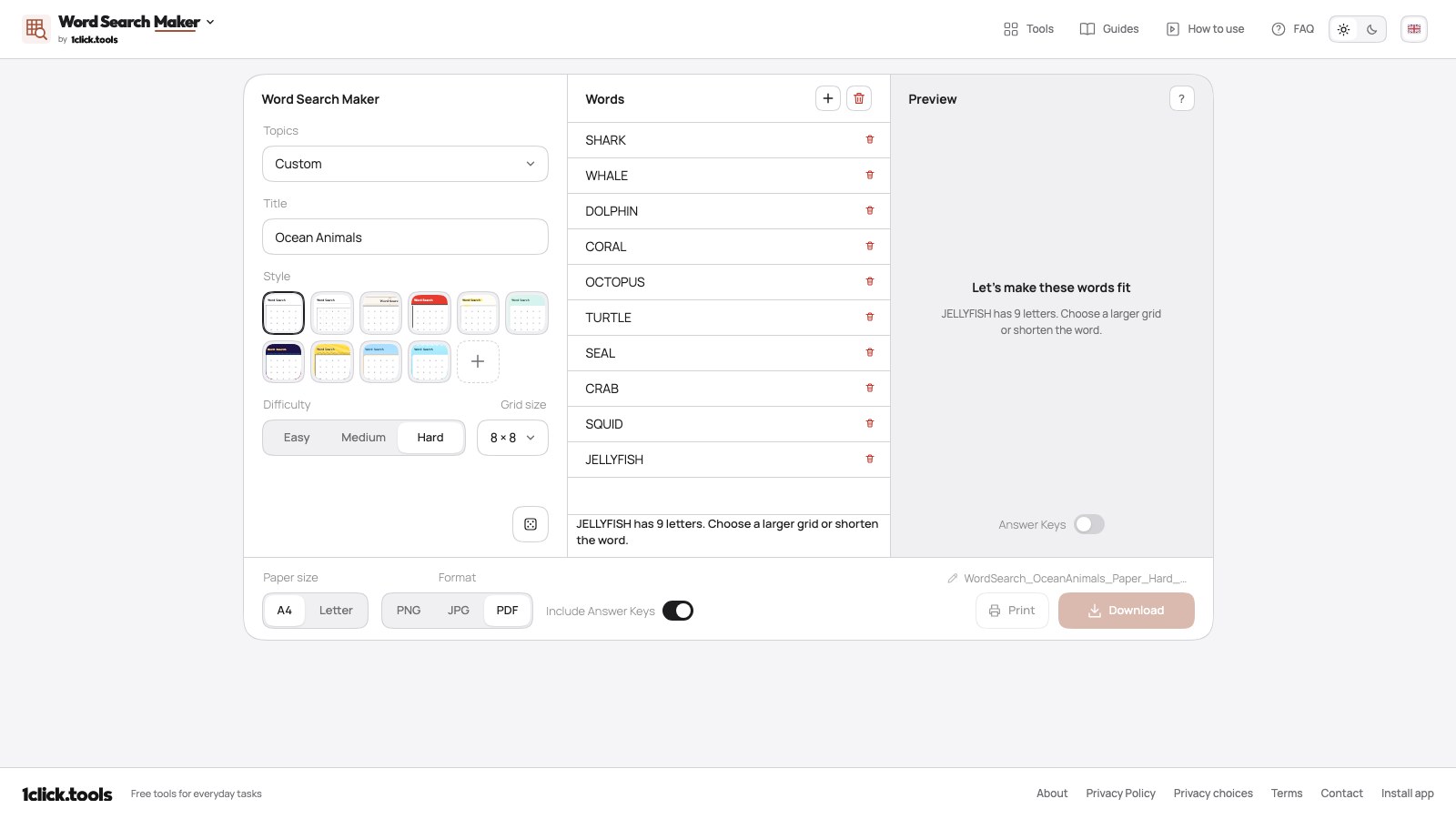
| Hard · 8 × 8 | Not generated | JELLYFISH has 9 letters. Choose a larger grid or shorten the word. |
Each PDF was reopened and has two A4 pages: puzzle and answer key. On 8 × 8, both Print and Download were disabled until we chose a larger grid again.
Repeat this example
- Choose Custom and enter the ten ocean words and Title Ocean Animals.
- Choose Easy and Download. Choose Hard, set Grid size to 15 × 15 and download again.
- Turn on Answer Keys below Preview to compare directions. Try 8 × 8 to see the message for a word that is too long.
Check your download
In the Easy answer key every stroke runs left to right or top to bottom. In the Hard key some words run backwards or diagonally upward. All ten words appear in every generated puzzle.
A common mistake
Changing difficulty or grid size makes a new arrangement. Download again after every change; a file you already saved does not update.
Compare difficulty levelsSources and credits
Original Word Search Maker examples. Screenshots show the actual tool. PDFs are unchanged browser downloads saved under descriptive guide filenames; their automatic browser filenames include the title, style, difficulty and date. The word list is a copy reference, not an import file.
Prepare a complete puzzle
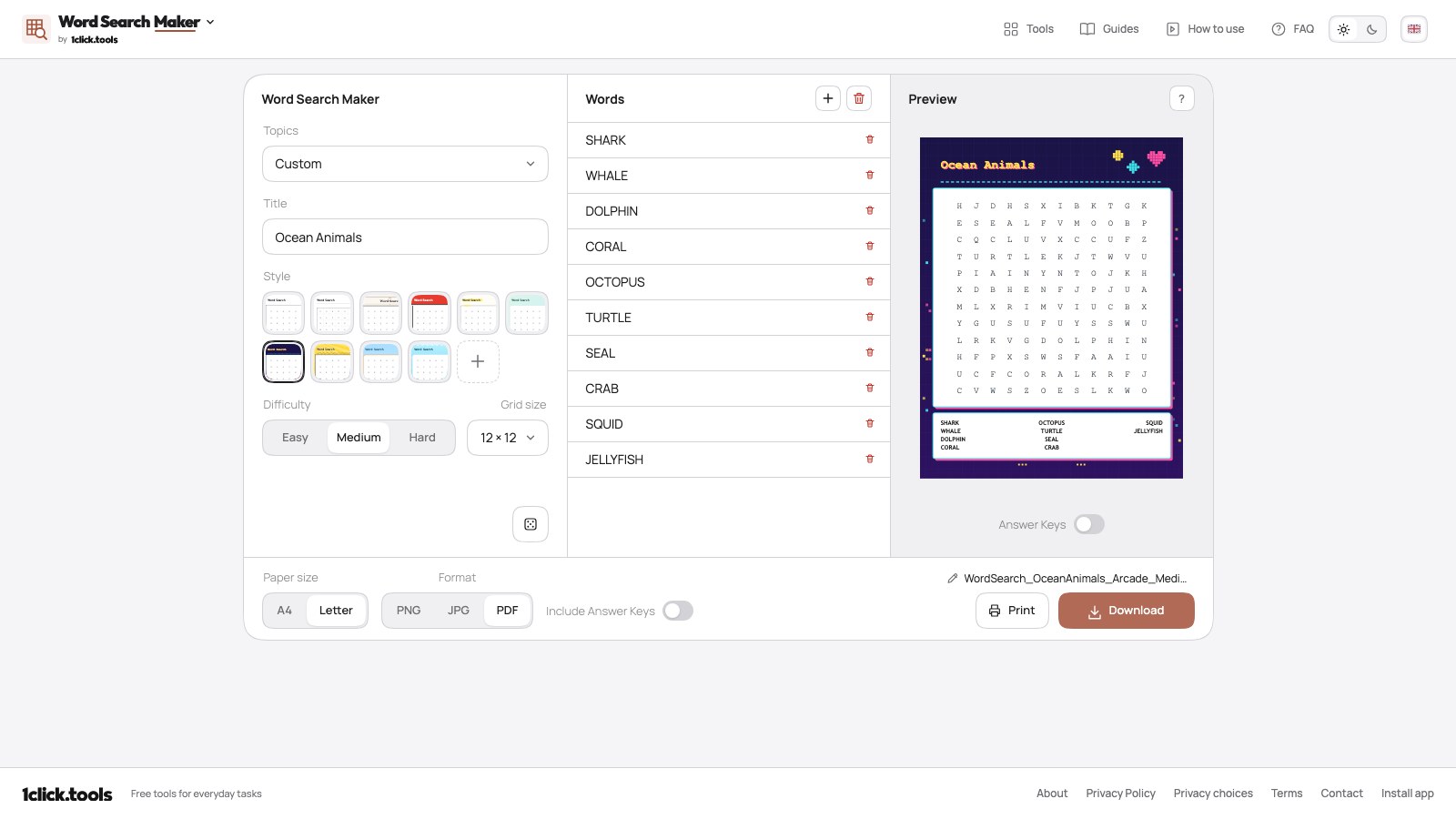
Choose a ready-made topic or Custom for your own words and title, then choose grid size, difficulty and style. Resolve any fitting message before exporting. The worked example uses the custom ten-word Ocean Animals list, including JELLYFISH, a 12 × 12 grid, Medium and Paper. Each exported page contains only the title, letter grid and word bank; the key page adds ANSWER KEY.
Start with the ten-word custom puzzle walkthrough.
Compare Easy, Medium and Hard
Easy places words right or down. Medium adds downward diagonals; Hard allows all eight directions. The worked downloads compare Easy and Medium on 12 × 12 with Hard on 15 × 15. Grid size and Difficulty share a row in the left column. Every change creates a new arrangement.
Fix a grid that is too small
JELLYFISH has nine letters, so it cannot fit on 8 × 8. The tool shows that message and disables Print and Download. Choose a larger grid or shorten the word. Shuffle can help with crowded lists, but cannot make a word longer than the grid fit.
Preview the matching solutions
Use the Answer Keys switch below Preview. On shows the exact placements in the current grid; off shows the blank puzzle. This preview switch does not decide which pages export. Shuffle changes the arrangement for both pages together, so download them in the same export.
Decide whether to include answer pages
Include Answer Keys in the bottom toolbar starts on. Leave it on for a puzzle followed by its matching answer page; turn it off for only the blank puzzle. Viewing Answer Keys while the export switch is off still exports only the puzzle. The actual samples show both options.
Choose the paper size and format
Select A4 or Letter in the bottom toolbar. A4 is 210 × 297 mm; Letter is 8.5 × 11 inches. The preview, PDF, image exports and direct print document use that size. PDF keeps all selected pages in one file. PNG and JPG create one image per page; turn ZIP on for one archive or off for separate downloads.
Print or download the pages
Download saves files you can inspect and print later. Print opens the browser print dialog with the puzzle and optional answer key, excluding website navigation and ads. Match the printer paper to the selected size. Paper and Grid lines provide black-and-white artwork; the other drawn styles and Your photo include their backgrounds.
Compare Paper, the colored styles and photo backgrounds before printing.
Check the saved pages
Open the download and confirm the title, all words, page size and page count before distributing it. Exported pages are high-resolution images rather than editable text. Keep an answer-key copy for the same arrangement: a later Shuffle creates a different puzzle.