A little guidance
How to make a word search with your own words
Add your own word list, choose a grid and difficulty, and download a printable puzzle with a matching answer key. Follow a real ocean-animal example.
Real example: ten ocean animals and a two-page PDF
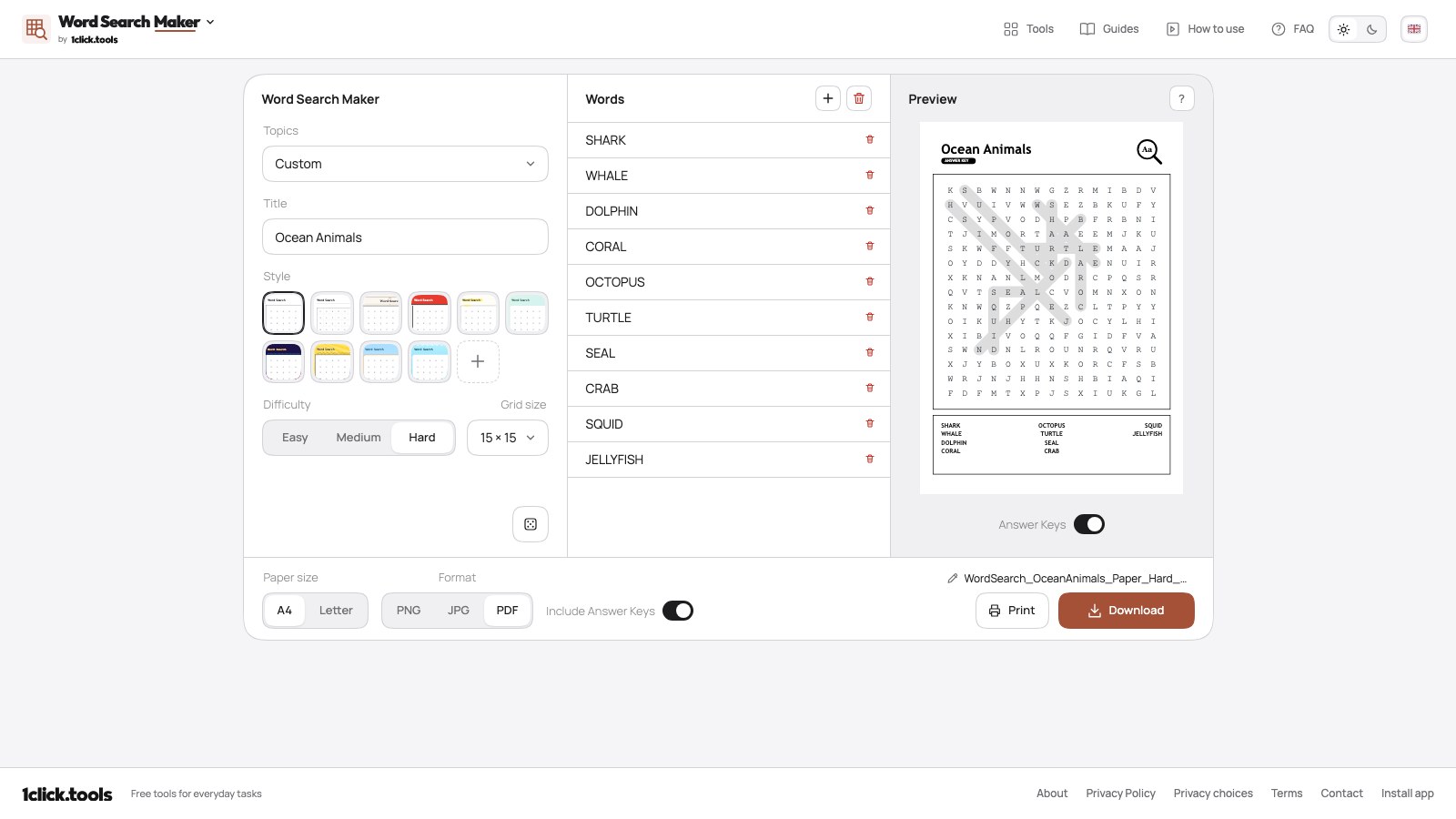
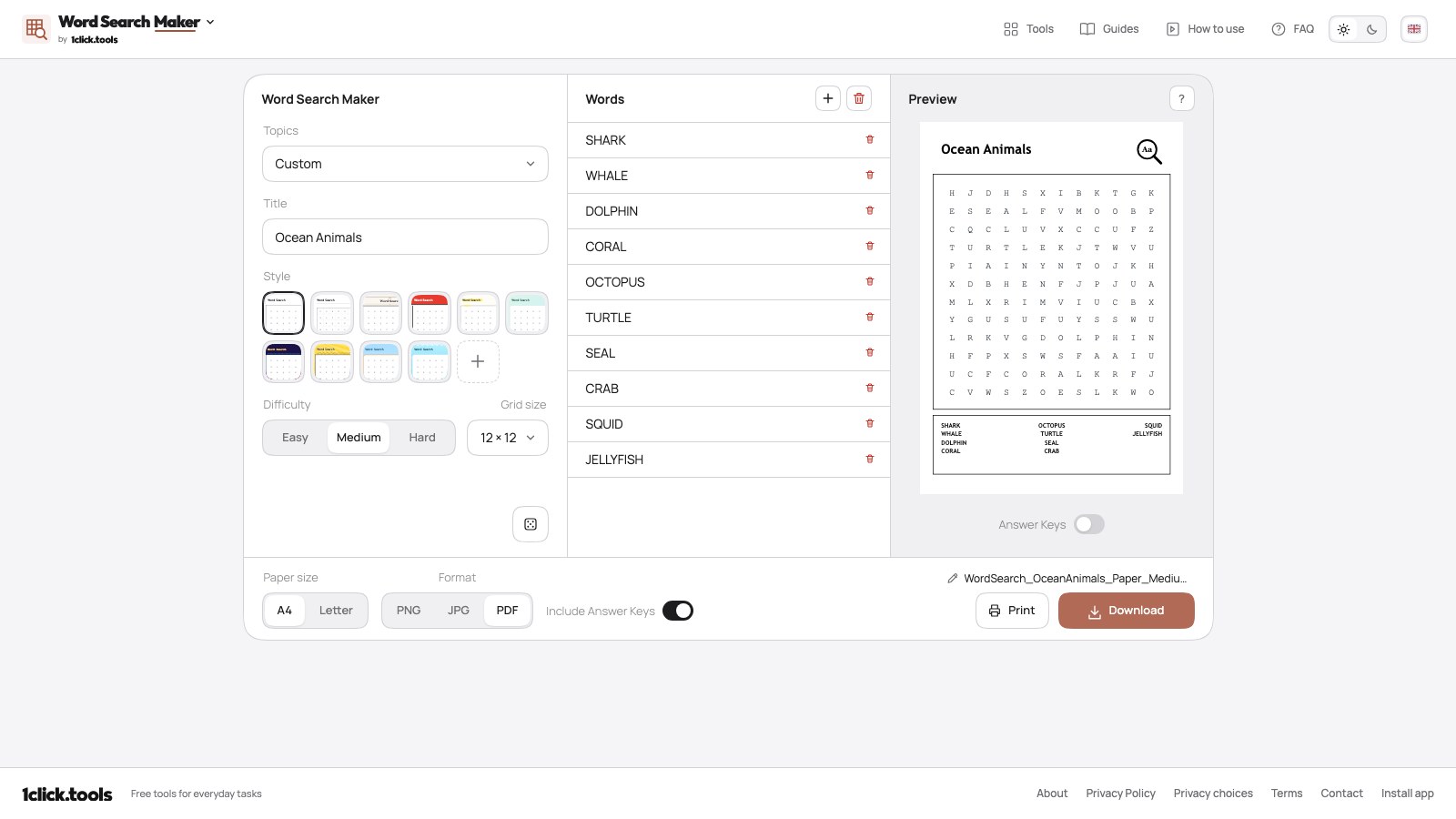
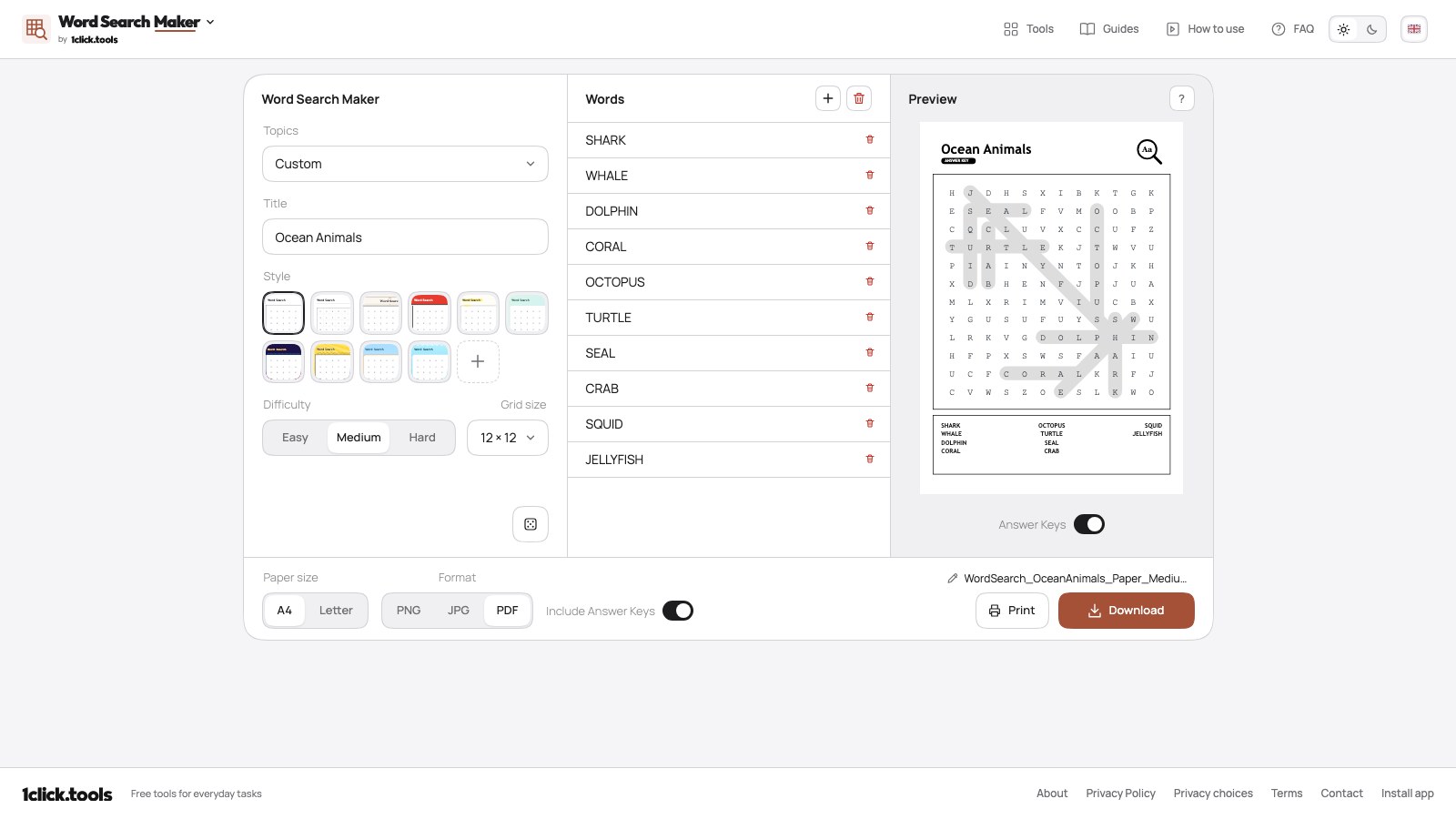
We selected Custom for a separate word list, selected + beside Words and pasted SHARK, WHALE, DOLPHIN, CORAL, OCTOPUS, TURTLE, SEAL, CRAB, SQUID, JELLYFISH into the new row. We typed Ocean Animals as Title and kept Paper, Medium, 12 × 12, A4, PDF and Include Answer Keys on, then selected Download.
Start with these files
Compare the actual downloads
| Output | Settings | Measured download |
|---|---|---|
| WordSearch_OceanAnimals_Paper_Medium_22.11.2026.pdf | Paper · Medium · 12 × 12 · A4 · answer key on | 2 pages · 336,135 bytes |
The PDF was reopened: it has 2 A4 portrait pages at 595.28 × 841.89 points, and its document title is Ocean Animals. The automatic browser filename was WordSearch_OceanAnimals_Paper_Medium_22.11.2026.pdf.
Repeat this example
- Open Word Search Maker and select Custom. If that list already contains words, use Trash beside + and confirm to clear it.
- Select +, paste the text file’s words into the new row and press Enter. Type Ocean Animals in Title.
- Keep Paper, Medium, 12 × 12, A4, PDF and Include Answer Keys on. Check Answer Keys under the preview, then select Download.
Check your download
Page one is the blank puzzle with the title, grid and all ten words in the word bank. Page two is ANSWER KEY with the same letters and ten gray strokes. This custom list includes JELLYFISH; Ocean Life uses STARFISH instead.
A common mistake
The Answer Keys switch under Preview only changes what you inspect. Use Include Answer Keys in the bottom bar to decide whether the answer page is printed or downloaded.
Make your own word searchSources and credits
Original Word Search Maker examples. Screenshots show the actual tool. PDFs are unchanged browser downloads saved under descriptive guide filenames; their automatic browser filenames include the title, style, difficulty and date. The word list is a copy reference, not an import file.
Choose a topic or Custom
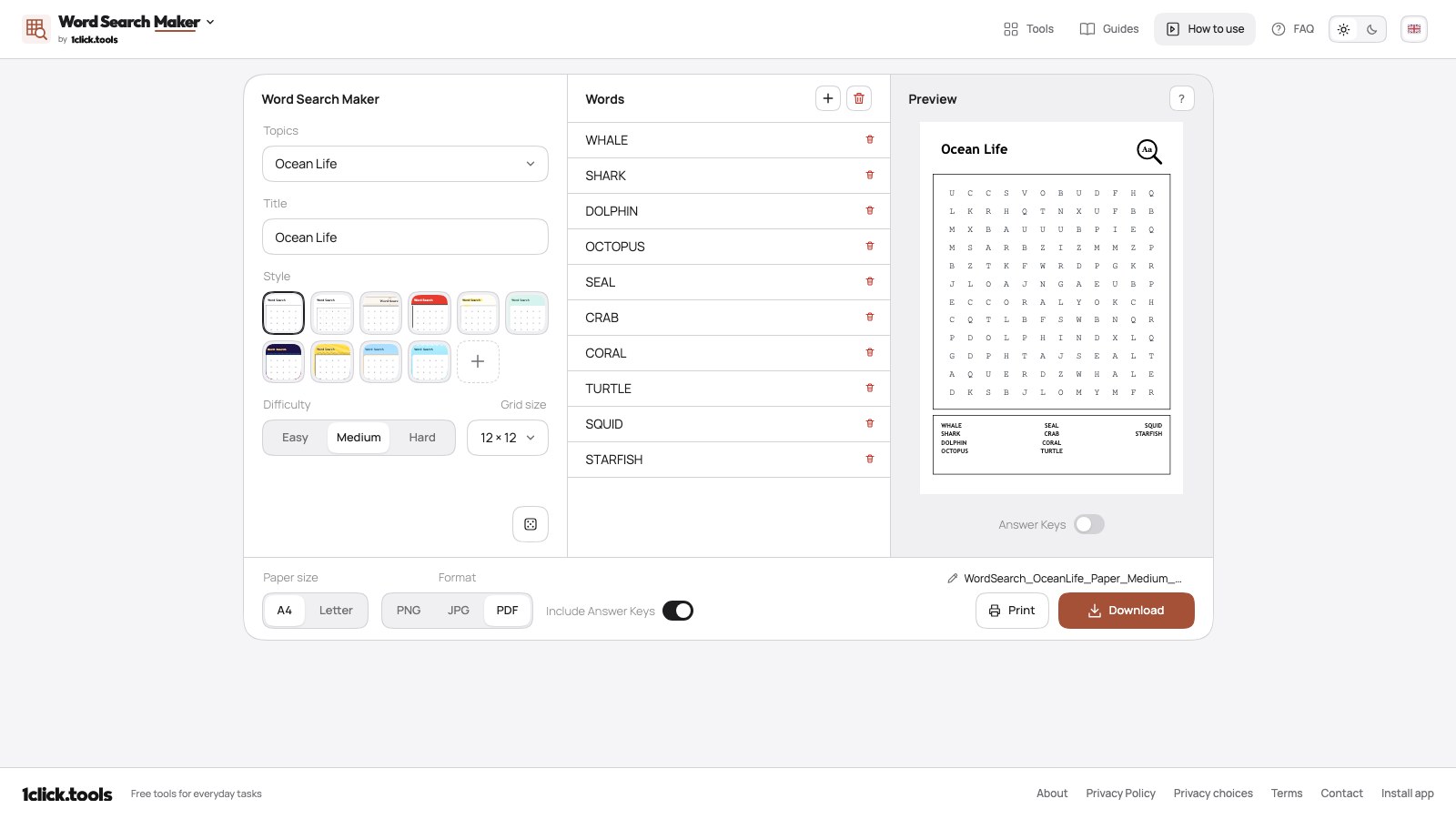
Word Search Maker has three columns: settings on the left, Words in the middle and Preview on the right. Topics lists Custom first, then Forest Animals, Ocean Life, Space, School Supplies, Colors, Fruits, Sports, Weather, Halloween and Christmas. It opens on Forest Animals with ten words, a 12 × 12 grid, Medium difficulty and Paper style. Choosing a topic loads ten editable words and a matching title; other settings stay as you chose them.
Add your own words in Custom
Choose Custom, the first topic, for a separate list that starts empty. Select + beside Words to open a new row, type a word and press Enter. Paste a comma-separated, semicolon-separated or newline-separated list to add several words together. Type straight into a row to edit it; while editing, a counter such as 5/12 shows the letter count and current grid limit, turning red when the word is too long. Use a row’s bin to remove one word, or Trash beside + to clear the list after confirming the count. Topic words can be edited in the same way. The optional text download is a copy reference, not a file import.
Use words the grid supports
Add up to 30 distinct words, each with 2–24 letters, or 1–24 Korean, Japanese or Chinese characters. Accented Latin letters are simplified; spaces, hyphens and apostrophes are removed. For example, café becomes CAFE and polar bear becomes POLARBEAR. Duplicates are added once. Numbers and unsupported symbols produce a message so you can correct the entry.
Choose the grid and difficulty on the left
Grid size and Difficulty share a row in the left column below Style. Grids offer 8, 10, 12, 15, 18, 20 or 24 squares per side. Easy places words right or down. Medium adds downward diagonals. Hard allows all eight directions, including backwards and upwards. A word cannot be longer than the grid width.
Make the ocean-animal example
Choose Custom, clear any words already in that list, and add SHARK, WHALE, DOLPHIN, CORAL, OCTOPUS, TURTLE, SEAL, CRAB, SQUID and JELLYFISH. Enter Ocean Animals in Title, keep 12 × 12 and Paper, and choose Medium. This custom example includes JELLYFISH and differs from the built-in Ocean Life topic, which uses STARFISH. The preview page contains the title, letter grid and word bank. Turn on Answer Keys below Preview to check the highlighted solutions, then turn it off to return to the puzzle.
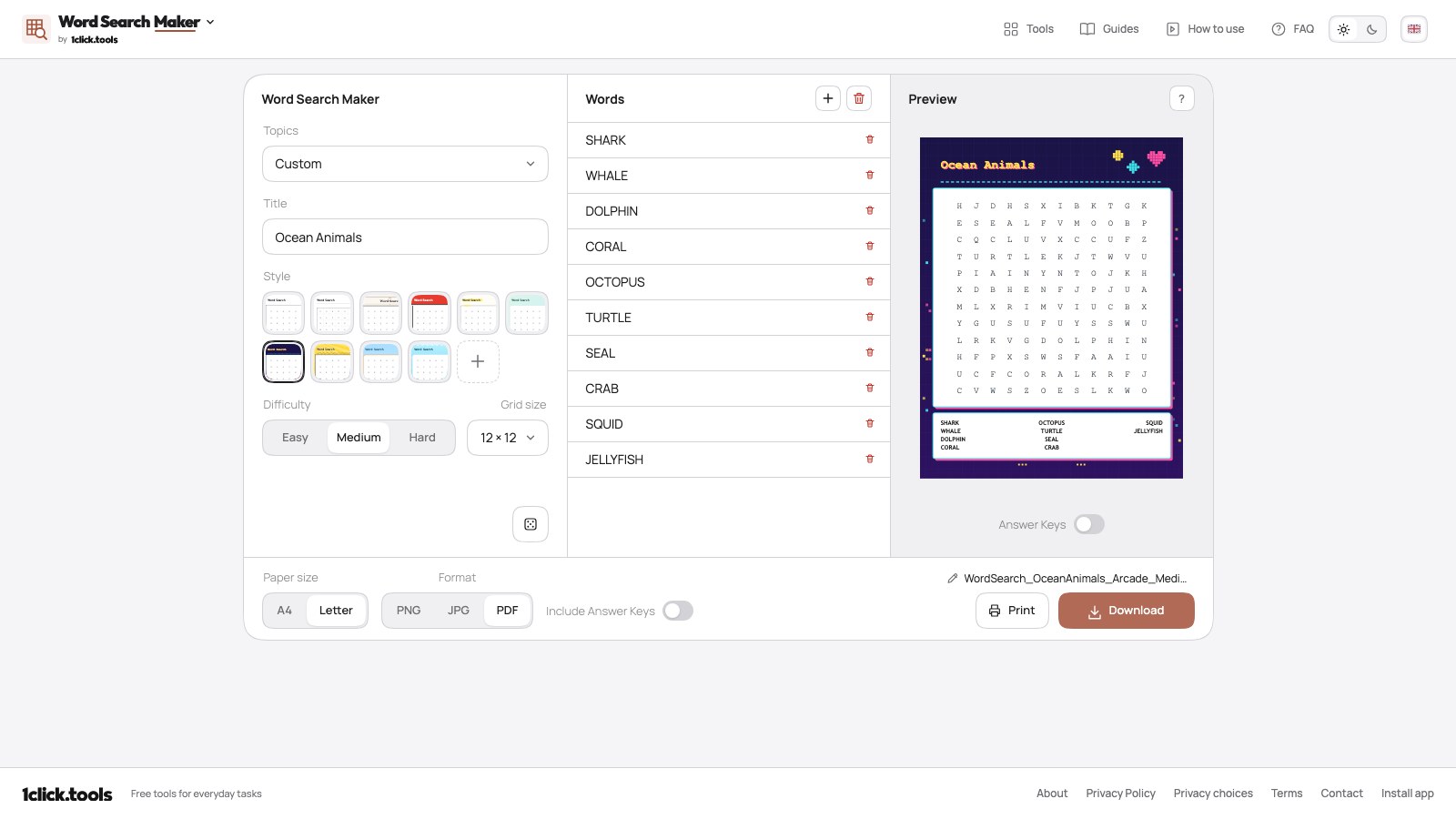
To change its appearance, see word-search styles and photo backgrounds.
Shuffle or fix words that do not fit
The die in the bottom-right corner of the left column shuffles the puzzle into another arrangement with the same words and settings. If a puzzle cannot fit every word, printing and downloading are disabled. Choose a larger grid, shorten or remove words, or try Shuffle. No requested word is silently omitted. Filler letters can form extra word occurrences; separate shuffles are not guaranteed to be unique.
Print or download and keep your list
The bottom bar offers Paper size (A4 or Letter), Format (PNG, JPG or PDF), ZIP and Include Answer Keys. PDF saves the puzzle and optional answer key in one file. PNG and JPG save each page at print resolution, adding _AnswerKey to the key’s filename; ZIP on packages the pages together, while ZIP off downloads separate files. Print opens the browser print dialog. Automatic names follow WordSearch_<Title>_<Style>_<Difficulty>_<dd.mm.yyyy>. Words and photos are processed locally; keep your source list and finished download before leaving.
For page sizes and solutions, follow the difficulty, grid-size and answer-key guide.