A little guidance
How to pick a random giveaway winner from a list of entrants
Paste usernames or commenter names into Name Wheel, spin once for the winner, keep spinning for runners-up who can’t win twice, and record the results before closing the draw.
Real example: 12 entrants, one winner and two runners-up
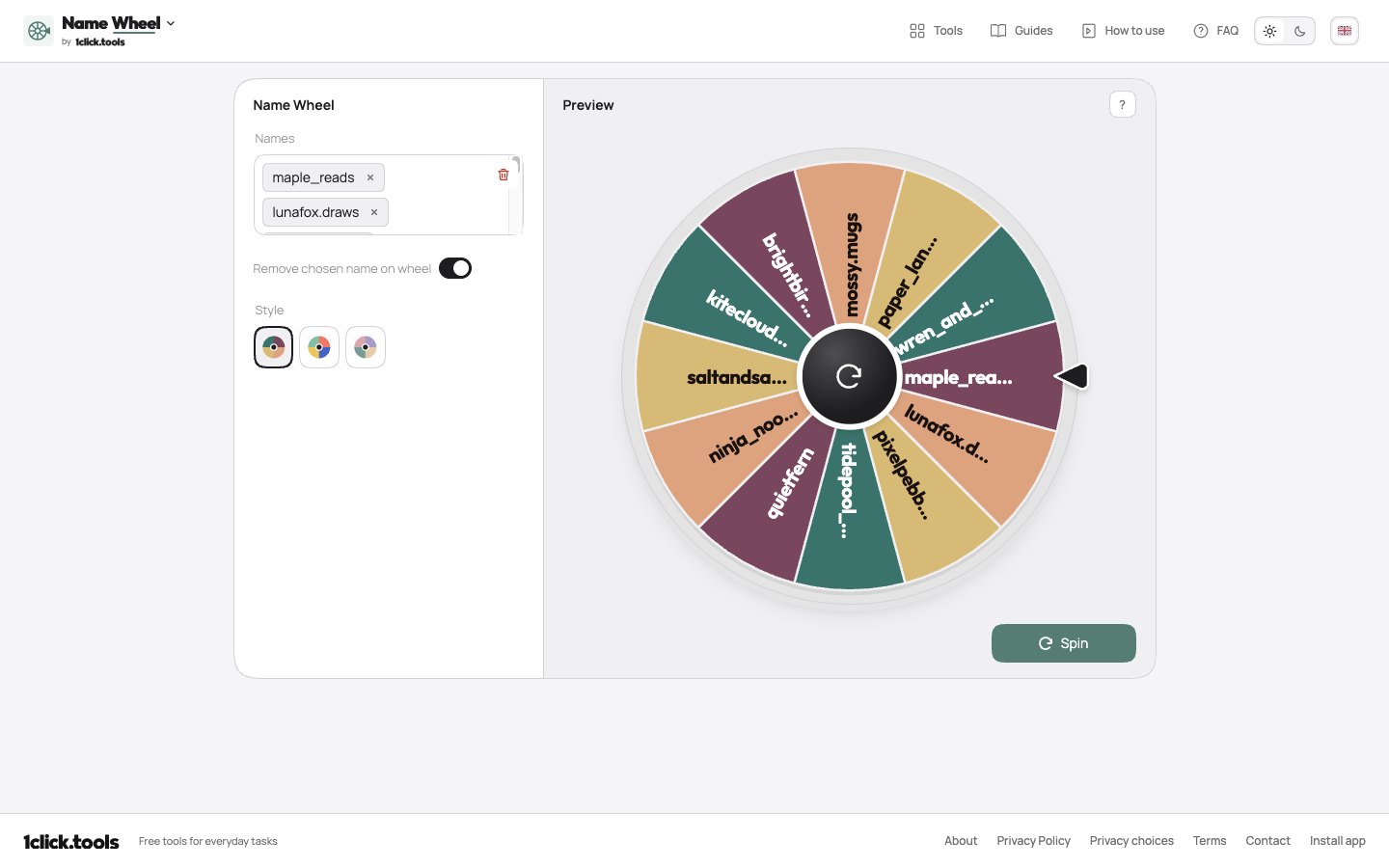
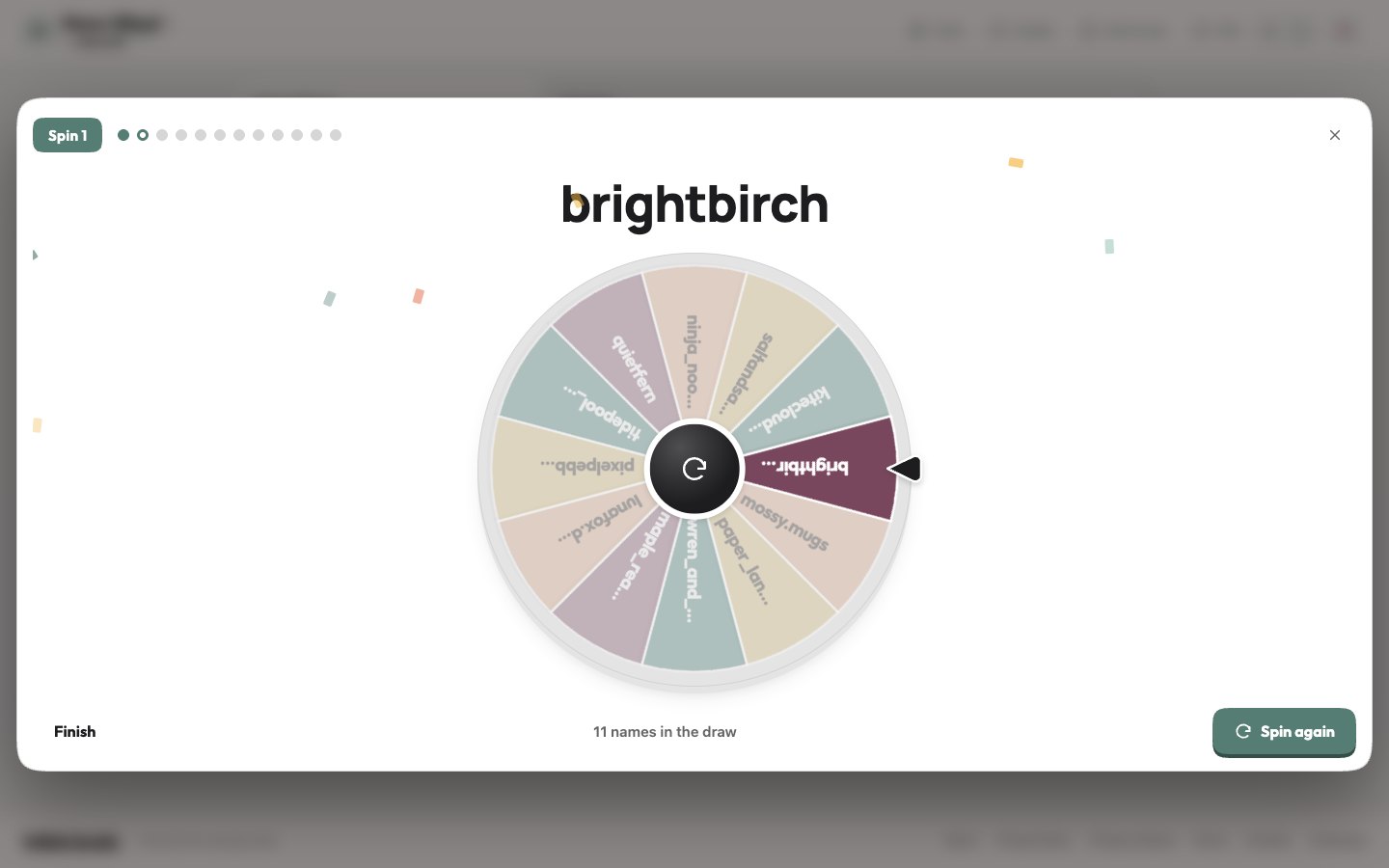
We pasted 12 invented usernames into Names as one per line, kept Remove chosen name on wheel on and the Jewel style, and opened the spin game. Three spins picked quietfern as the winner, then tidepool_tom and kitecloud22 as runners-up. These are the results we observed; your draw will differ.
| Spin | Observed pick | Names in the draw |
|---|---|---|
| Before drawing | None | 12: maple_reads, lunafox.draws, pixelpebble, tidepool_tom, quietfern, ninja_noodle, saltandsage, kitecloud22, brightbirch, mossy.mugs, paper_lantern, wren_and_co |
| Spin 1 · winner | quietfern | 12, then 11 left |
| Spin 2 · 1st runner-up | tidepool_tom | 11, then 10 left |
| Spin 3 · 2nd runner-up | kitecloud22 | 10, then 9 left |
The winners were picked at random in a real browser session; nothing was scripted except the clicks. Each username had a one-in-12 chance on the first spin.
Repeat this example
- Remove the sample badges with the bin icon, click into Names and paste the entrants, one per line.
- Keep Remove chosen name on wheel on, select Spin in the corner of Preview, then Spin in the game for the winner and Spin again for each runner-up.
- Select Finish and take a screenshot of the scoreboard before you close the game.
Check the result
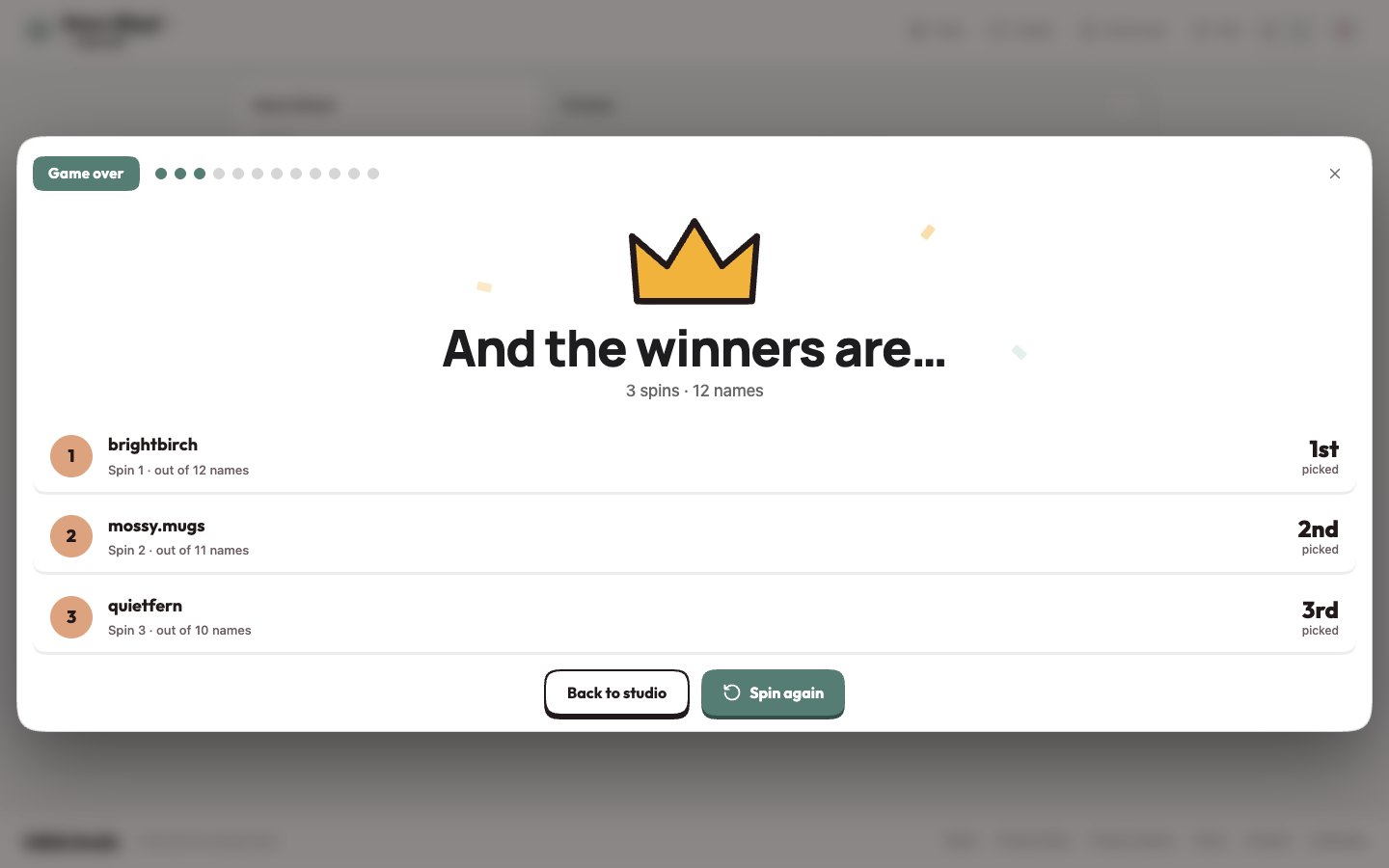
The badge count matches your number of unique entrants, the status line drops by one after each spin, and the scoreboard lists each pick once with “out of 12 names”, “out of 11 names” and so on.
A common mistake
Closing the game before saving the scoreboard: there is no undo or winner history, and reopening starts a new draw with everyone. Also check for entrants who used two different usernames; the wheel only merges names that match exactly, ignoring letter case.
Run a giveaway drawSources and credits
Entrant list made for this guide. The 12 usernames are invented. Screenshots and winners come from a real browser session on the current Name Wheel.
Paste the entrant list
Copy the entrant usernames or commenter names, one per line or separated by commas, from your spreadsheet or comment export. Open Name Wheel, remove the sample badges with the bin icon at the top right of Names, click into Names and paste. A pasted list that contains line breaks or commas becomes badges straight away; a single name needs Enter. Each name can be on the wheel only once, ignoring letter case, so a person who commented three times still gets one entry. Use 2–200 entrants and up to 100 characters per name.
New to the wheel? Start with the random name picker walkthrough.
Check that the draw is fair
Every badge is one equal slice of the wheel. With 12 entrants, each has a one-in-12 chance on the first spin. The browser picks the winner with its cryptographic random number generator (crypto.getRandomValues) before the wheel starts turning, and the animation only shows that result, so the style and spin length can’t change anyone’s odds. Long usernames are shortened on the wheel and labels are hidden above 24 entrants, but every entrant is still in the draw and the winner’s full name is shown.
Draw the winner and the runners-up
Keep Remove chosen name on wheel on, its default, then select Spin in the corner of Preview to open the spin game. Select Spin: the winner’s name appears above the wheel and the status line shows how many names are left. Select Spin again for each runner-up, such as a backup winner in case the first one doesn’t reply. Each winner leaves this game’s draw, so nobody can be picked twice. Your badges on the page stay complete.
For how removal works across a whole round, see how to pick winners without repeats.
Record and share the result
Select Finish to see the scoreboard: every winner in pick order, 1st, 2nd, 3rd, with how many names were in the draw for each spin. Name Wheel has no export, share link or saved winner history, and the scoreboard disappears when you close the game. Take a screenshot of the scoreboard or a screen recording of the spin before you close it, then post it with your announcement. Spin again on the scoreboard starts a fresh draw with all entrants.