A little guidance
How to pick winners without repeats
Remove winners from the draw as you spin, while your name list stays complete. Follow two real draws, check who is left and read the winners on the scoreboard.
Real example: two draws in the spin game, then a saved-roster reload
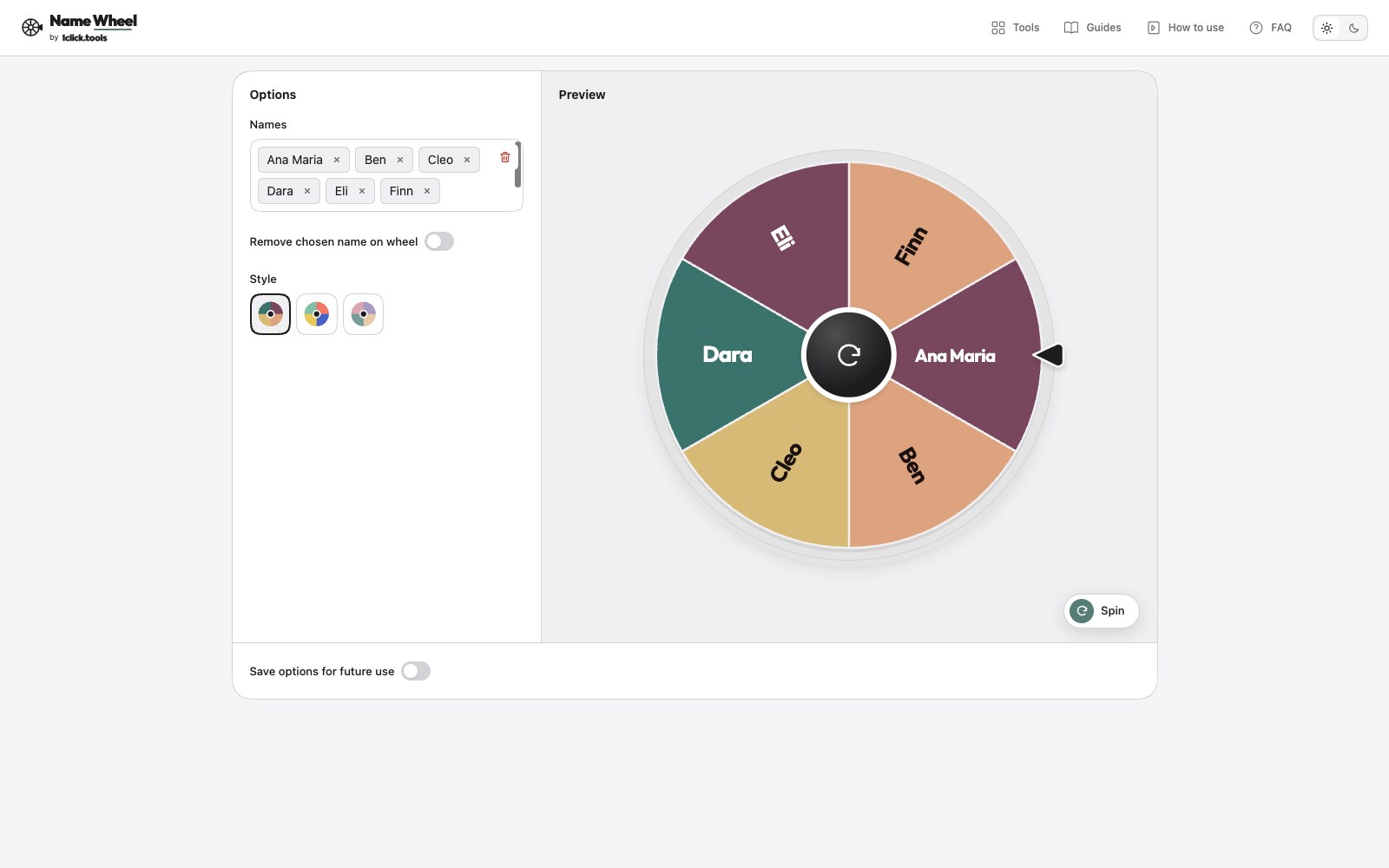
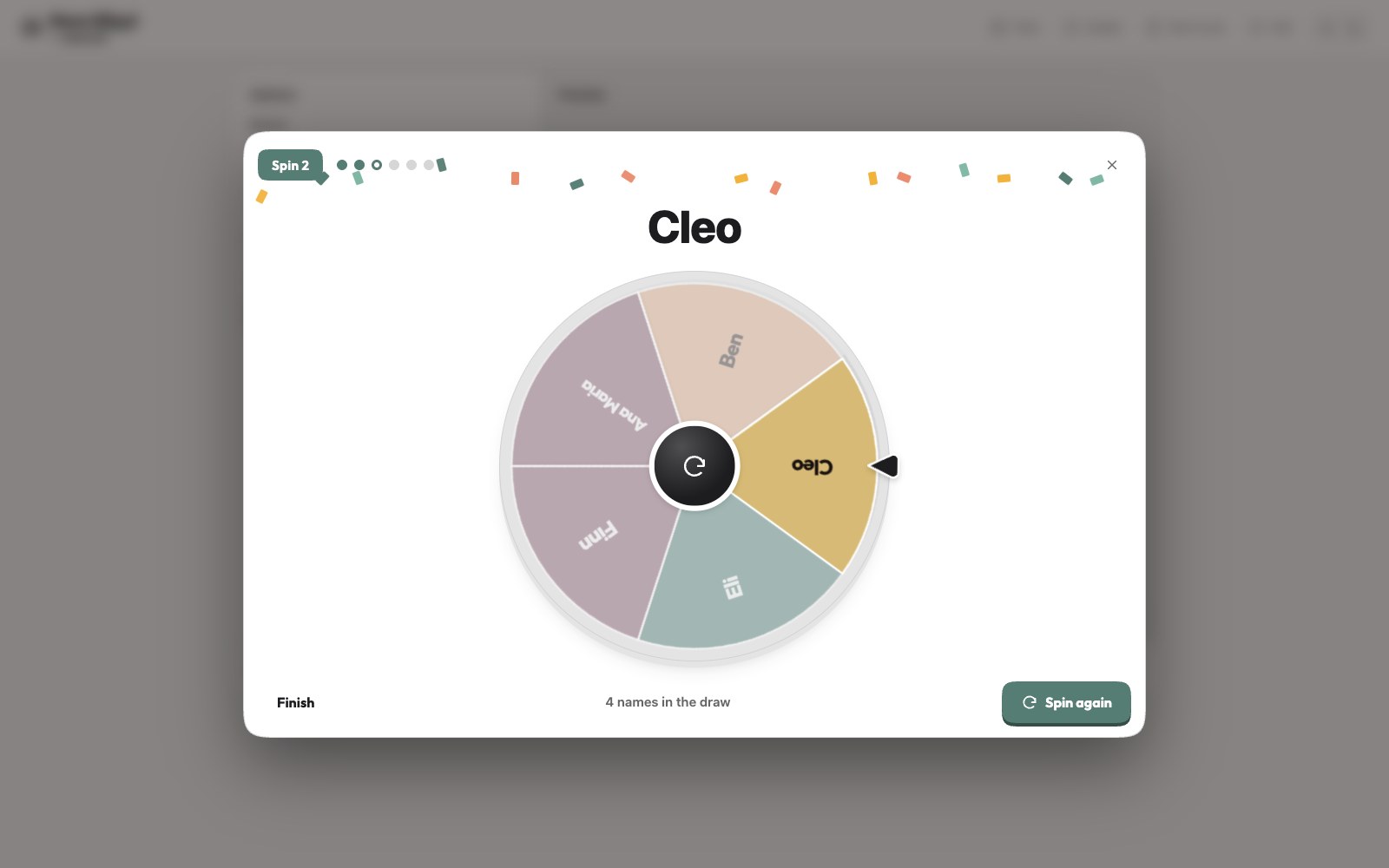
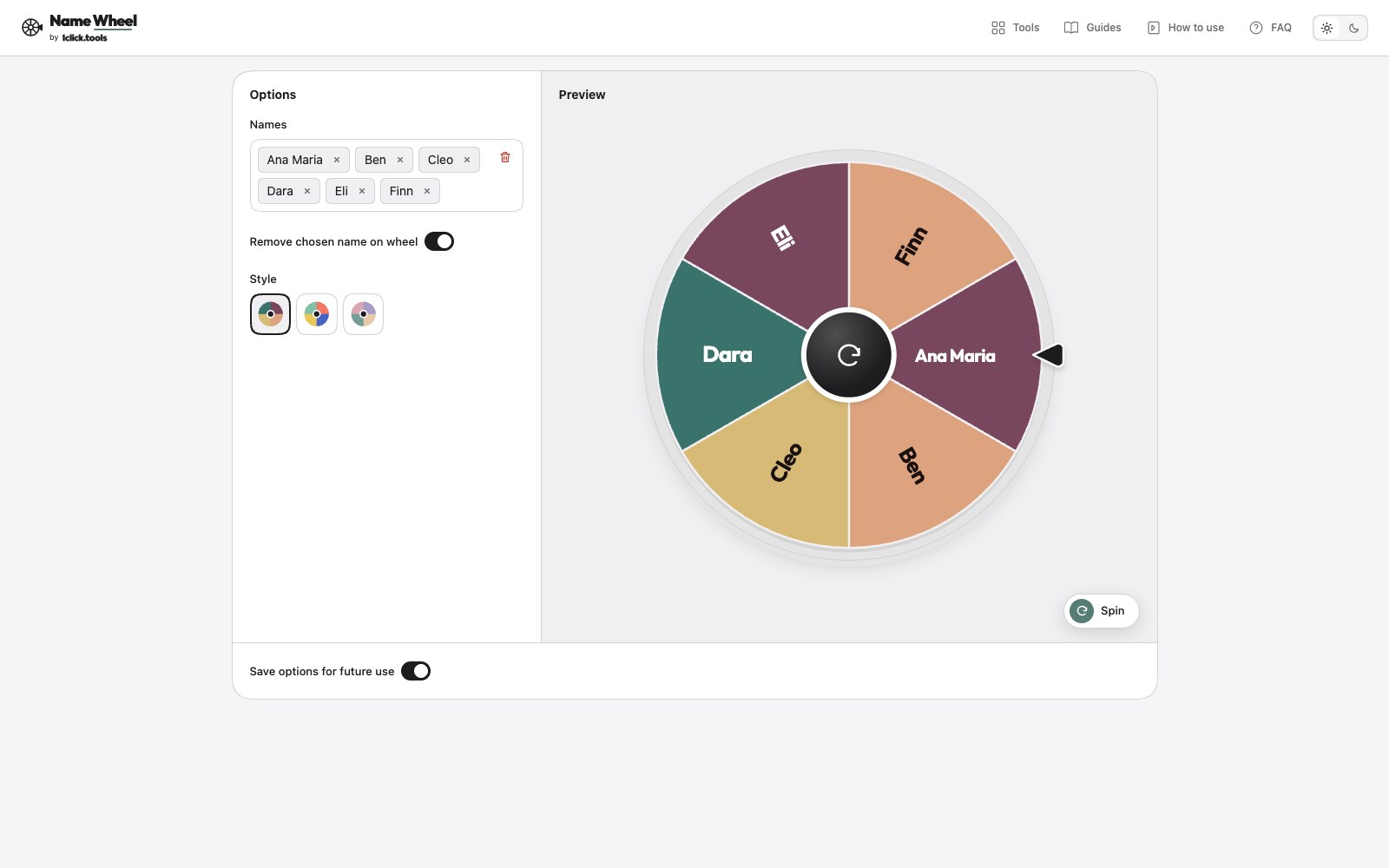
We turned Remove chosen name on wheel back on with the same six badges and Jewel theme. The roster follows the shared Keep my work setting. In the spin game, Dara won first and Cleo won second, leaving four names in the game’s draw. The badges on the page stayed complete, and reloading restored all six from the saved options.
Start with these files
| Draw | Observed winner | Names left in the game’s draw |
|---|---|---|
| Before drawing | None | Ana Maria, Ben, Cleo, Dara, Eli, Finn |
| First draw · six entries | Dara | Ana Maria, Ben, Cleo, Eli, Finn |
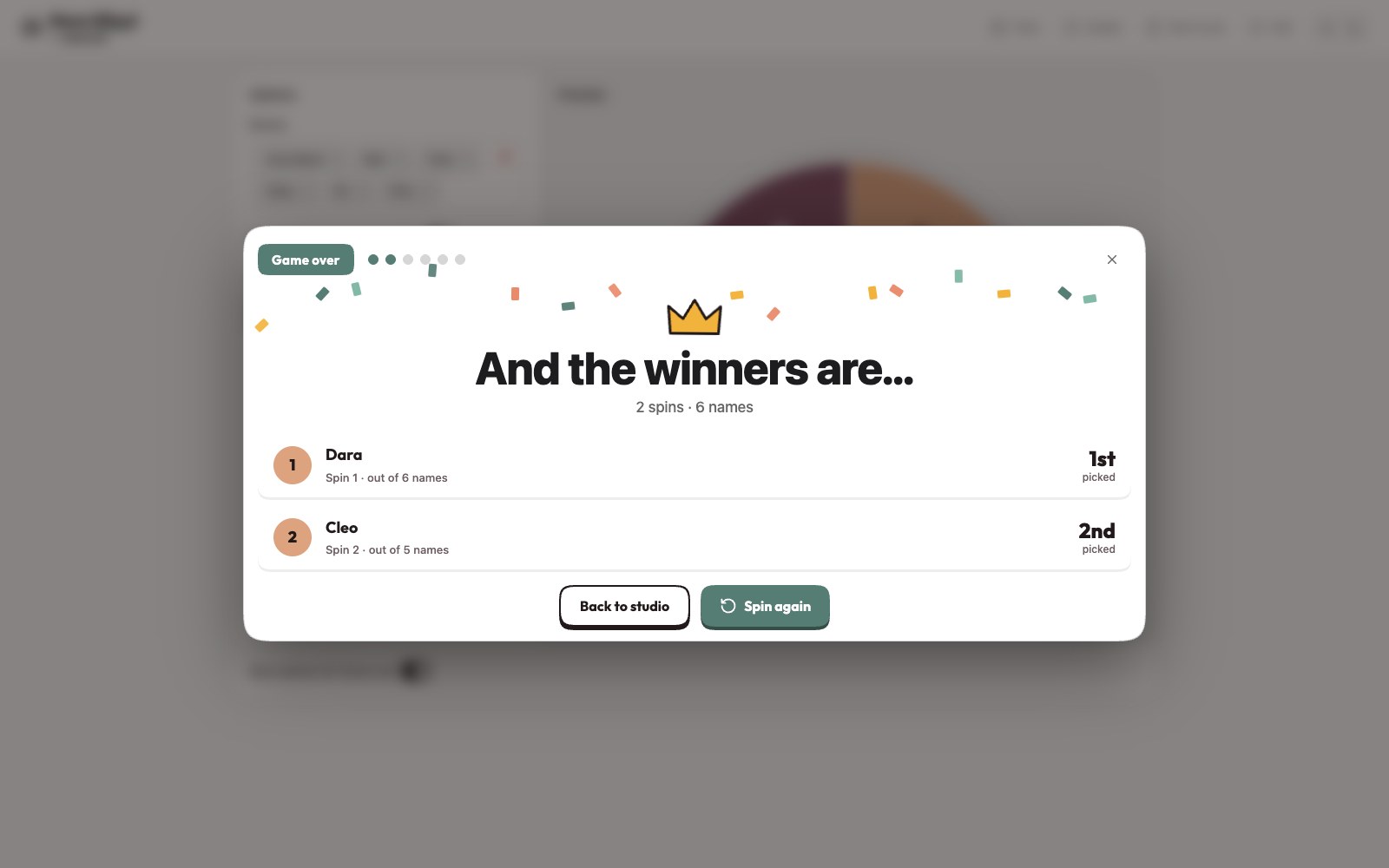
| Second draw · five entries | Cleo | Ana Maria, Ben, Eli, Finn |
| Page list after reloading saved options | None | Ana Maria, Ben, Cleo, Dara, Eli, Finn |
Winners vary randomly. Six names become five, then four in the game’s draw. Saving keeps the full roster for another visit; it does not save the scoreboard.
Repeat this example
- Remove sample badges, paste the six-name list into Names and press Enter. Keep Remove chosen name on wheel on, select the Jewel style and keep saving enabled under Keep my work in Privacy choices.
- Select Spin in the corner of Preview to open the game. Spin once and check that the status line shows five names in the draw. Spin again and check it shows four. Select Finish to see both winners on the scoreboard.
- Close the game and reload. Check that all six names, Jewel and the removal setting return. Use Keep my work in Privacy choices to control whether this work is retained.
Check the current pool and saved roster
Removal happens only inside the game: each winner leaves that game’s draw and the page list keeps everyone. The saved list keeps every name, even when you later change the theme or removal option. Manually adding or deleting badges updates it. At least two names are needed to spin.
A common mistake
The scoreboard disappears when you close the game, so note the winners first. To start a new round with everyone, select Spin again on the scoreboard.
Set up draws without repeatsSources and credits
Actual Name Wheel session. Fictional list. Both winners and the restored roster were observed in the browser; no result sequence was scripted.
Start with one entry per person
To pick random winners without repeats, enter each person once and keep Remove chosen name on wheel on before opening the spin game; it is on by default. Each winner then leaves that game’s draw. Each name can be on the wheel only once, so nobody can win twice through a repeated badge. If two people share a name, add a surname or another label. To follow the example, remove the sample badges with the bin icon, paste Ana Maria, Ben, Cleo, Dara, Eli, Finn into Names and press Enter. Check that six badges appear before drawing.
For input rules and equal chances, start with the first random-name walkthrough.
Keep removal on and open the game
Check that Remove chosen name on wheel below Names is on, choose a style and select Spin in the corner of Preview. In the game, select Spin. The winner’s name appears above the wheel and the other segments fade. The status line under the wheel says how many names are left, and the next spin uses a wheel without the winner. Your badges on the page do not change.
Check each result and the next pool
In our refreshed run, Dara won the first removal draw, leaving Ana Maria, Ben, Cleo, Eli, Finn. Cleo won next, leaving Ana Maria, Ben, Eli, Finn. These are actual observations; your winners will vary. Six equally likely names became five, then four. The second-result screenshot shows the game after the second spin, with the winner above the wheel and four names left in the draw.
Save the roster for another round
Names, style and the removal setting are retained through the shared Keep my work setting in Privacy choices, like the other tools. With saving enabled there, reloading restores the full roster, including names removed inside a game. Choose Until I close the tab or Don’t keep if you do not want work retained on this device. There is no separate Save switch on Name Wheel.
Finish with the scoreboard
The wheel needs at least two names to spin. With removal on, every name gets picked. When one name is left, the status line names them and Last spin gives them a short spin of their own. Then See scoreboard replaces Spin. The scoreboard lists everyone in pick order, 1st, 2nd and so on, down to the last name. You can also select Finish at any time.
Begin a new round
Select Spin again on the scoreboard to start over with everyone, or close the game with × or Back to studio. Each game starts from the names on the page, so removed winners are back. There is no undo or saved winner history; note the results before you close the game.