A little guidance
How to check time differences around daylight saving
Compare two dates to see how daylight saving changes city time differences. Check UTC offsets, date rollover and repeated local hours using real examples.
A five-hour gap becomes six hours
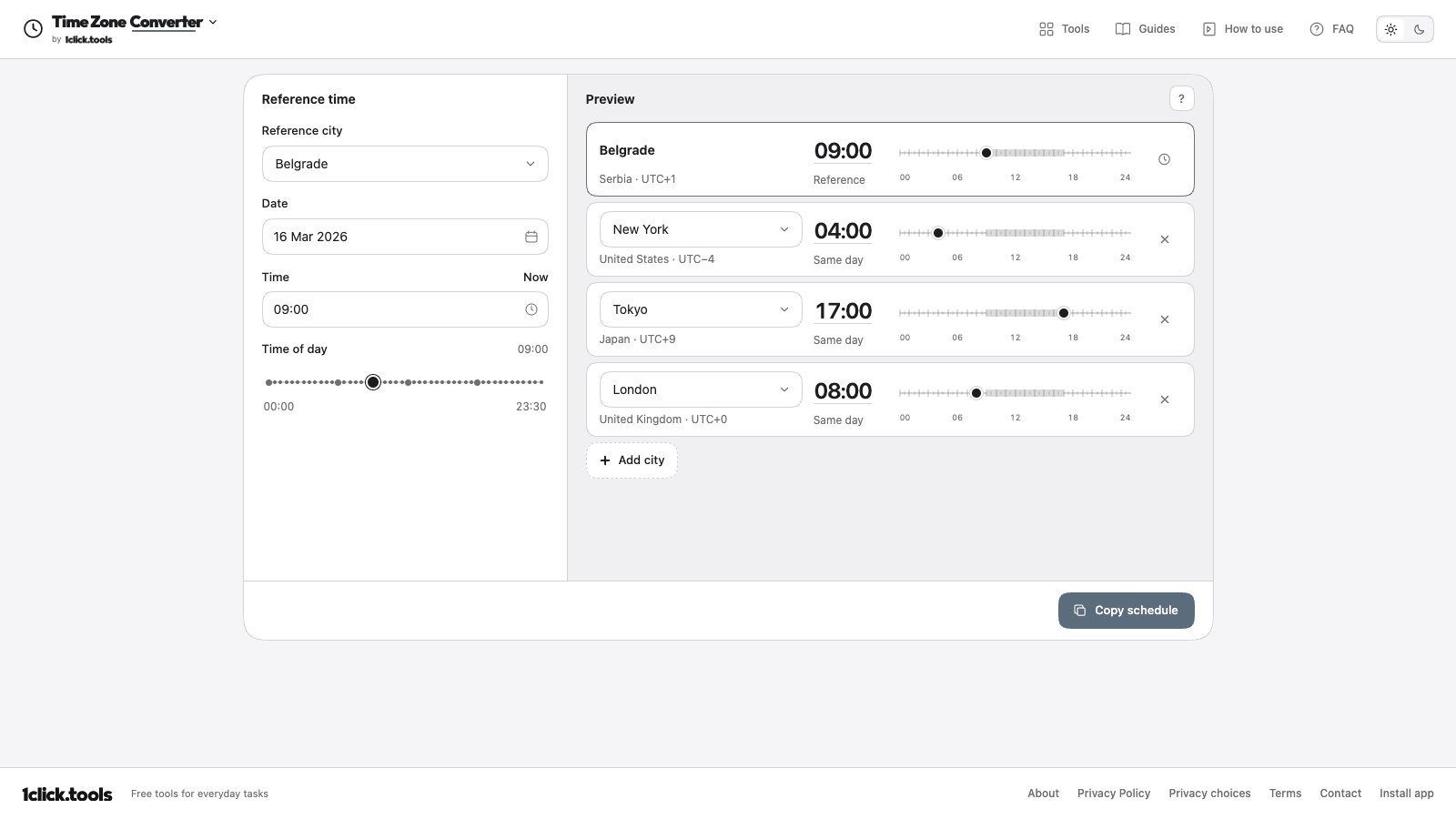
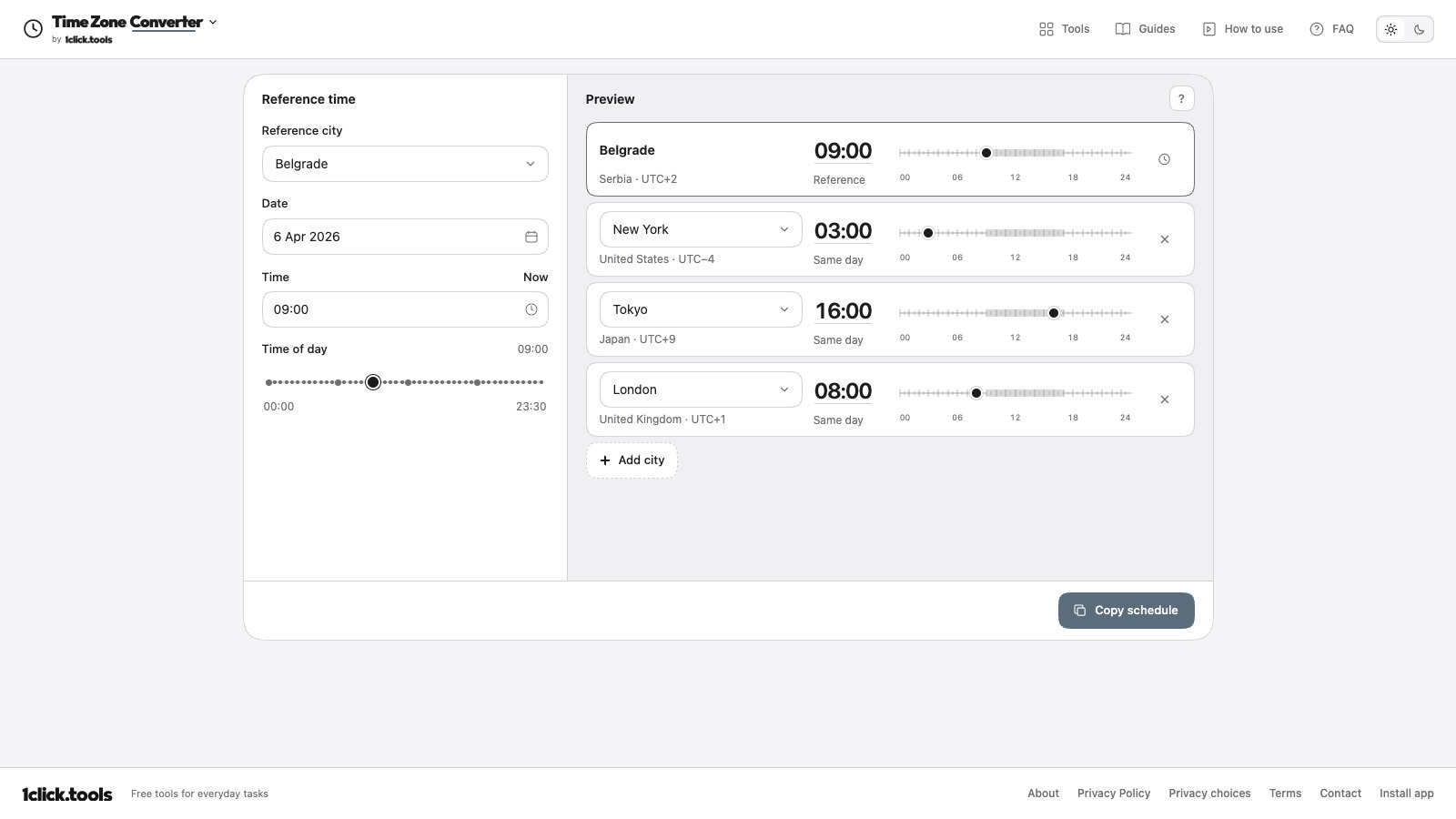
We kept 09:00 in Belgrade and compared 16 March with 6 April 2026. New York shifts from 04:00 to 03:00 because the displayed offset difference changes.
| Reference date | Belgrade | New York | Gap | Tokyo |
|---|---|---|---|---|
| 16 March 2026 | 09:00 · UTC+1 | 04:00 · UTC−4 | 5 hours | 17:00 · UTC+9 |
| 6 April 2026 | 09:00 · UTC+2 | 03:00 · UTC−4 | 6 hours | 16:00 · UTC+9 |
These are date-specific observations using the browser’s installed time-zone rules. Do not reuse a time difference without checking the intended date.
Repeat this example
- Choose Belgrade as reference, 16 March 2026 and 09:00. Keep New York, Tokyo and London.
- Check the UTC offsets and New York’s 04:00 time.
- Choose 6 April 2026, keep 09:00, and compare New York’s 03:00 time and Belgrade’s UTC+2 offset.
Check the comparison
Only the reference offset changes between the two recorded New York comparisons. The difference grows by one hour. The converted clock time in Tokyo changes even though its displayed offset does not.
A common mistake
A repeated local hour is ambiguous. Use an unambiguous UTC reference when you need to distinguish two occurrences of the same local clock label.
Check offsets for your meeting dateSources and credits
Actual Time Zone Converter sessions. Screenshots and comparison tables were recorded from the tool with the stated dates and times. This tool copies text to the clipboard and does not export calendar files.
IANA Time Zone Database. Time-zone boundaries, UTC offsets and daylight-saving rules can change. Actual conversions use the browser’s installed database.
Use the meeting date
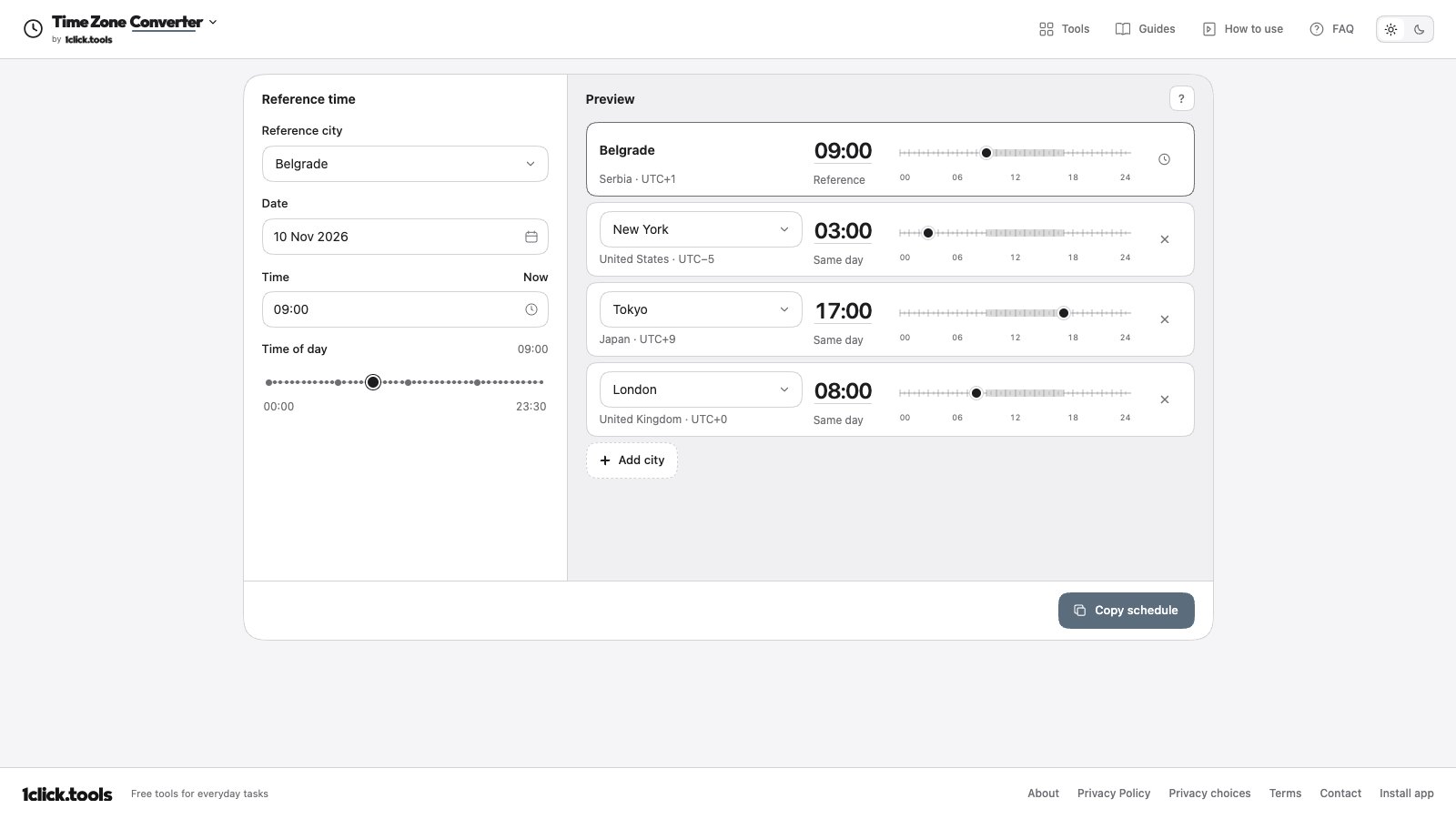
Offsets belong to a location and an instant. Open Date, select the month/year heading to choose its wheels, select Done, then choose the actual day on the calendar. Set the clock time with the hour and minute wheels. The converter uses the browser’s time-zone database; update your browser and verify important plans when rules change. The examples below were recorded on 9 November 2026 for specific dates in 2026.
New to the controls? Follow the first four-city conversion.
Compare March with April
Choose Belgrade as reference with New York, Tokyo and London. On 16 March 2026 at 09:00, New York shows 04:00: Belgrade is UTC+1 and New York UTC−4. On 6 April at the same Belgrade clock time, New York shows 03:00: Belgrade is now UTC+2 while New York remains UTC−4. The gap changes from five to six hours.
Read every city’s offset
Tokyo changes from 17:00 in the March example to 16:00 in April even though its displayed offset stays UTC+9. The reference offset changed. London remains one hour behind Belgrade in these two examples, while its own offset moves from UTC+0 to UTC+1. A displayed clock time alone does not tell the whole story.
Handle skipped and repeated hours
A clock change can skip a local time or repeat an hour. The pickers reject a skipped local time. There is no control to choose the first or second occurrence of a repeated hour. If the distinction matters, use UTC as the reference for an unambiguous instant and inspect the destination’s local time and offset. Avoid assuming that a repeated clock label identifies one moment.
Recheck future dates
Repeat the comparison whenever the date changes, especially when participants are in regions with different seasonal rules. Check Next day and Previous day as well as the offset. Copy the final schedule only after checking the intended instant. The converter does not automatically update a saved calendar event or a recurring meeting.
For comparing candidate hours, use the five-city meeting example.