A little guidance
How to convert time between cities
Use the calendar, month/year wheels and hour/minute wheels to compare cities. Adjust any city with half-hour sliders or an exact time, then copy the schedule.
One moment in Belgrade, New York, Tokyo and London
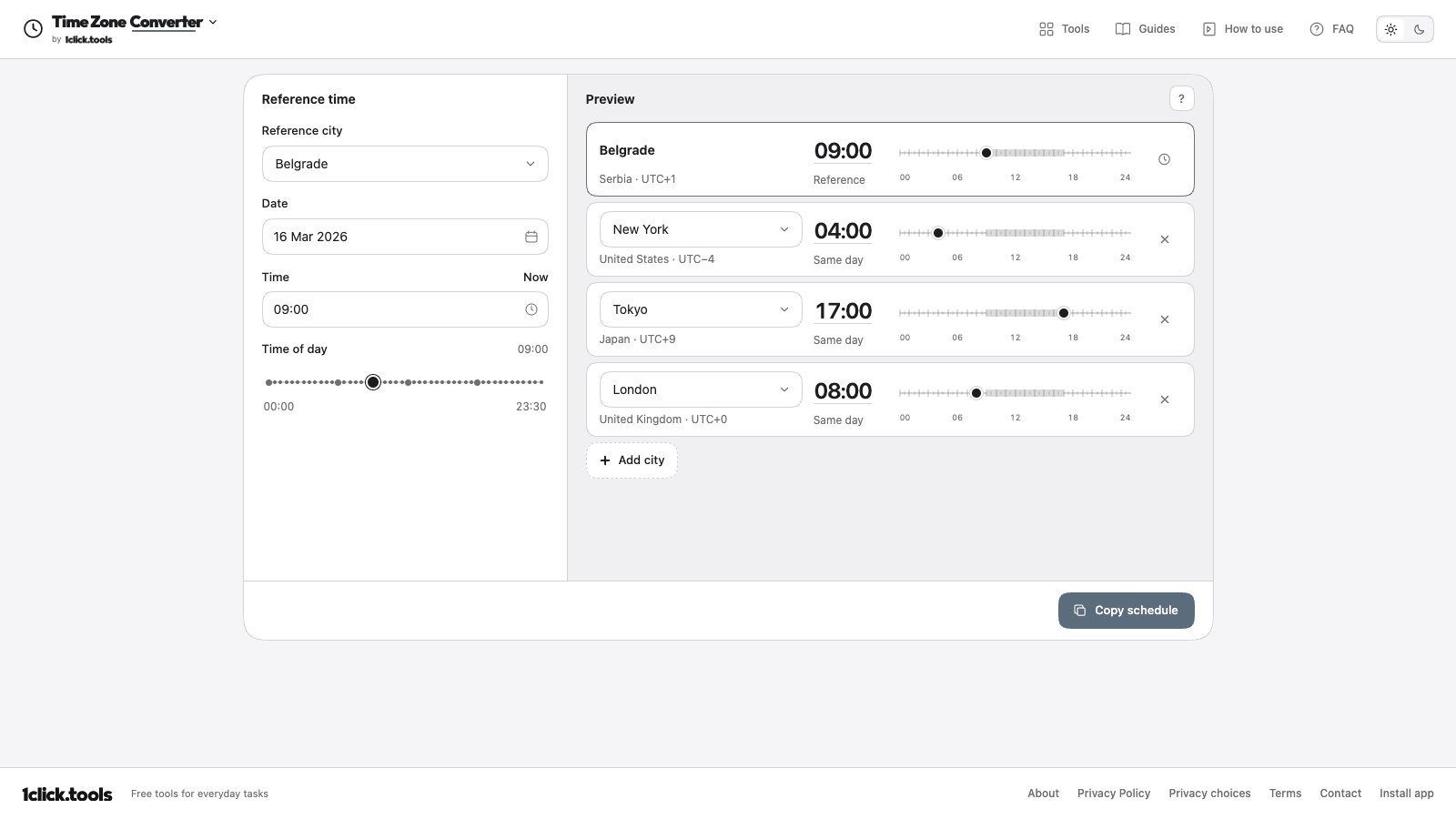
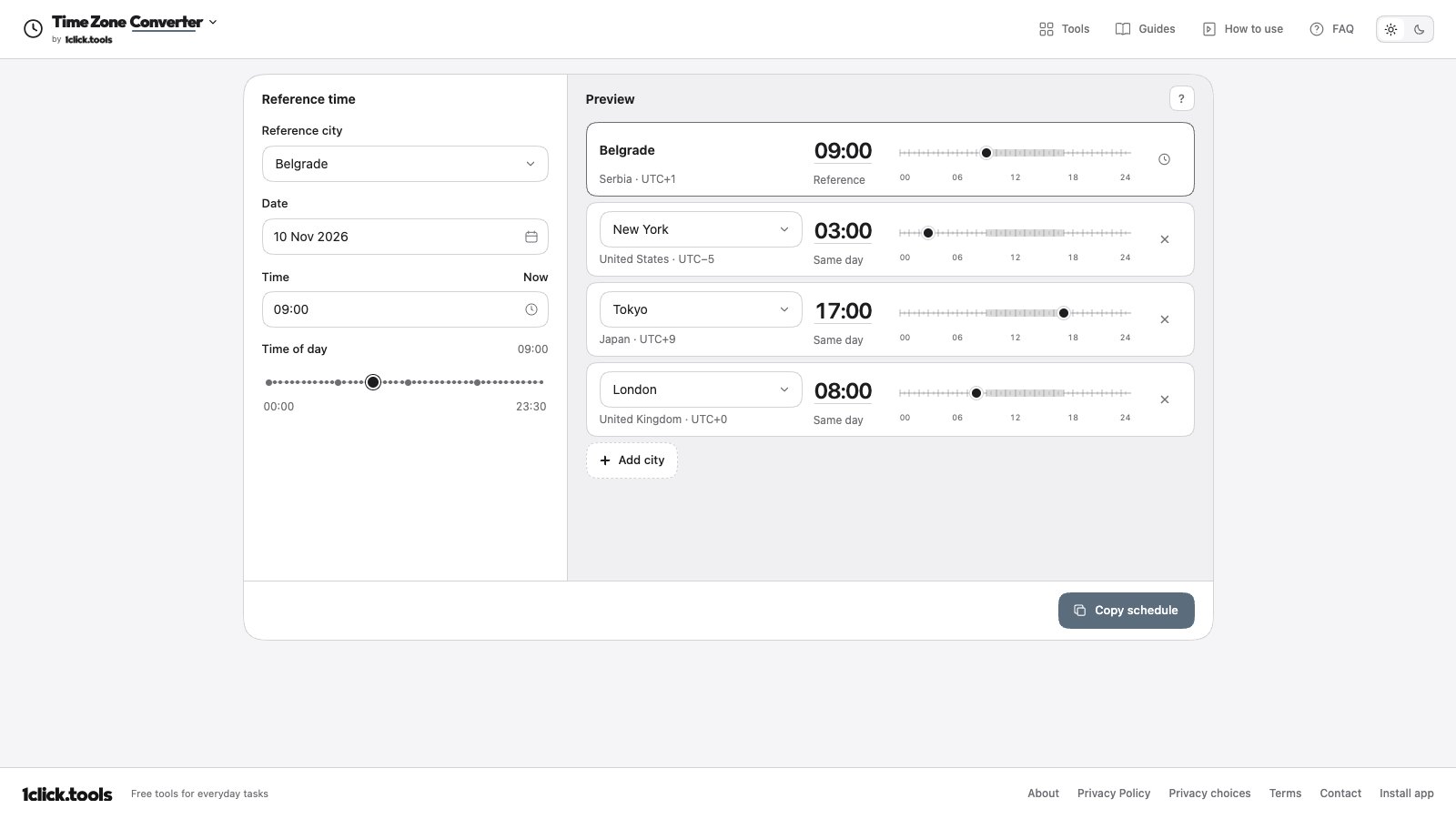
We chose Belgrade, 10 November 2026 and 09:00 in the calendar and time pickers. The three default destination cities show the same moment, with their own local times and offsets.
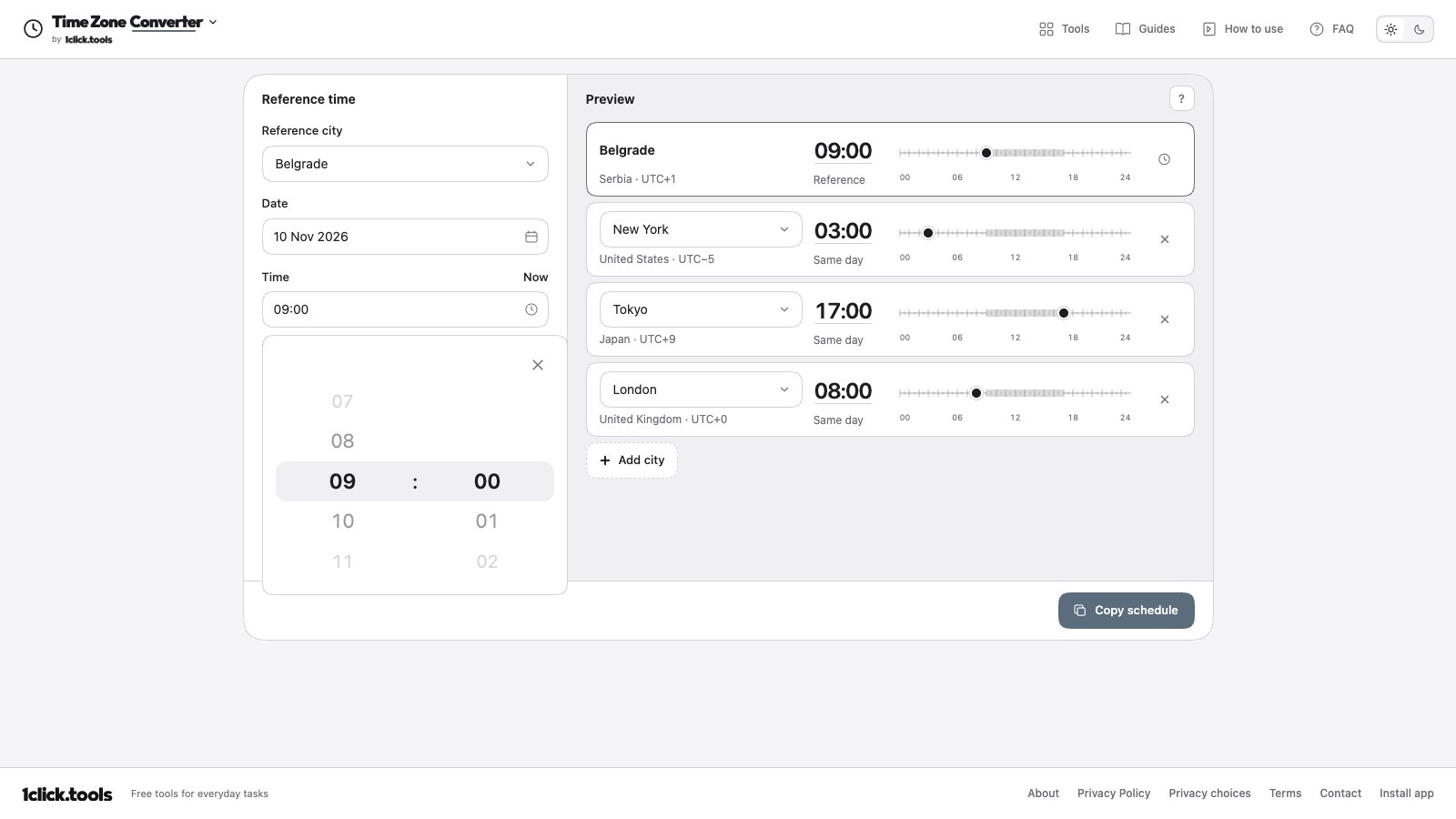
| City | Local date | Time | UTC offset |
|---|---|---|---|
| Belgrade | 10 November 2026 | 09:00 | UTC+1 |
| New York | 10 November 2026 | 03:00 | UTC−5 |
| Tokyo | 10 November 2026 | 17:00 | UTC+9 |
| London | 10 November 2026 | 08:00 | UTC+0 |
All four cities are on the same local date for this example. The shown offsets apply to this date, not to every date of the year.
Repeat this example
- Open Reference city, search for Belgrade and select it.
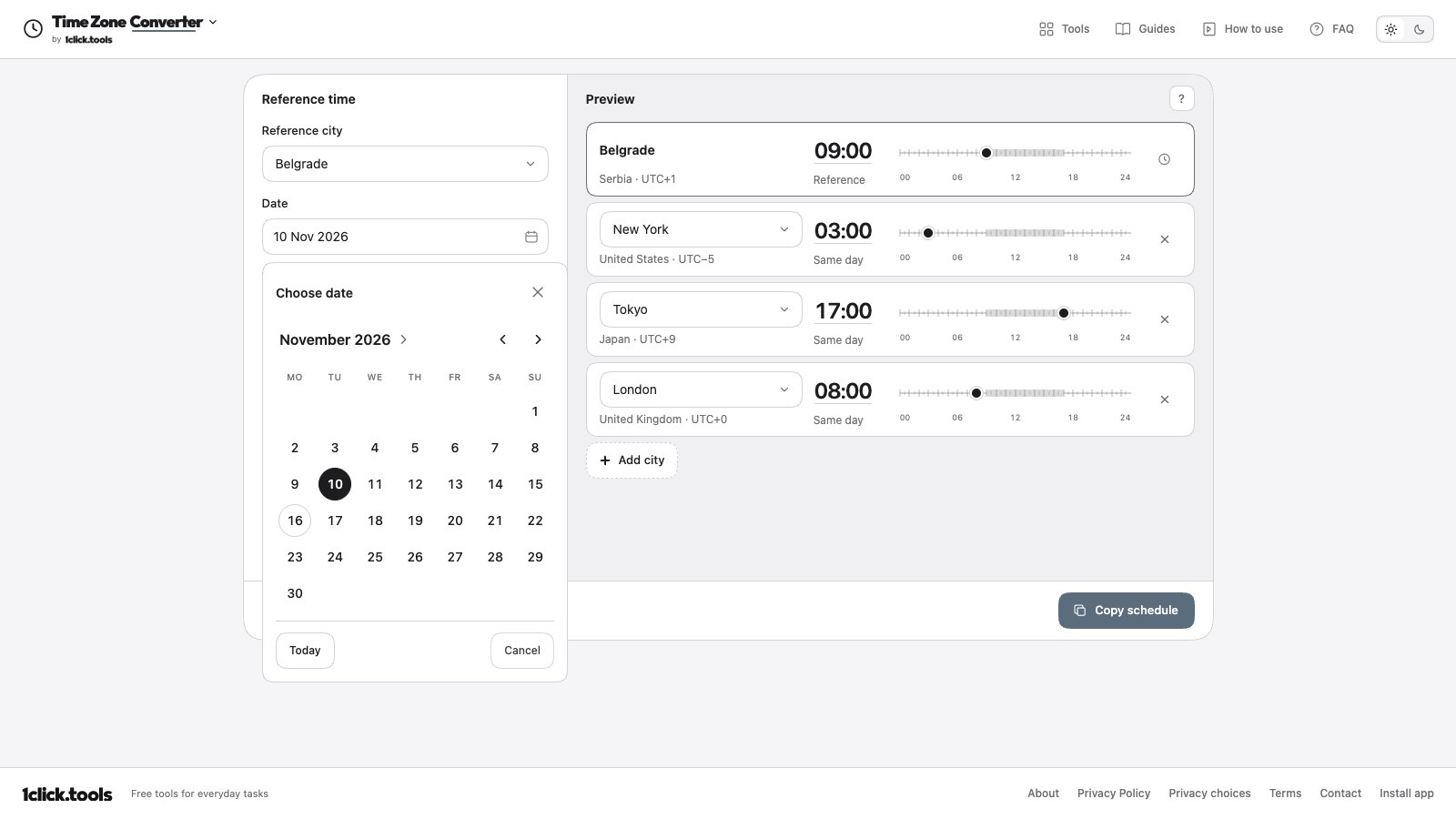
- Open Date, use the month/year wheels if needed, and choose 10 November 2026. Open Time and scroll to 09 and 00.
- Keep New York, Tokyo and London. Compare all four rows with the table above.
Check the comparison
New York is six hours behind Belgrade in this example. Tokyo is eight hours ahead and London is one hour behind. Copy schedule includes full dates and offsets; Copied briefly confirms success inside the button.
A common mistake
Setting a new reference city preserves the existing moment; it does not automatically keep the previous reference’s clock time. Enter the intended local date and time after choosing the reference.
Repeat the four-city conversionSources and credits
Actual Time Zone Converter sessions. Screenshots and comparison tables were recorded from the tool with the stated dates and times. This tool copies text to the clipboard and does not export calendar files.
IANA Time Zone Database. Time-zone boundaries, UTC offsets and daylight-saving rules can change. Actual conversions use the browser’s installed database.
Choose a reference city
Open Reference city and type a city, country or IANA zone, such as Belgrade, Japan or Asia/Tokyo. The list includes browser-supported time zones and additional major cities. Changing the reference preserves the current moment and updates its local date and time. Choose the reference before setting the example below.
Set the date and time
Open Date and choose a day on the calendar. Select the month/year heading to scroll its wheels, then Done. Open Time, scroll the hour and minute wheels; the time changes as you scroll, and tapping a minute closes the picker. You can also focus a wheel and type its number or use arrow keys. Times use a 24-hour clock. For this example, choose Belgrade, 10 November 2026 and 09:00. The Time of day slider snaps to half-hour stops for quick adjustments. Use the time picker for an exact minute.
Read each city and local date
Keep New York, Tokyo and London. The same moment appears as 03:00, 17:00 and 08:00 respectively. Read the UTC offset under each city and the date relationship under its time. Next day and Previous day compare that city’s local calendar date with the reference date. They are not extra hours to add to the displayed time.
If an offset changes with the date, follow the daylight-saving comparison.
Edit another city’s time
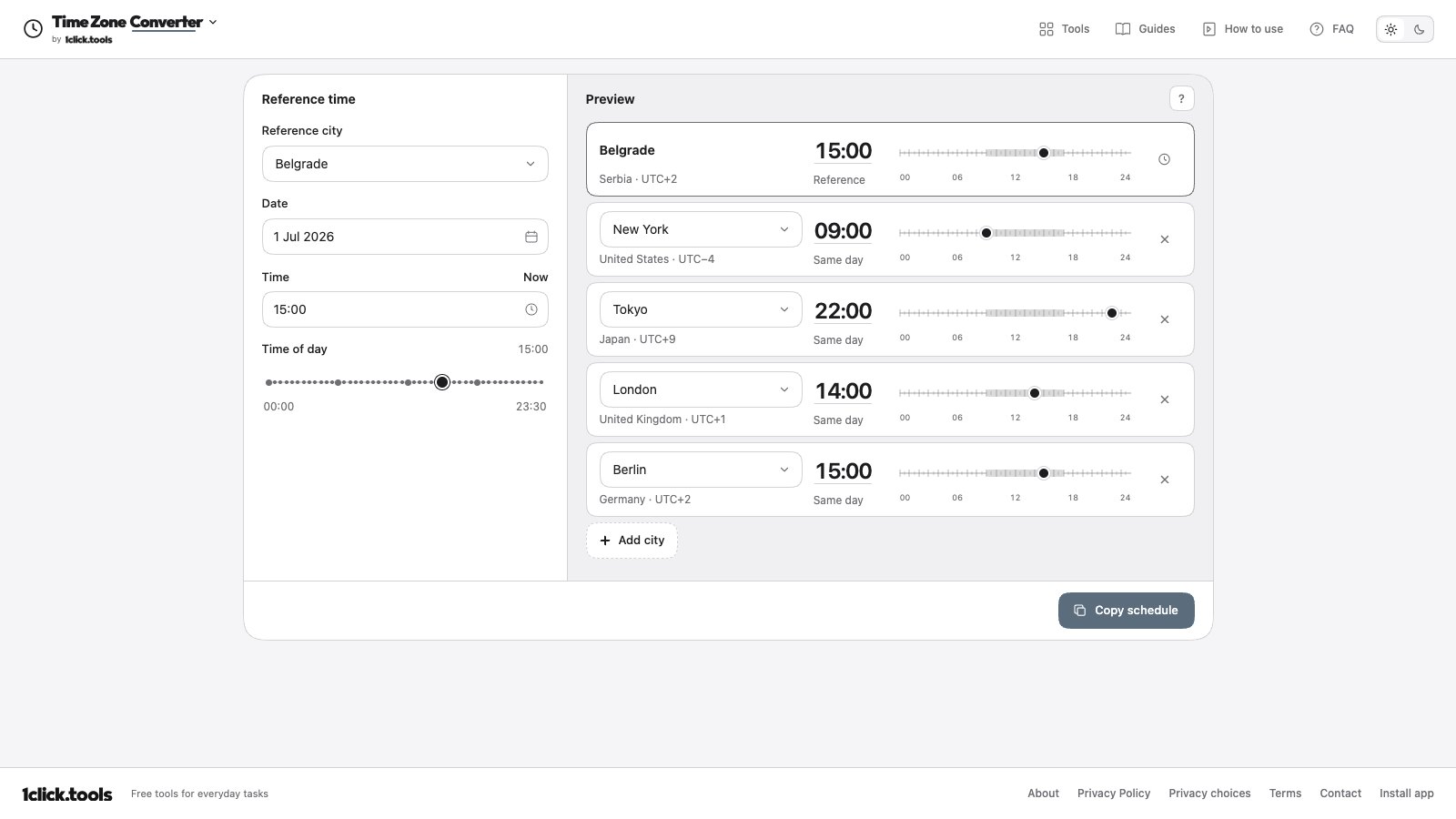
Drag any city’s slider between half-hour stops, or select its underlined time to open the exact time picker. An edit uses that city’s currently displayed local date, then updates every city and the reference date and time. For example, setting New York to 09:00 on 10 November moves Belgrade to 15:00. If you need a different date as well, choose the reference and date deliberately before entering the time.
Copy a comparison you want to keep
Copy schedule writes every selected city’s name, full local date, time and UTC offset to the clipboard. The button shows a checkmark and Copied for two seconds after success. Paste the text into your own notes or message and check it before sharing. It does not send invitations or create calendar files. A reload keeps the current cities and time; no schedule history is saved.
For a group call, compare two meeting candidates across five cities before sharing a schedule.