A little guidance
How to put a note or instructions in a QR code
Store a short text note directly in a QR code for a label, classroom activity or instruction card. Keep line breaks and verify the decoded message.
A three-line note for a garden-tool label
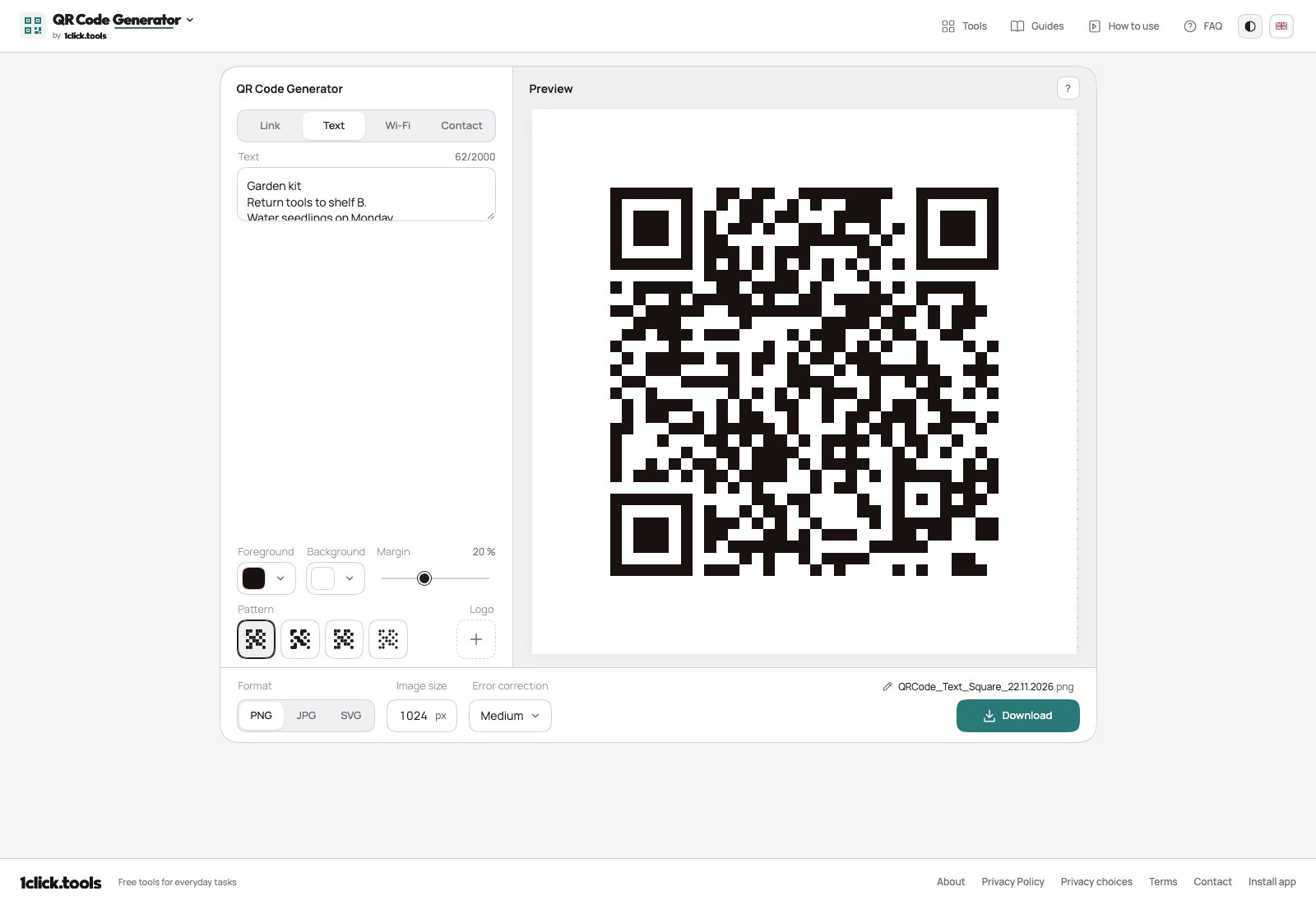
We chose Text and entered a short note about returning tools and watering seedlings. Both PNG and SVG preserved the complete message, including its two line breaks.
Compare the actual downloads
- Download the 1024 px PNG26.2 KiB
- Download the matching SVG40.8 KiB
| Part of the note | Decoded text |
|---|---|
| Title | Garden kit |
| Second line | Return tools to shelf B. |
| Third line | Water seedlings on Monday. |
| Hosted document | None; the text is encoded directly |
This is fictional label text. Scanners may display, copy or interpret decoded text differently; the verification checks the exact encoded message.
Repeat this example
- Select Text and enter Garden kit, Return tools to shelf B., and Water seedlings on Monday. on separate lines.
- Under Logo, select Remove logo, then keep Square, the default colors and 20% Margin.
- Download PNG or SVG and compare the scanned text with your original note.
Check the decoded result
Both exports decode to this exact message, with line breaks: Garden kit Return tools to shelf B. Water seedlings on Monday.
A common mistake
Using a text code for instructions that change frequently leaves old instructions in every existing copy. Use a link to an editable page instead.
Create your own QR codeSources and credits
Actual QR Code Generator sessions. Files are unchanged browser exports saved under descriptive guide names. Both the PNG and a raster rendering of the exported SVG were independently decoded with jsQR. This verifies the samples, not physical printing, phone contact imports or real Wi-Fi connections.
ZXing: barcode content formats. Describes URL, plain-text, Wi-Fi and contact payload conventions. What a phone does after scanning depends on its reader.
Choose text that can travel with the code
A Text code stores the message itself, so it does not need a hosted document to contain the note. Use it for short equipment instructions, a classroom clue or a label. The content is fixed after download. For a long document or instructions that change regularly, use Link with a page you can update.
For content hosted online, follow the website-link guide.
Enter the note in Text
Select Text and type or paste your message. The example contains three lines: Garden kit, Return tools to shelf B., and Water seedlings on Monday. Line breaks are included in the encoded text. The field accepts up to 2,000 characters, while generation also limits the content to 2,000 UTF-8 bytes; text with accented characters or symbols can reach the byte limit sooner.
Keep the message short enough to scan
More text generally requires a denser code. If the tool reports that the content is too long or does not fit, shorten the note rather than reducing it to unreadable print. Begin with Square pixels, dark foreground and white background, and retain the clear margin. Higher error correction can make a long message harder to fit.
Download and compare the exact wording
Download PNG for a label document or SVG for a vector print layout. Scan the actual exported code and compare the text, punctuation and line breaks with your original note. Some scanners show or copy plain text, while others recognize content such as a URL and offer an action. Text mode does not force a phone to display every message in the same way.
Treat the message as public to its readers
The note is not password-protected or encrypted. Anyone with the image can decode it. The example is ordinary fictional equipment guidance; do not put private access codes or personal records into a code intended for a shared label. Replace the code when the instructions change.