A little guidance
How to make a meme with a template
Find a template, replace its suggested captions and download a JPG or PNG. Follow a real Grumpy Cat example with screenshots and measured downloads.
Real example: one cat meme, two image formats
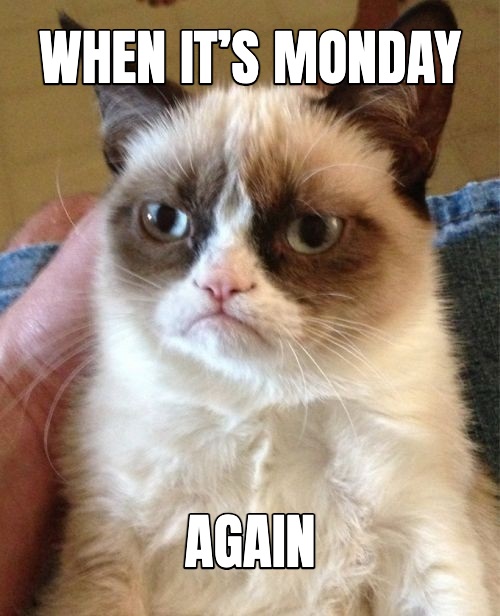
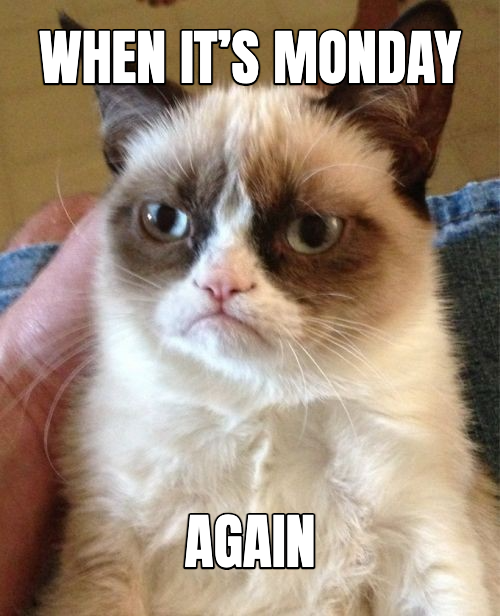
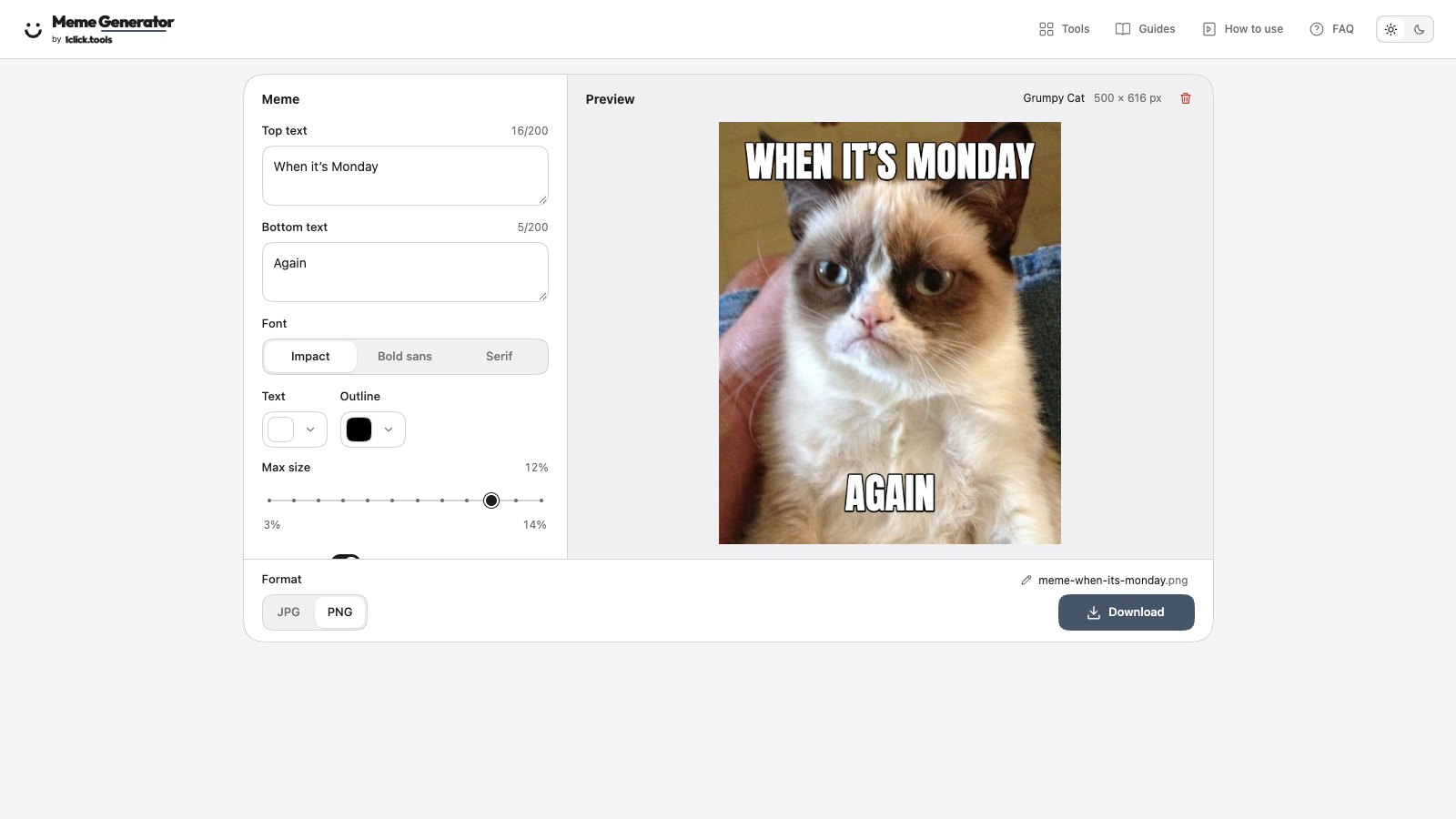
We selected Grumpy Cat and used When it’s Monday for Top text and Again for Bottom text. Impact, Max size 12%, white text, black outline, Uppercase and Outline stayed fixed while we downloaded JPG and PNG.
Compare the actual downloads
- Download the cat meme JPG73.8 KiB
- Download the matching PNG523.9 KiB
| Format | Automatic filename | Measured download |
|---|---|---|
| JPG | Meme_GrumpyCat_WhenItsMonday_22.11.2026.jpg | 500 × 616 · 75,533 bytes |
| PNG | Meme_GrumpyCat_WhenItsMonday_22.11.2026.png | 500 × 616 · 536,467 bytes |
Both files are actual browser downloads reopened to verify their dimensions. PNG was larger in this run; format changes do not guarantee a smaller file. The public files retain their descriptive historical aliases.
Repeat this example
- In the left template picker, search Grumpy Cat and select it.
- Set Top text to When it’s Monday and Bottom text to Again. Keep the displayed default styling for this template.
- Download JPG, switch to PNG and download again. Open the files to check the words and dimensions.
Check your download
The complete captions appear at the top and bottom with an outline. Both downloads are 500 × 616 and have no added watermark or preview position guide. Current automatic names include the template, opening caption words and current date.
A common mistake
A renamed .png extension does not create a PNG. Select PNG in Format to choose that encoder, then download.
Make this template memeSources and credits
Grumpy Cat template source. Source of the bundled template image. Underlying image rights remain with their respective owners; no general reuse license is claimed.
Example captions. Entered and exported in the real Meme Generator; not attributed to the image owner.
Find the image you remember
Meme Generator opens with Distracted Boyfriend selected and suggested captions ready to edit, or restores your saved work. In the left template picker, search the 450 bundled templates by name or describe the image, such as cat at dinner or guy looking back. Typing searches the full collection; Clear search restores it. For this example, search Grumpy Cat and select that template.
Already have a photo? See how to make a meme from your own image with a downloadable sample.
Replace the suggested captions
Each template starts with editable suggestions. For Grumpy Cat, click the top caption in the preview and enter When it’s Monday, then click the bottom caption and enter Again. Select Done or click outside to finish each edit. Each caption accepts 200 characters, including manual line breaks. Other templates place their captions in different areas; click the text you want to change.
Using a multi-panel template? Follow the panel-caption example to match fields to their positions.
Check the text style and fit
In Options, keep Impact, Max size 12%, white text, black outline, Uppercase and Outline for this example. Text wraps and shrinks to fit each caption area. Max size is an upper limit, so raising it may not enlarge a long caption that already fills its area. Check the preview at the size your audience will see.
Choose a format and download
Select JPG or PNG in Format, then Download. The automatic filename combines Meme, the template or Custom, the opening words of the first caption and the current date: this example uses Meme_GrumpyCat_WhenItsMonday_22.11.2026.jpg or .png. The automatic name follows caption and template edits until you rename it with the pencil. Changing a filename extension does not choose the encoder; use the Format control.
Check the saved image
Open the download. Both example files are 500 × 616 pixels, with no added watermark or preview position guide. The PNG is larger than the JPG in this run; exact bytes vary with the image and browser. The guide keeps the historical downloads under the descriptive aliases meme-when-its-monday.jpg and .png. Templates keep their own drafts while you switch between them in the current session. A reload keeps your work in this tab; keep your finished downloads.