A little guidance
Bingo card designs, PDF print layouts and PNG downloads
Compare twelve bingo card designs, including print-friendly black-and-white options. Understand automatic PDF layouts, image downloads and the caller game with real classic-number samples.
Real example: classic numbers in Doodle and Candy
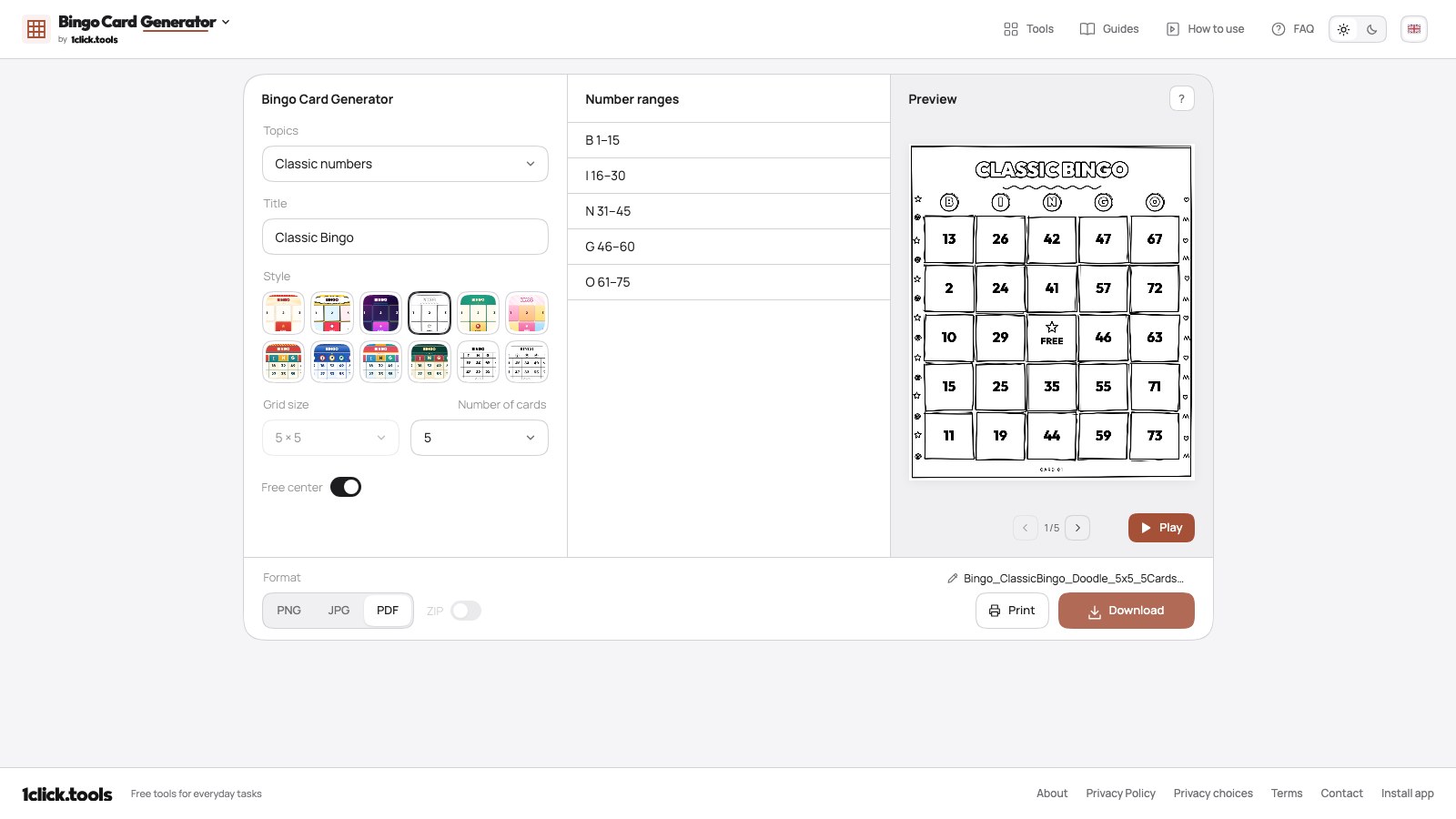
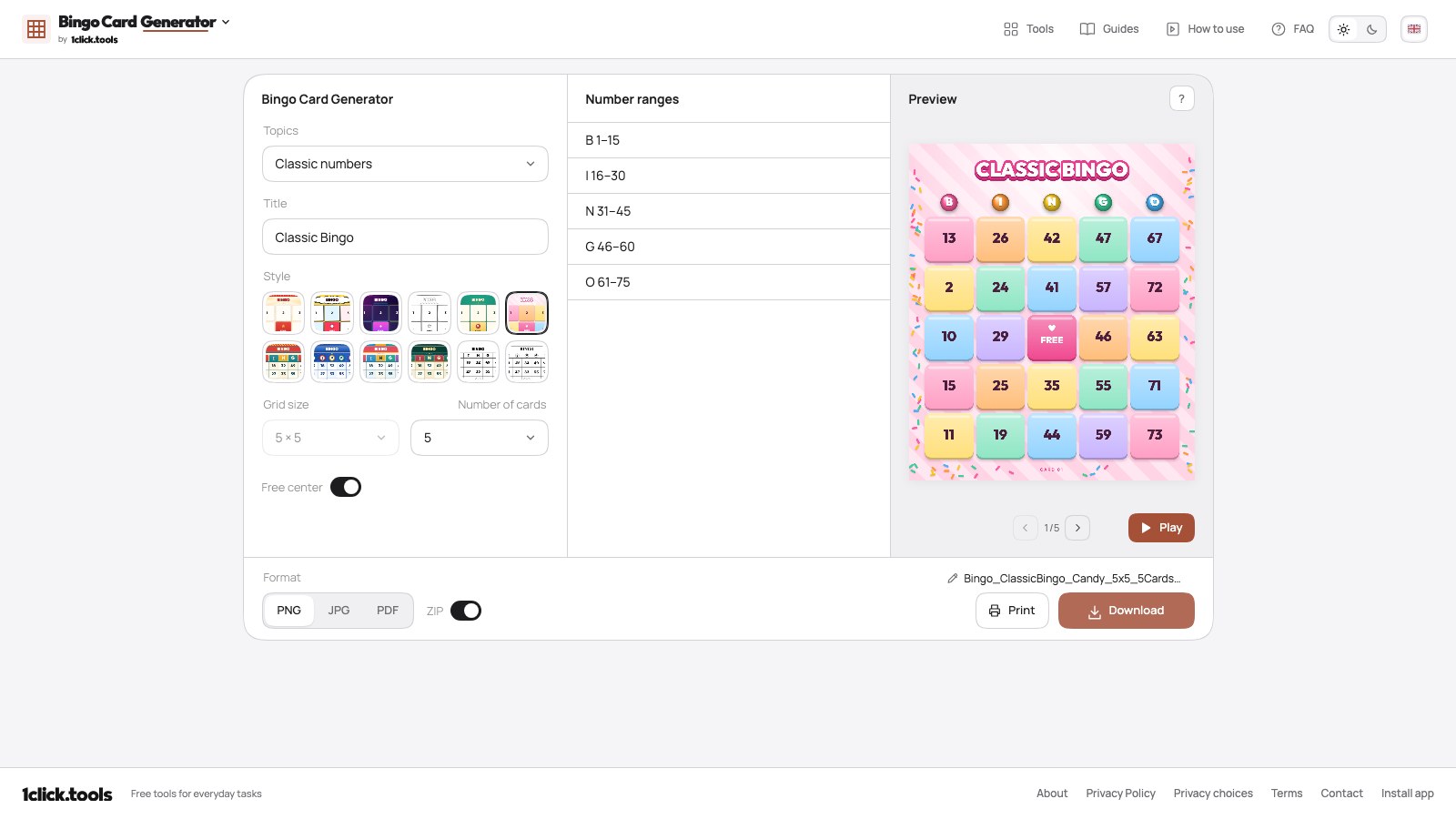
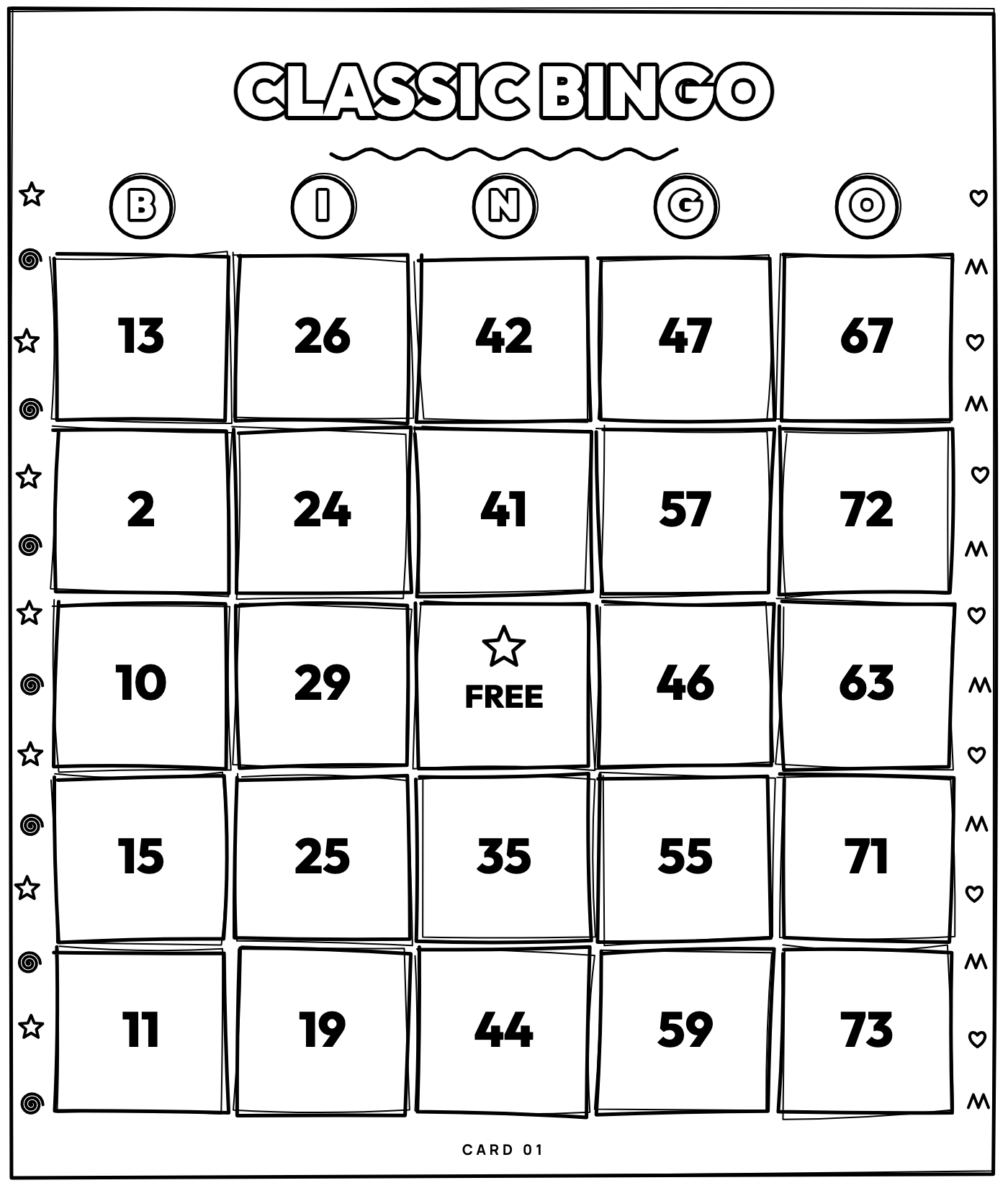
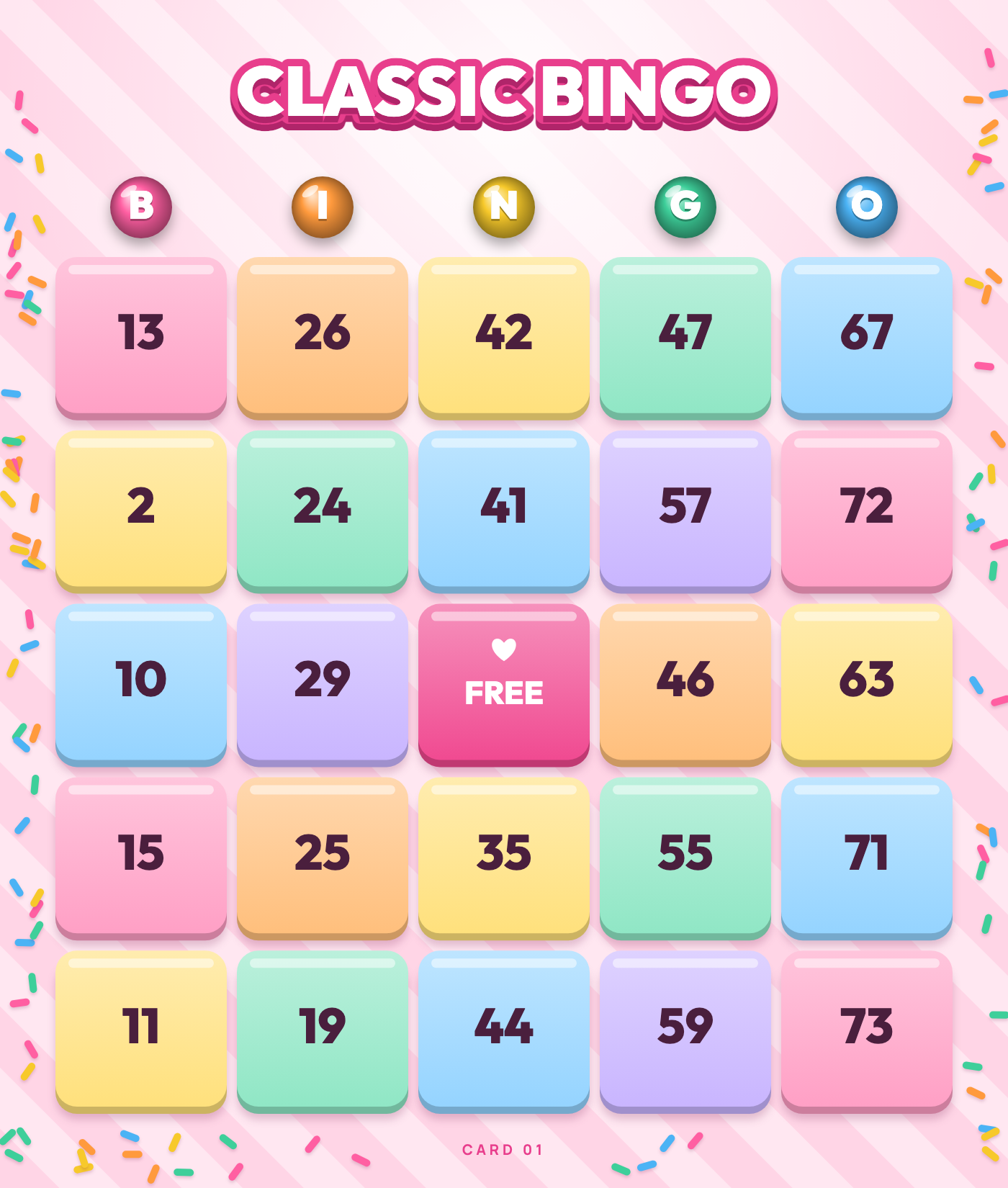
We selected Classic numbers, five cards, a 5 × 5 grid and Free center on. Doodle produced a black-and-white PDF using the automatic four-cards-per-page layout and a ZIP of PNGs. We then changed only the design to Candy and downloaded another ZIP to compare the same first card.
Compare the actual downloads
| Design and output | Layout | Measured result |
|---|---|---|
| Doodle PDF | 5 cards · automatic 4 per page | 2 A4 pages · 1,680,612 bytes |
| Doodle ZIP | 5 numbered PNG files | 2,170,836 bytes |
| First Doodle card | 1400 × 1650 PNG from the ZIP | 430,796 bytes |
| Same first card in Candy | 1400 × 1650 PNG from the second ZIP | 897,061 bytes |
Both comparison PNGs are unchanged first entries extracted from real ZIP downloads. The PDF was reopened and contains two pages. The number ranges are fixed rules, not editable entries.
Repeat this example
- Choose Classic numbers in Topics and 5 cards. Keep Free center on and choose Doodle under Style.
- Choose PDF and Download. Switch to PNG, leave ZIP on and download the five-image archive.
- Select Candy without changing the quantity or other settings and download again. Compare the first PNG in each archive.
Check your download
The B column contains 1–15, I 16–30, N 31–45, G 46–60 and O 61–75, with FREE in the middle. The two designs show the same first card. Doodle’s rendered pixels are grayscale, including the antialiased lines.
A common mistake
Changing the quantity can regenerate arrangements. Keep the quantity, grid and entries fixed when comparing designs for the same card.
Compare bingo designs and print layoutsSources and credits
Original Bingo Card Generator examples. Screenshots show the actual tool. PDFs, PNGs and ZIP archives are unchanged browser downloads, or unchanged PNG entries extracted from those ZIP files, saved under descriptive guide filenames. The Space Bingo text file is a copy reference, not an import file.
Compare the twelve card designs
Use the Style thumbnails below Title. Carnival is selected by default. Carnival, Comic, Neon, Doodle, Lucky Balls and Candy offer circus, pop-art, arcade, colouring-page, bingo-hall and sweet-shop looks. Retro Pop, Blue Ribbon, Rainbow Hall and Jackpot add four colorful classic designs. Classic Ink uses bold type and ruled cells; Ticket Press uses serif type, outlined letter circles and a ticket border. These last two are designed for economical black-and-white printing. Changing style preserves the card arrangements and words.
Use Doodle or a print-friendly classic design
Doodle is a black-and-white colouring page with sketched boxes, hollow letters and small margin doodles. Classic Ink and Ticket Press also use white backgrounds, black text and unfilled outlines, with more formal classic-card treatments. For the worked comparison, choose Classic numbers, five cards and Free center on. Download Doodle and Candy without changing the quantity so the first card keeps the same numbers and positions.
Understand classic 75-number cards
Choose Classic numbers in Topics. These cards always use a 5 × 5 grid: B contains 1–15, I 16–30, N 31–45, G 46–60 and O 61–75. With Free center on, the middle N square is FREE. The ranges in the middle column are read-only. For editable words, choose a themed topic or Custom. Play can call the numbers, show the history and called board, and check the generated cards for winning lines.
For editable words instead of number ranges, use the custom word card guide.
Use the automatic PDF and Print layout
Select PDF in the bottom bar, then Download, or select Print for the same layout in the browser print dialog. There is no Print layout control. Three or more cards are fitted four to each A4 portrait page; one or two cards are enlarged one or two to a page. Five cards produce two pages, with four cards on the first and one on the second. Check text size at the physical size you plan to print.
Follow the five-card printable bingo example to repeat the full workflow.
Choose PNG or JPG card images
Each image is 1400 × 1650 pixels. ZIP on creates one archive of numbered images; ZIP off downloads the numbered images separately. The switch is always visible, but PDF disables it because the PDF already contains every card. PDF and Print page arrangement never combines several cards into one PNG or JPG sheet.
Review the files before printing or sharing
The preview, thumbnails, downloads and caller use the same card data. PDF embeds raster card artwork rather than editable text. Long titles and entries may wrap or shrink, so open the downloaded file before distributing it. Doodle and Candy samples below contain the same first classic card in two designs. All examples are real local exports; file sizes vary with the design and card content.