A little guidance
How to see folder sizes and sort files by size
File Commander adds up the size of every folder, including subfolders, and sorts by size, name or date, so you can find what fills a drive.
Find the biggest items in Phone photos
We sorted Phone photos by size, largest first. Screenshots (297 KB) and WhatsApp (44 KB) lead, followed by the photos.
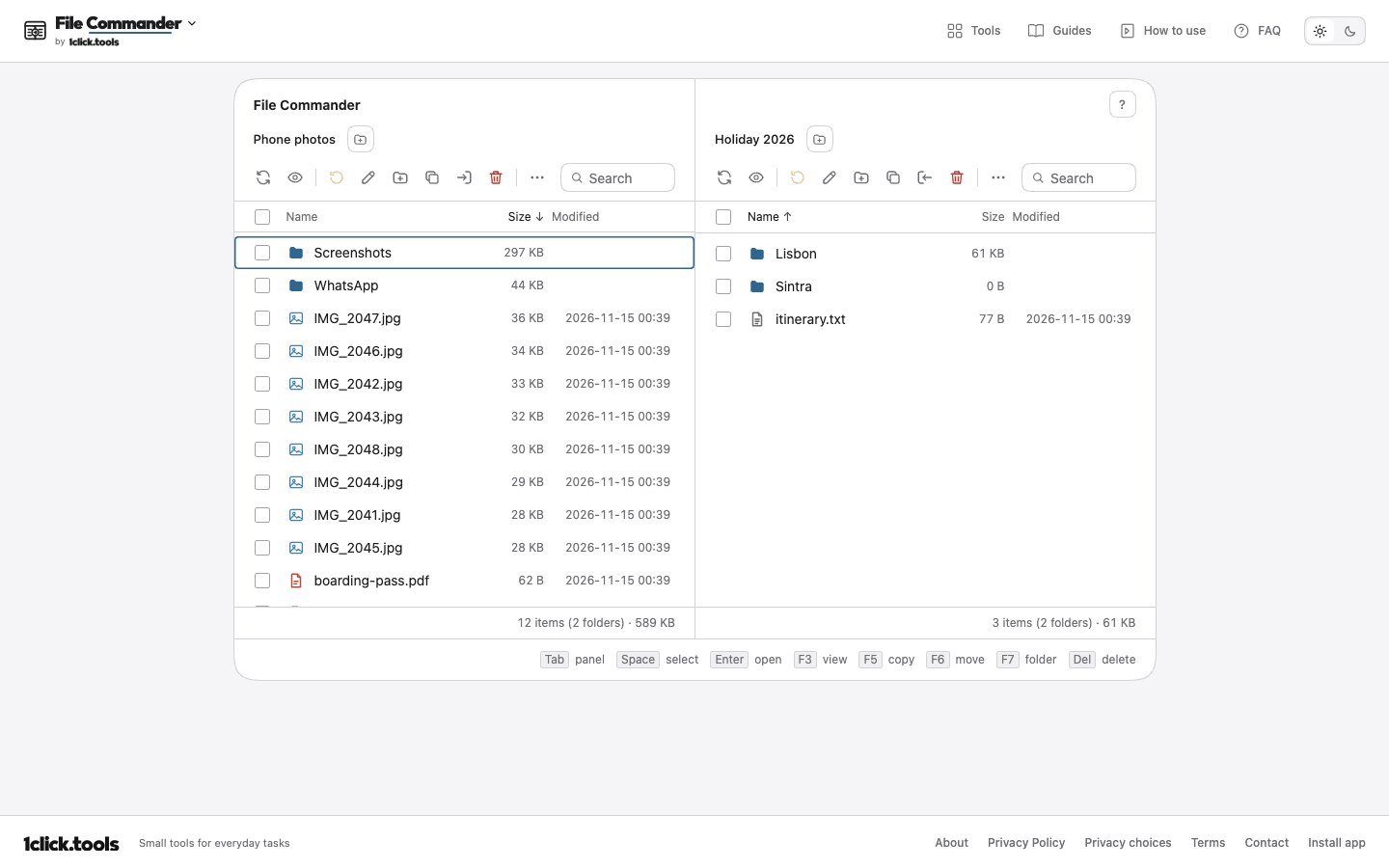
| Item | Size |
|---|---|
| Screenshots | 297 KB (3 files inside) |
| 44 KB (2 files inside) | |
| IMG_2047.jpg | 36 KB |
| Whole folder | 589 KB |
Folder sizes are added up in the background after the folder opens.
Repeat this example
- Open the folder.
- Click Size in the header, then click again for largest first.
- Read the total at the bottom of the panel.
Check the result
Folders show sizes instead of …, and the footer total includes them.
A common mistake
Expecting folders between files: folders always stay at the top, sorted among themselves.
Open File CommanderSources and credits
Sample folders made for these guides. Phone photos and Holiday 2026 hold generated landscape pictures and short text files created for the screenshots. Every screenshot shows the real tool working on those files.
Open the folder
Open the folder you want to check. Folder sizes appear in the Size column after a moment; until then they show …. Big folders take a little longer.
Sort by size
Click Size in the column header to sort by size, and again to reverse the order. Folders stay at the top, largest first, followed by files. Name and Modified sort the same way.
Read the totals
The bottom of each panel shows the number of items and their total size, folders included. With files selected, it shows the selected count and size instead.
Clean up
Open the largest folder, sort by size again, and delete or move what you no longer need. Undo is there if you remove the wrong thing.
Removing big files? See how to delete safely and undo.