A little guidance
How to delete files safely and bring them back
Delete files and folders in File Commander with a confirmation, and restore them with Undo while the page is open.
Delete two photos, then undo
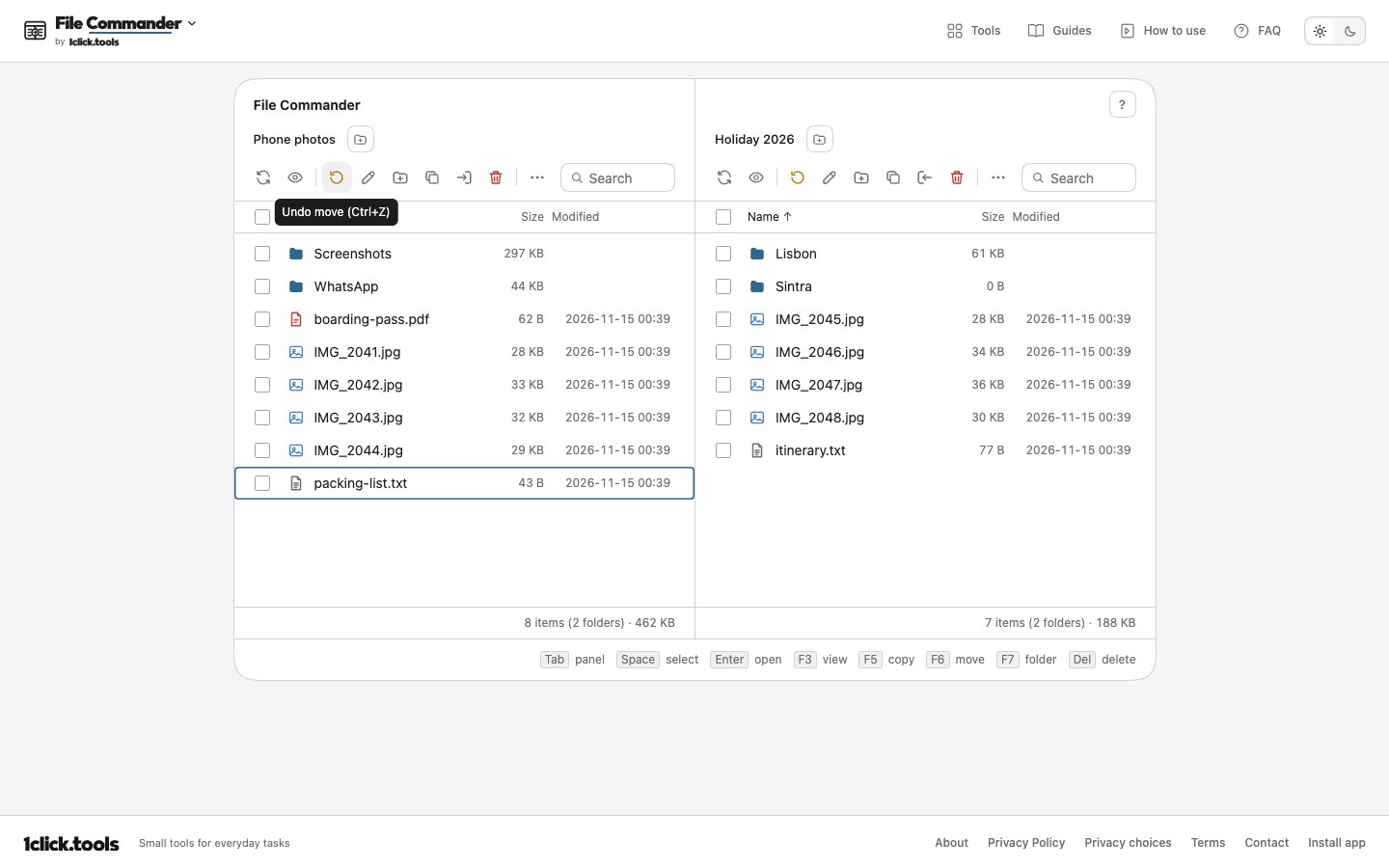
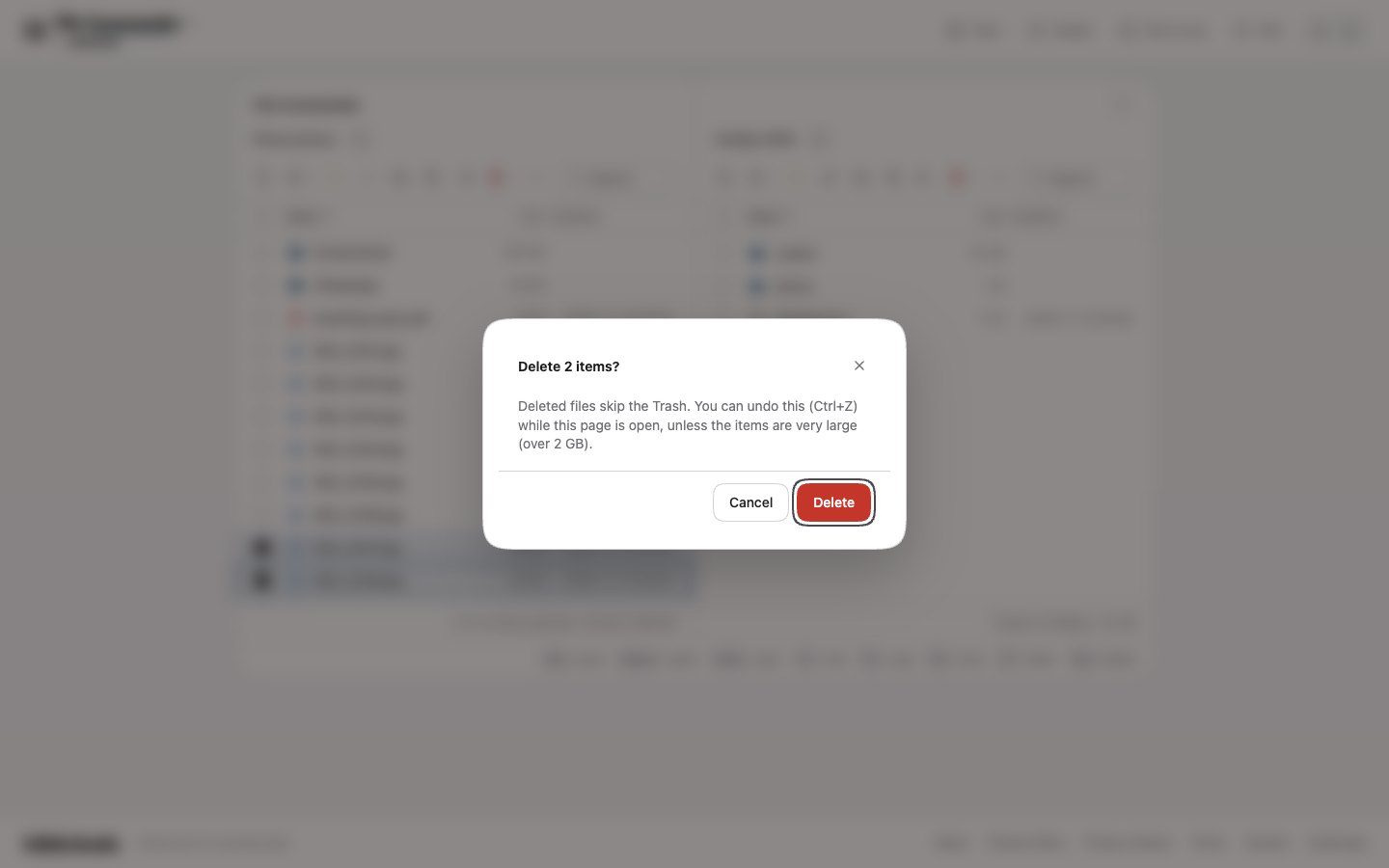
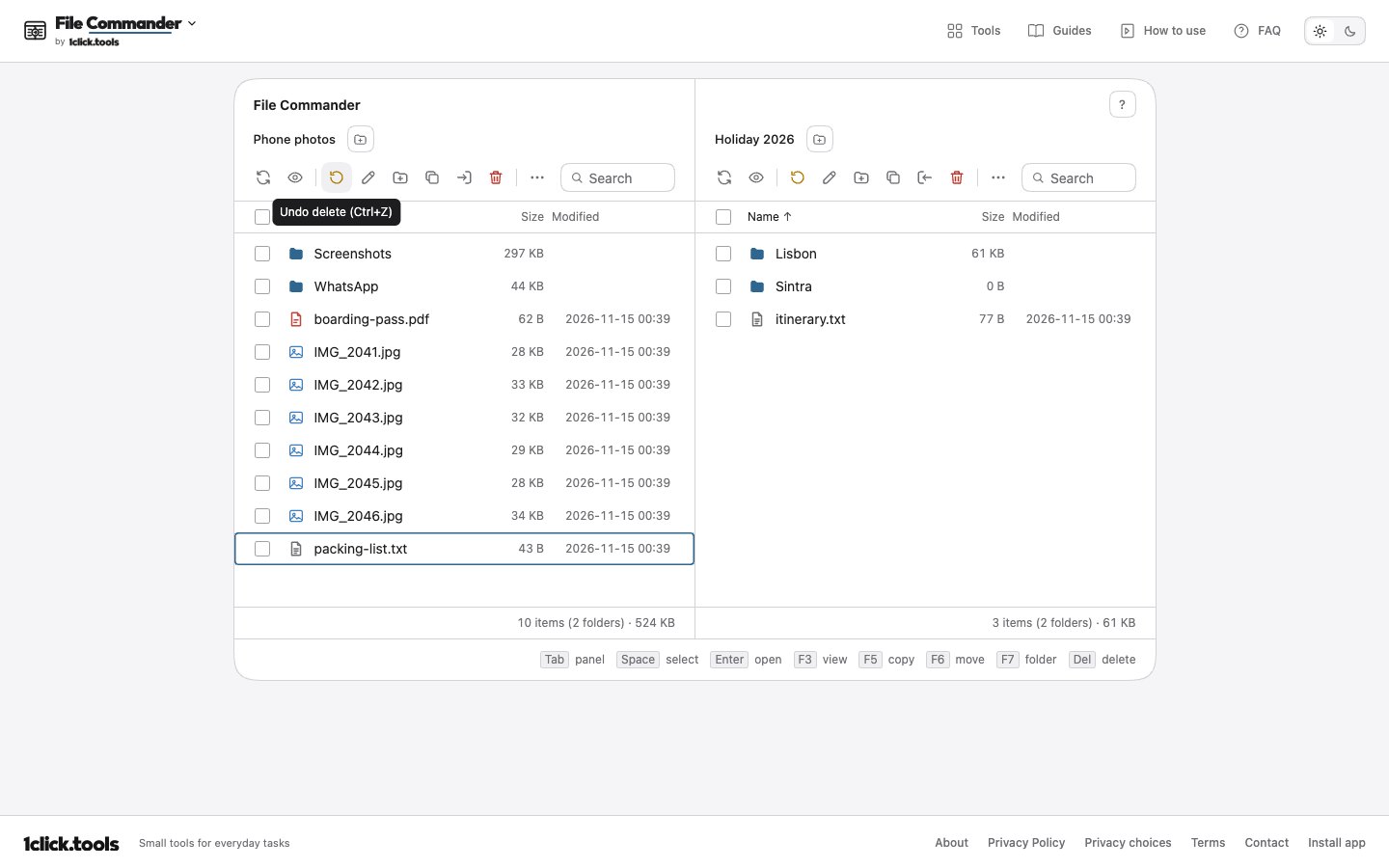
We selected IMG_2047.jpg and IMG_2048.jpg, pressed Delete and confirmed. The Undo icon then offered Undo delete, which put both files back.
| Step | What happens |
|---|---|
| Delete or Backspace | A dialog asks to confirm |
| Enter | Files are deleted (a copy is kept for Undo) |
| Undo delete | Files return to Phone photos |
| Reload or leave the page | The kept copy is cleared |
Deleted files skip the Trash. Undo is your safety net while the page is open.
Repeat this example
- Select the files.
- Press Delete and then Enter.
- Click Undo, or press Ctrl/Cmd+Z, to bring them back.
Check the result
After Undo the two photos are back with their original names and sizes.
A common mistake
Closing the tab before undoing. The kept copies are cleared when the page closes.
Open File CommanderSources and credits
Sample folders made for these guides. Phone photos and Holiday 2026 hold generated landscape pictures and short text files created for the screenshots. Every screenshot shows the real tool working on those files.
Select and press Delete
Select the files, then click the red trash icon or press Delete or Backspace. A dialog names what will be deleted; folders are deleted with everything inside them.
Confirm
Delete is already highlighted, so Enter confirms and Escape cancels. Deleted files don’t go to the Trash or Recycle Bin.
Bring them back with Undo
Before deleting, File Commander keeps a copy in your browser’s private storage for this site. Click Undo, whose tooltip says Undo delete, or press Ctrl/Cmd+Z, and the files return to their folder. The copy is cleared when you undo, reload or leave the page.
Undo works for other actions too: what Undo can reverse.
Know the limit
Deletes larger than 2 GB, or larger than the free browser storage, can’t be undone; the dialog warns you. For those, copy the files somewhere safe first.