A little guidance
How to find a key or value in JSON
Use the find bar in JSON Prettifier to search keys and values, jump between matches and open the tree right to each one.
Find every book title
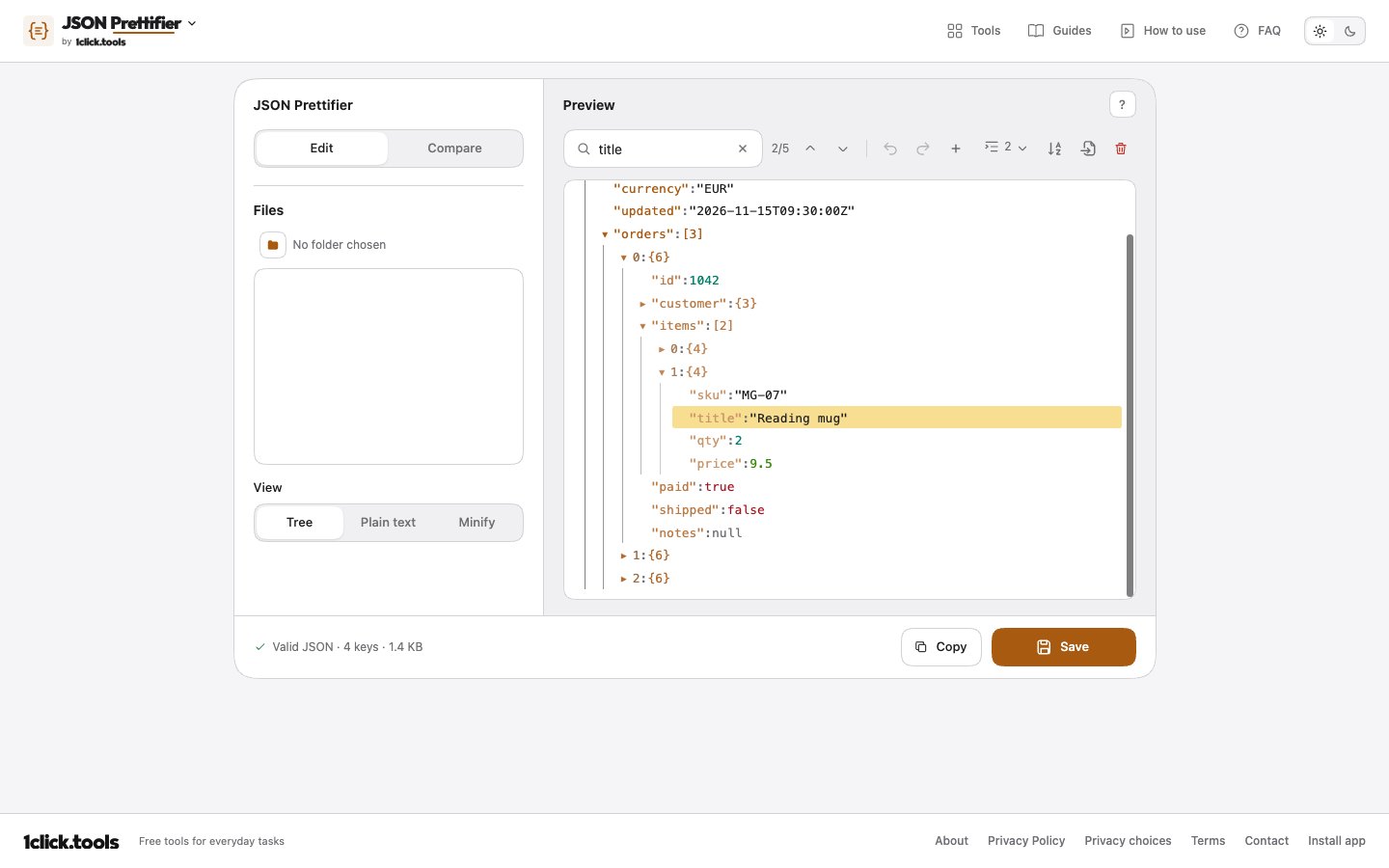
We typed title in the find bar and pressed the down arrow. The tree opened down to the second title and gave it a strong yellow background; the other titles are faint yellow.
| Search | Matches |
|---|---|
| title | 5 (one per item) |
| ana@ | 1 (Ana’s email) |
| true | Every true value |
Find searches both keys and values.
Repeat this example
- Type title in the find bar.
- Use the up and down arrows, or Enter, to go through the matches.
- Clear the search with ×.
Check the result
The count goes up as you press the down arrow, and each title turns strong yellow in turn.
A common mistake
Expecting folded branches to open for every match: only the path to the current match is opened.
Open JSON PrettifierSources and credits
Sample JSON made for these guides. The bookshop orders, names and emails are invented. Every screenshot shows the real tool working on that JSON.
Type in the find bar
The find bar is at the top of the Preview. Type part of a key or value, such as title or an email address; upper and lower case don’t matter.
Move between matches
The count shows the current match, for example 2/5. Use the up and down arrows, or Shift+Enter and Enter, to go to the previous or next one.
See every match
All matches get a faint yellow background, and the current one a strong yellow. The path to the current match opens and it scrolls into view.
More about the tree in the tree view guide.
Clear the search
Click × in the find bar to clear it.