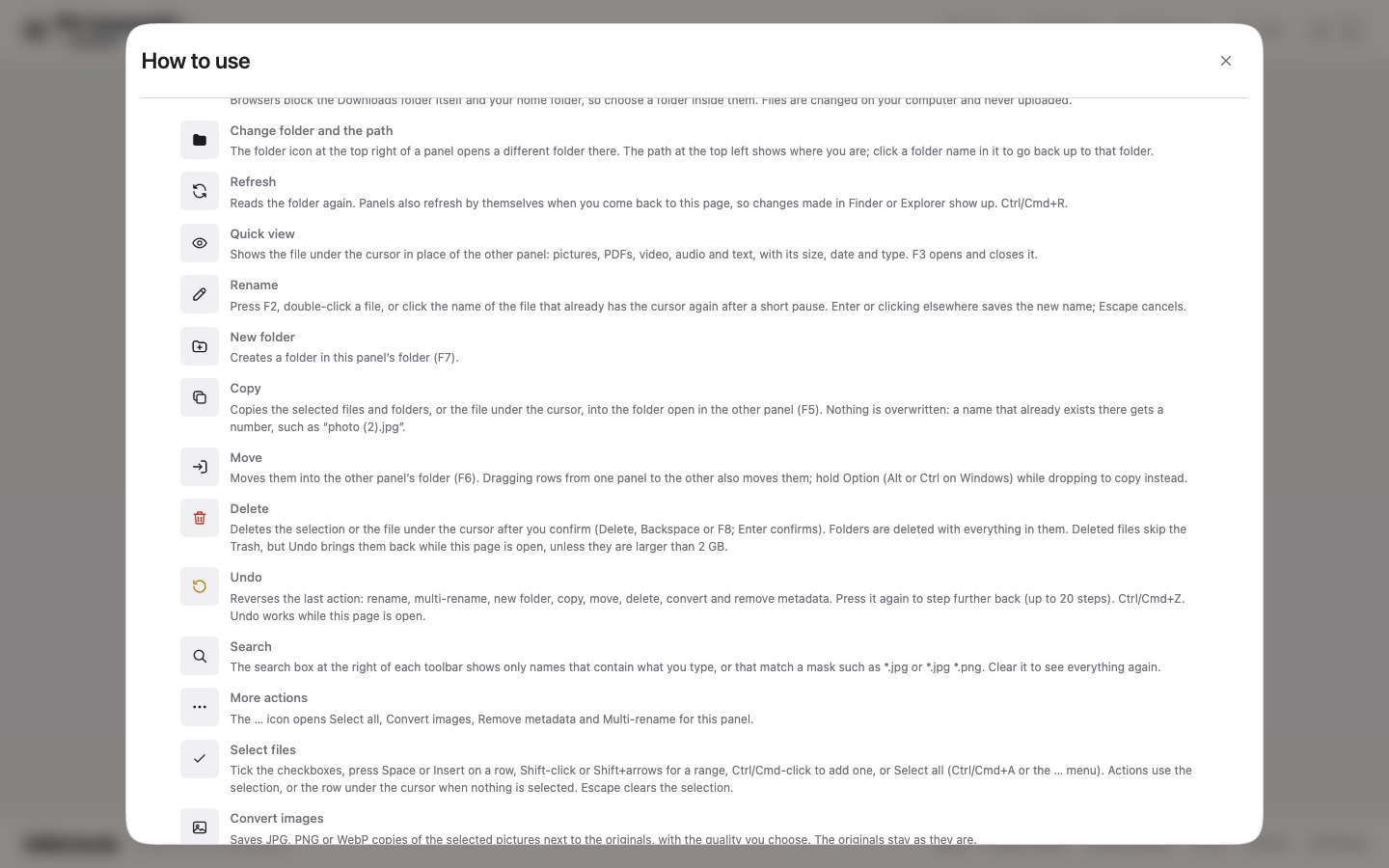
A little guidance
How to use the right-click menu and More actions
Right-click a file or an empty part of a File Commander panel for every action, or use the … menu in the toolbar.
Every action from one right-click
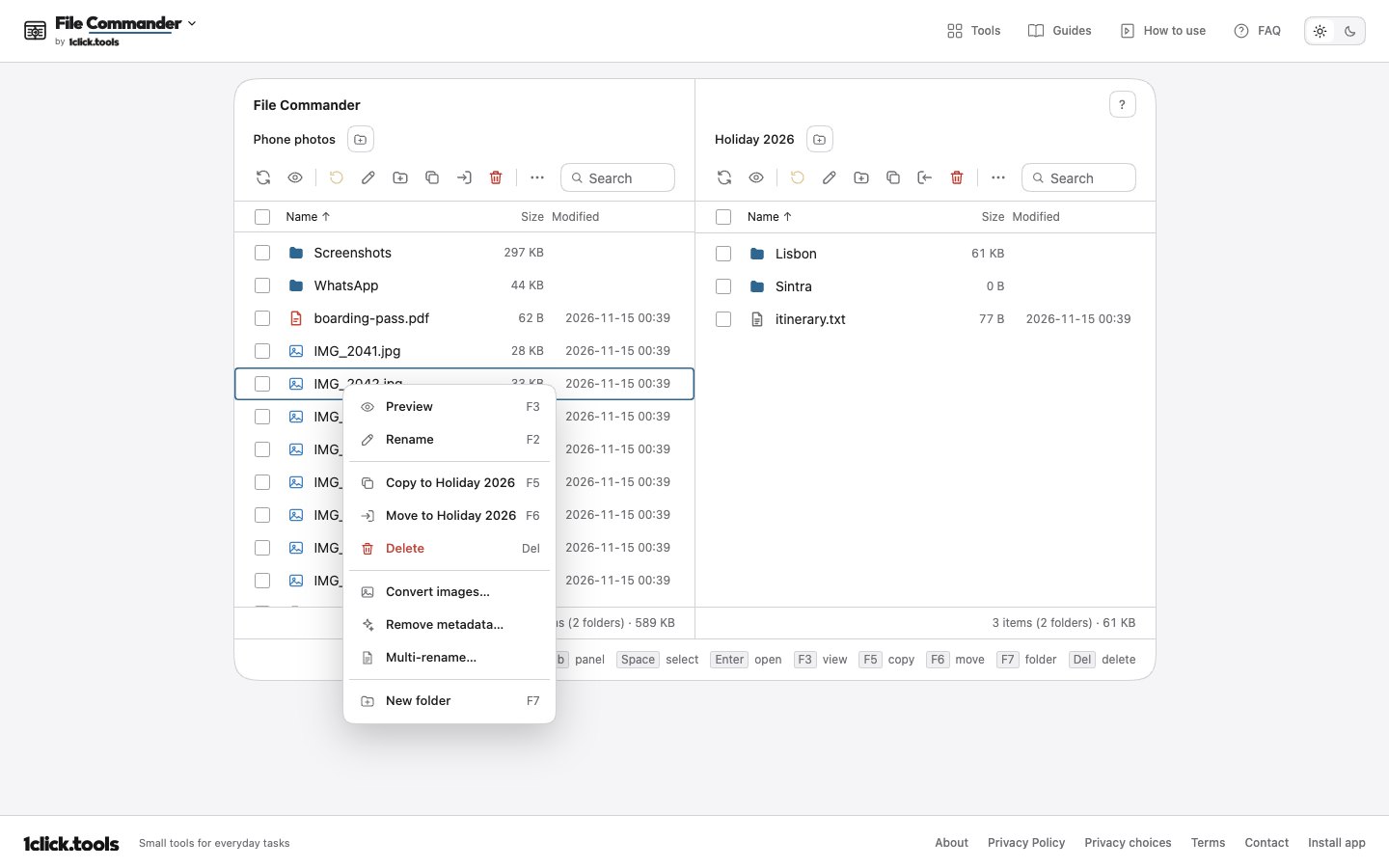
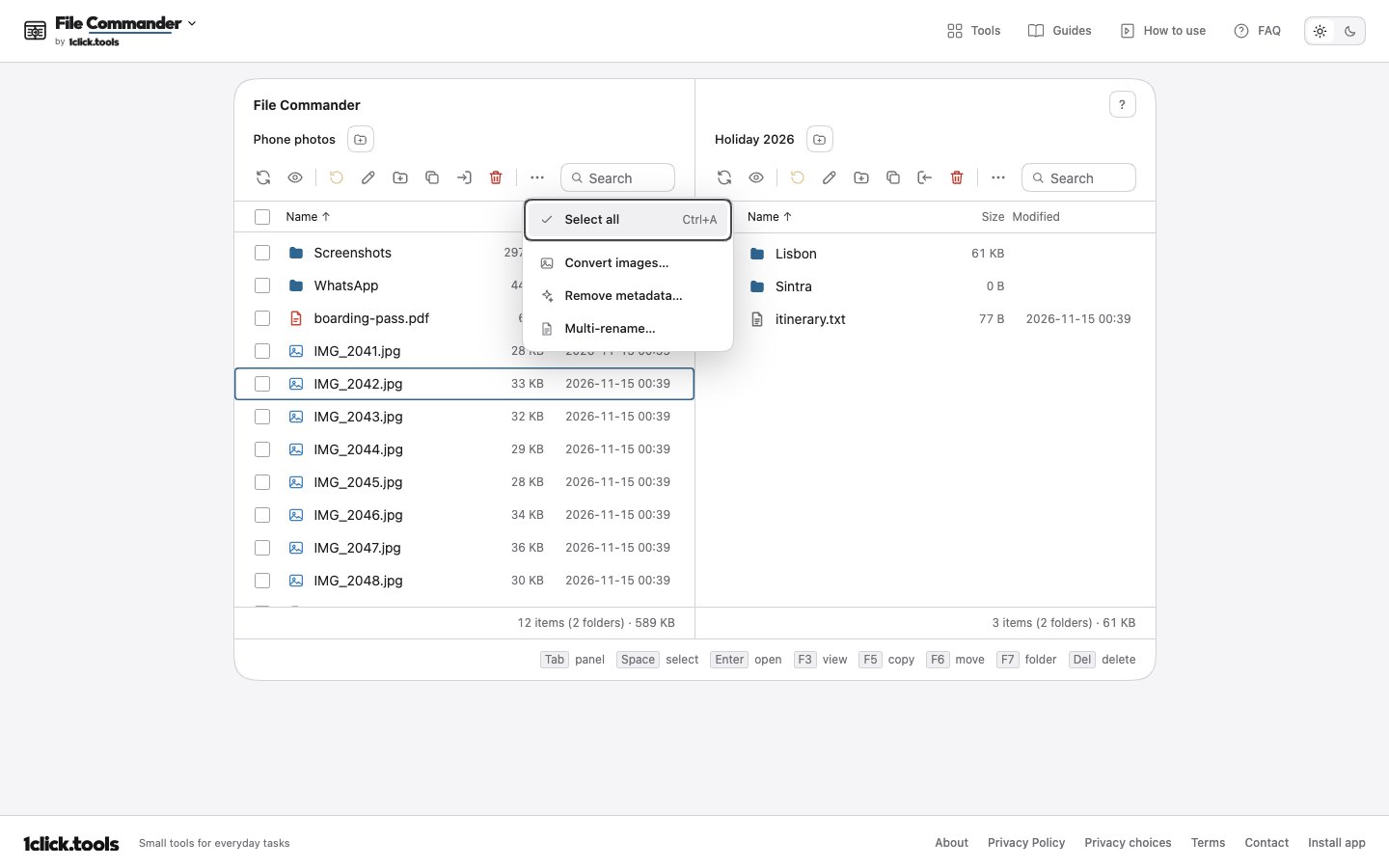
We right-clicked IMG_2042.jpg, then opened the … menu in the toolbar to compare the two menus.
| Menu | Contains |
|---|---|
| Right-click a file | Preview, Rename, Copy to, Move to, Delete, Convert, Remove metadata, Multi-rename, New folder |
| Right-click empty space | New folder, Select all, Undo, Refresh |
| … in the toolbar | Select all, Convert images, Remove metadata, Multi-rename |
Shift+F10 or the Menu key opens the right-click menu from the keyboard.
Repeat this example
- Right-click a file.
- Choose an action, or press Escape to close.
- Try the … icon in the toolbar.
Check the result
Actions that don’t apply to the file are greyed out.
A common mistake
Right-clicking a file outside the selection clears the selection; right-click a selected file to act on all of them.
Open File CommanderSources and credits
Sample folders made for these guides. Phone photos and Holiday 2026 hold generated landscape pictures and short text files created for the screenshots. Every screenshot shows the real tool working on those files.
Right-click a file or folder
The menu offers Open or Preview, Rename, Copy to and Move to the other panel (named after its folder), Delete, Convert images, Remove metadata, Multi-rename and New folder. Actions that don’t fit, such as converting a text file, are greyed out.
Selection or single file
If the file you right-click is part of your selection, the action applies to the whole selection. Otherwise the selection is cleared and only that file is used.
Right-click empty space
On an empty part of the list you get New folder, Select all, Undo and Refresh.
The … menu and the keyboard
The … icon in the toolbar holds Select all, Convert images, Remove metadata and Multi-rename. From the keyboard, Shift+F10 or the Menu key opens the right-click menu at the cursor; arrows choose, Enter runs, Escape closes.
All keys are in the keyboard shortcuts guide.