A little guidance
How to move files between folders with drag and drop
Drag files from one File Commander panel to the other to move them, or hold Option/Alt to copy instead. The Move icon does the same without dragging.
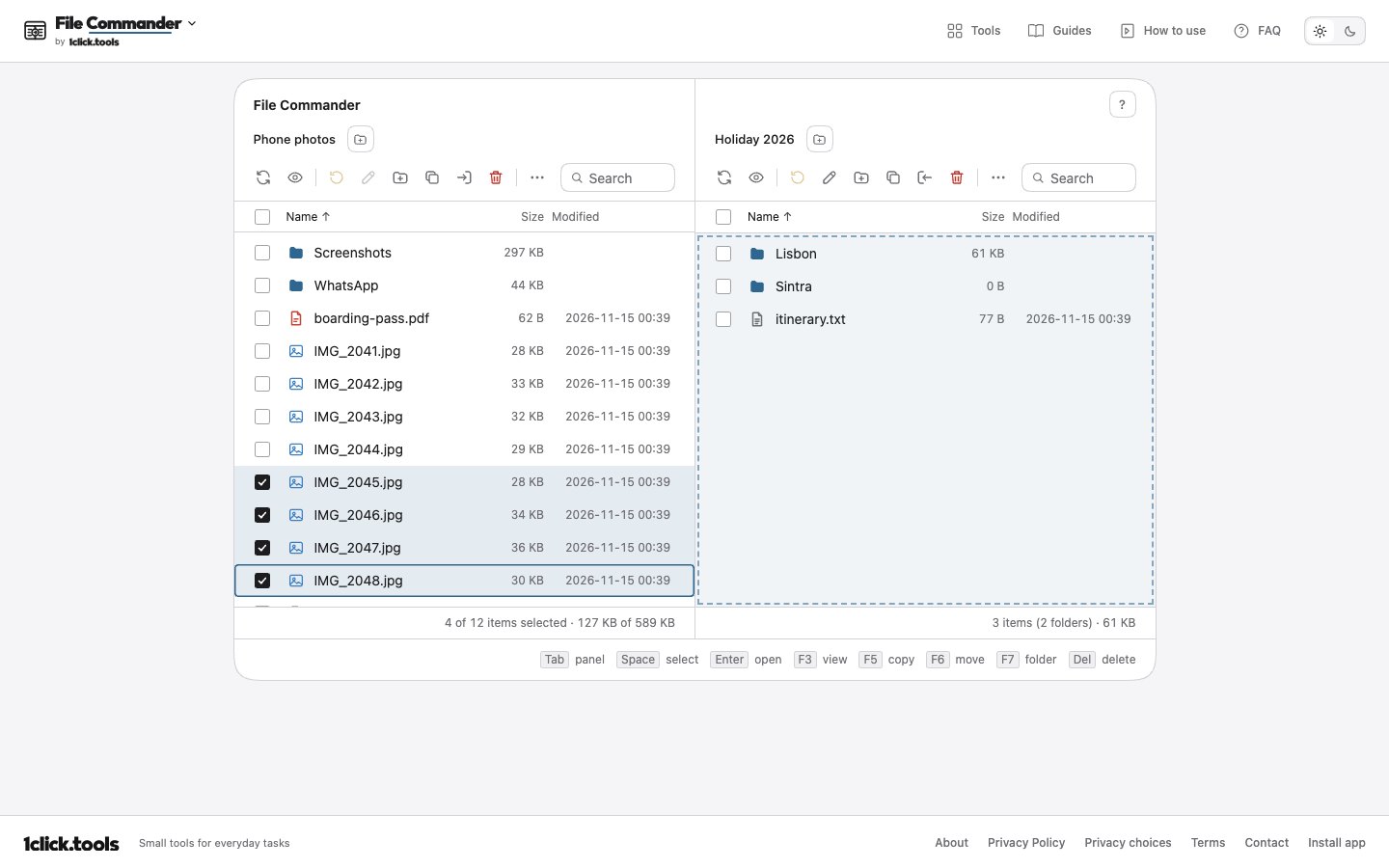
Drag four photos into Holiday 2026
We selected IMG_2045.jpg to IMG_2048.jpg and dragged them onto the right panel. The dashed outline shows the drop target; releasing moved the files.
| Drop | Result | Undo |
|---|---|---|
| Plain drop | Files move to the other folder | Moves them back |
| Option/Alt or Ctrl held | Files are copied | Removes the copies |
| From Finder or Explorer | Always copied into the folder | Removes the copies |
Moving within one drive is instant; between drives the files are copied and then removed.
Repeat this example
- Select IMG_2045.jpg to IMG_2048.jpg.
- Drag one of the selected rows onto the right panel.
- Release to move, or hold Option/Alt while releasing to copy.
Check the result
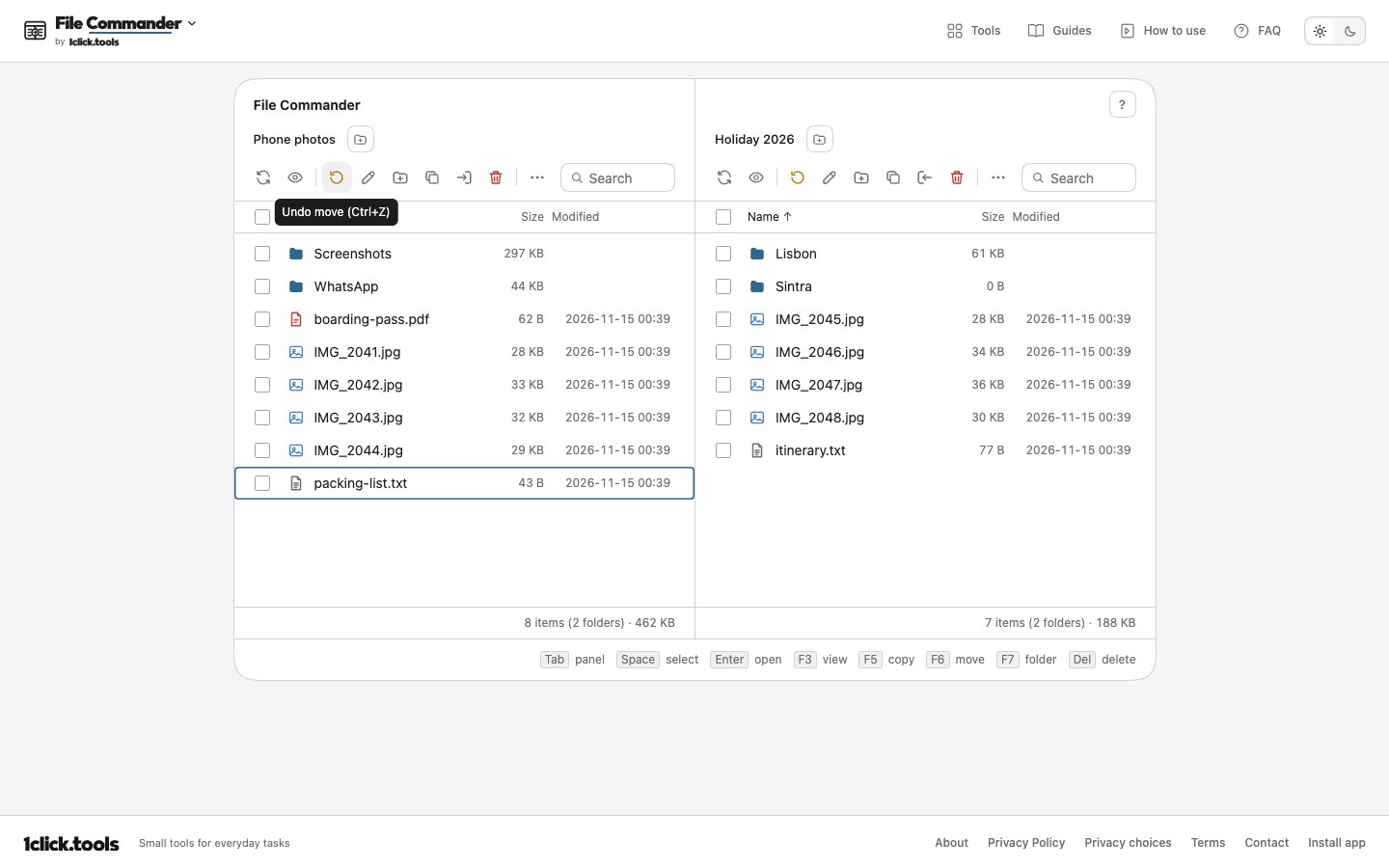
The four photos are gone from Phone photos and listed in Holiday 2026.
A common mistake
Dragging a file outside the selection moves only that file. Start the drag on a selected row.
Open File CommanderSources and credits
Sample folders made for these guides. Phone photos and Holiday 2026 hold generated landscape pictures and short text files created for the screenshots. Every screenshot shows the real tool working on those files.
Select the files to move
Select one or more files in the source panel. If you drag a file that is part of the selection, the whole selection moves; if you drag a file outside it, only that file moves.
Drag onto the other panel
Drag the selection over the other panel. A dashed outline shows where the files will go. Release to move them. Hold Option on a Mac, or Alt or Ctrl on Windows, while dropping to copy instead of moving.
Or use the Move icon
The Move icon, an arrow into a box, moves the selection without dragging. It points toward the panel the files go to. F6 does the same.
Know what moving does
On the same drive the browser moves files instantly. Between different drives, File Commander copies them and then deletes the originals, so it takes as long as a copy. Files you drag in from your computer are always copied, because the browser doesn’t let the page remove the originals there.
Moved the wrong files? Undo moves them back.