A little guidance
How to fix common JSON errors: trailing commas, quotes and comments
The mistakes that make JSON invalid most often, what JSON Prettifier says about each one, and how to fix them.
Single quotes and a comment
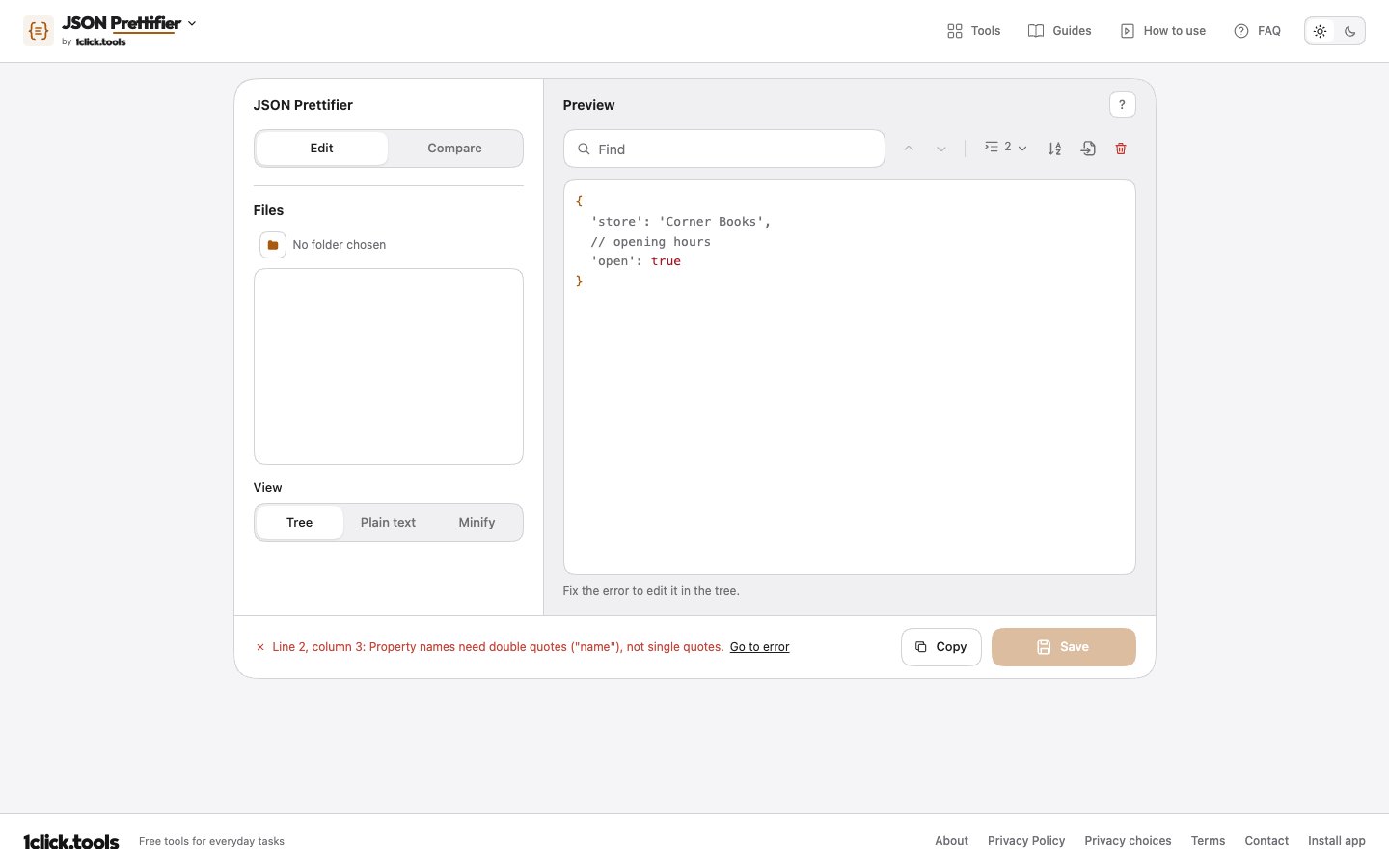
We pasted JavaScript-style data with single quotes and a // comment. The check explained the first problem: JSON needs double quotes.
| Mistake | Message | Fix |
|---|---|---|
| {'store': …} | Property names need double quotes ("name") | {"store": …} |
| // opening hours | Comments aren’t allowed in JSON | Delete the comment |
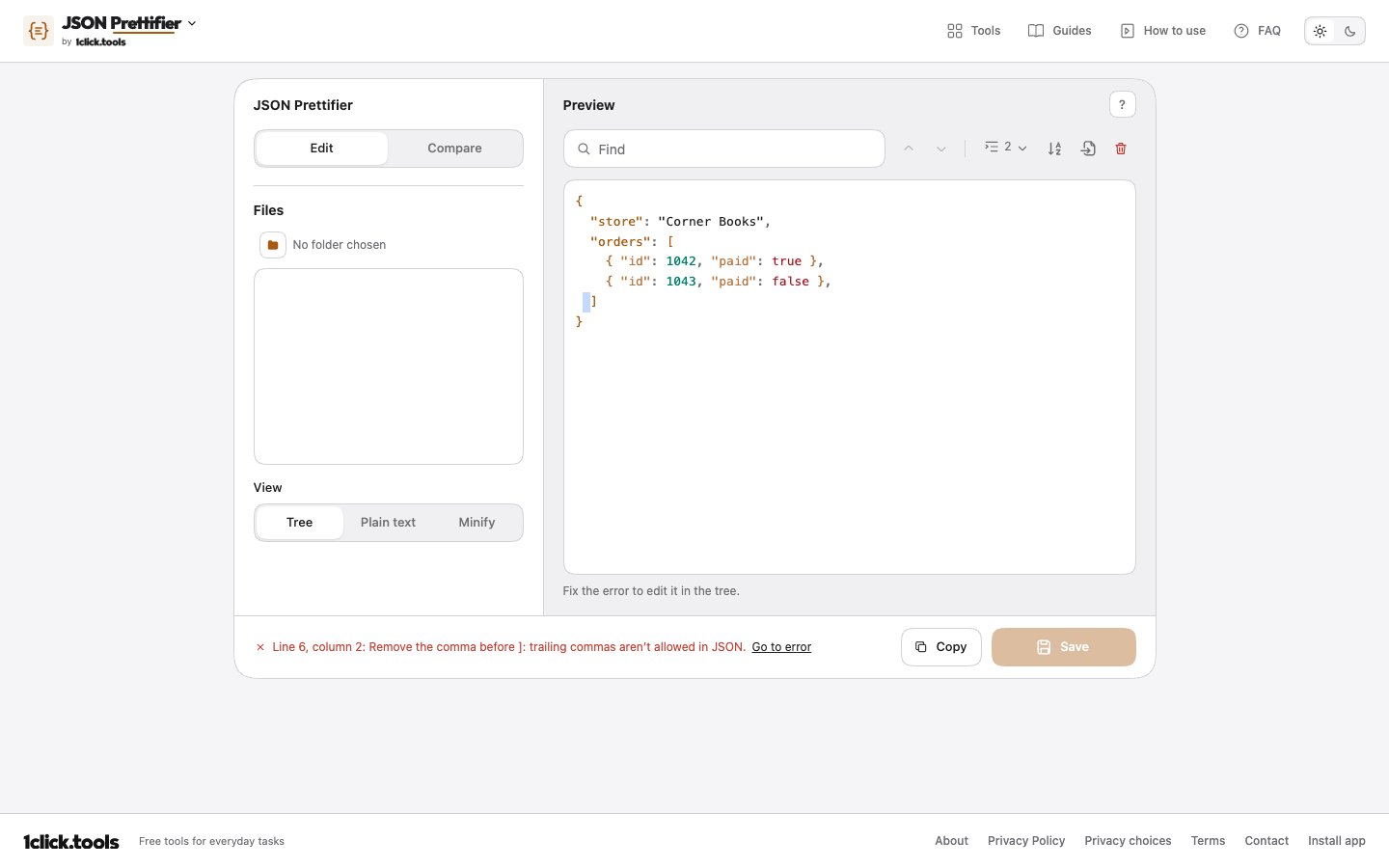
| [1, 2,] | Remove the comma before ] | [1, 2] |
| undefined | undefined isn’t a JSON value. Use null | null |
JavaScript object syntax looks like JSON but is less strict.
Repeat this example
- Paste the data.
- Fix the problem named at the bottom.
- Repeat until it says Valid JSON.
Check the result
With double quotes and no comment, the check reads Valid JSON.
A common mistake
Replacing quotes inside text as well: only the quotes around keys and string values need to change.
Open JSON PrettifierSources and credits
Sample JSON made for these guides. The bookshop orders, names and emails are invented. Every screenshot shows the real tool working on that JSON.
Trailing commas
A comma after the last item, as in [1, 2,] or {"a": 1,}, is allowed in JavaScript but not in JSON. Remove the comma before ] or }.
To find each error quickly, see how Go to error works.
Single quotes and unquoted keys
JSON needs double quotes around every key and string: {"name": "Ana"}, not {name: 'Ana'}. Replace single quotes with double quotes and quote every key.
Comments
JSON has no comments. Delete // and /* */ comments, or move the note into a value such as "note": "…".
JavaScript values
undefined, NaN, Infinity and functions don’t exist in JSON, and True, False and None are Python, not JSON. Use null, true and false in lowercase.