A little guidance
Why a 1 TB drive shows 931 GB: GB vs GiB explained
Understand decimal and binary storage units. Convert TB to GiB, GB to MB and see why drives and phones report less space than advertised.
1 TB is 931 GiB: the same bytes in a bigger unit
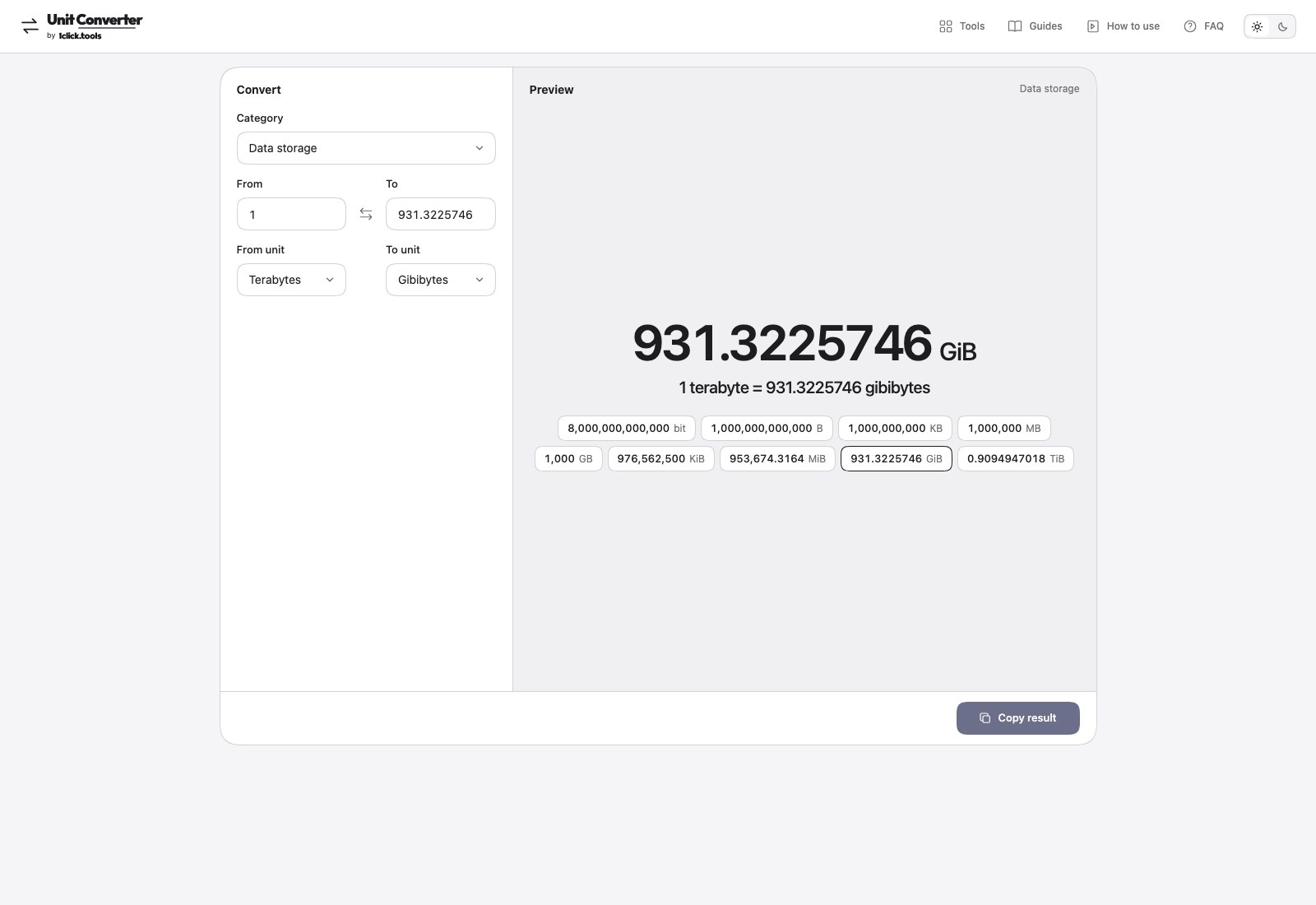
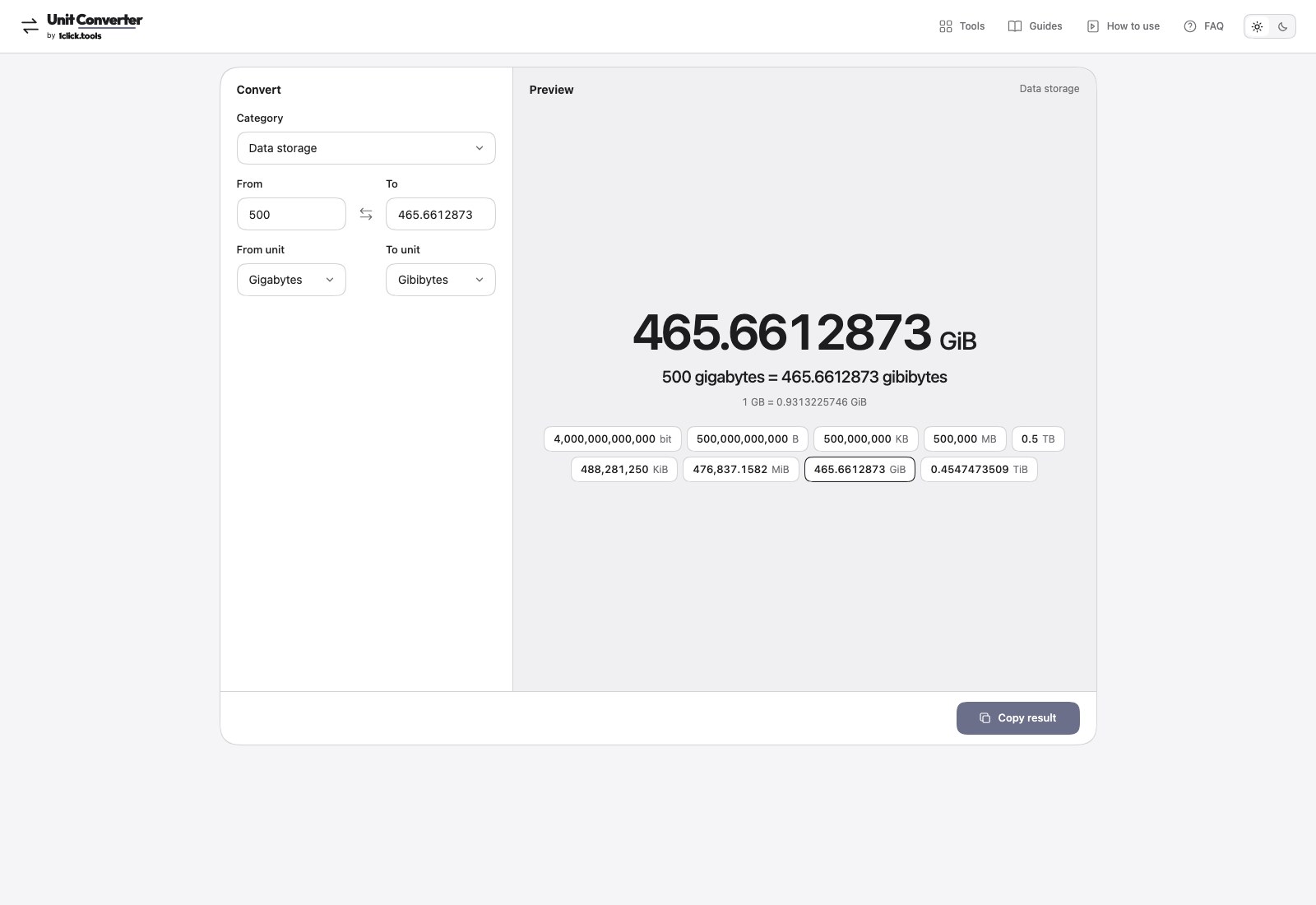
We converted an advertised 1 TB drive into binary gibibytes, then a 500 GB drive, to see the sizes an operating system reports.
| Advertised size | Binary size | Bytes |
|---|---|---|
| 1 TB | 931.3225746 GiB | 1,000,000,000,000 |
| 2 TB | 1,862.645149 GiB | 2,000,000,000,000 |
| 500 GB | 465.6612873 GiB | 500,000,000,000 |
Decimal units count in powers of 1,000 and binary units in powers of 1,024. Both describe the same number of bytes.
Repeat this example
- Select Data storage. Set From unit to Terabytes and To unit to Gibibytes.
- Type 1 and read 931.3225746 GiB; Bytes in the list shows 1,000,000,000,000.
- Set From unit to Gigabytes and type 500 to see 465.6612873 GiB.
Check the result
1 GiB is 1,073,741,824 bytes, so 1,000,000,000,000 ÷ 1,073,741,824 ≈ 931.3.
A common mistake
Assuming the missing 69 GB was used by the system. Most of the difference is the unit, not used space.
Try 1 TB in Unit ConverterSources and credits
Actual Unit Converter sessions. Screenshots show the converter with the stated values. Tables match its displayed results; Copy result produces text rather than a file.
Two systems with similar names
Storage makers use decimal units: 1 KB is 1,000 bytes, 1 MB is 1,000,000 bytes and 1 GB is 1,000,000,000 bytes. Many operating systems count in binary units based on 1,024: 1 KiB is 1,024 bytes, 1 MiB is 1,048,576 bytes and 1 GiB is 1,073,741,824 bytes. Data storage in Unit Converter includes both, plus bits.
Convert an advertised drive size
Choose Data storage under Category, set From unit to Terabytes and To unit to Gibibytes, then type 1. The result is 931.3225746 GiB. Nothing is missing: it is the same number of bytes counted with a larger unit. A 2 TB drive is 1,862.645149 GiB, and a 500 GB drive is 465.6612873 GiB.
Know what your computer means by GB
Windows labels binary sizes as GB, so a 1 TB drive appears as about 931 GB. macOS and iOS use decimal units, so the same drive appears as about 1 TB before formatting. Formatting and system files take additional space on top of the unit difference.
Convert file sizes
For everyday file sizes, choose Megabytes and Gigabytes. 1 GB is 1,000 MB in decimal units. If a program reports a file in MiB, choose Mebibytes instead to compare exactly. The difference grows with each step: about 2.4% at KB, 4.9% at MB, 7.4% at GB and 10% at TB.
Bits are not bytes
Internet speeds are usually given in bits per second, while file sizes are in bytes. One byte is 8 bits, so 1 GB is 8,000,000,000 bits. Choose Bits in either field to convert a file size into bits and compare it with a connection speed.
For other everyday conversions, start with centimeters to inches and feet.